-35-
Maintenance 5
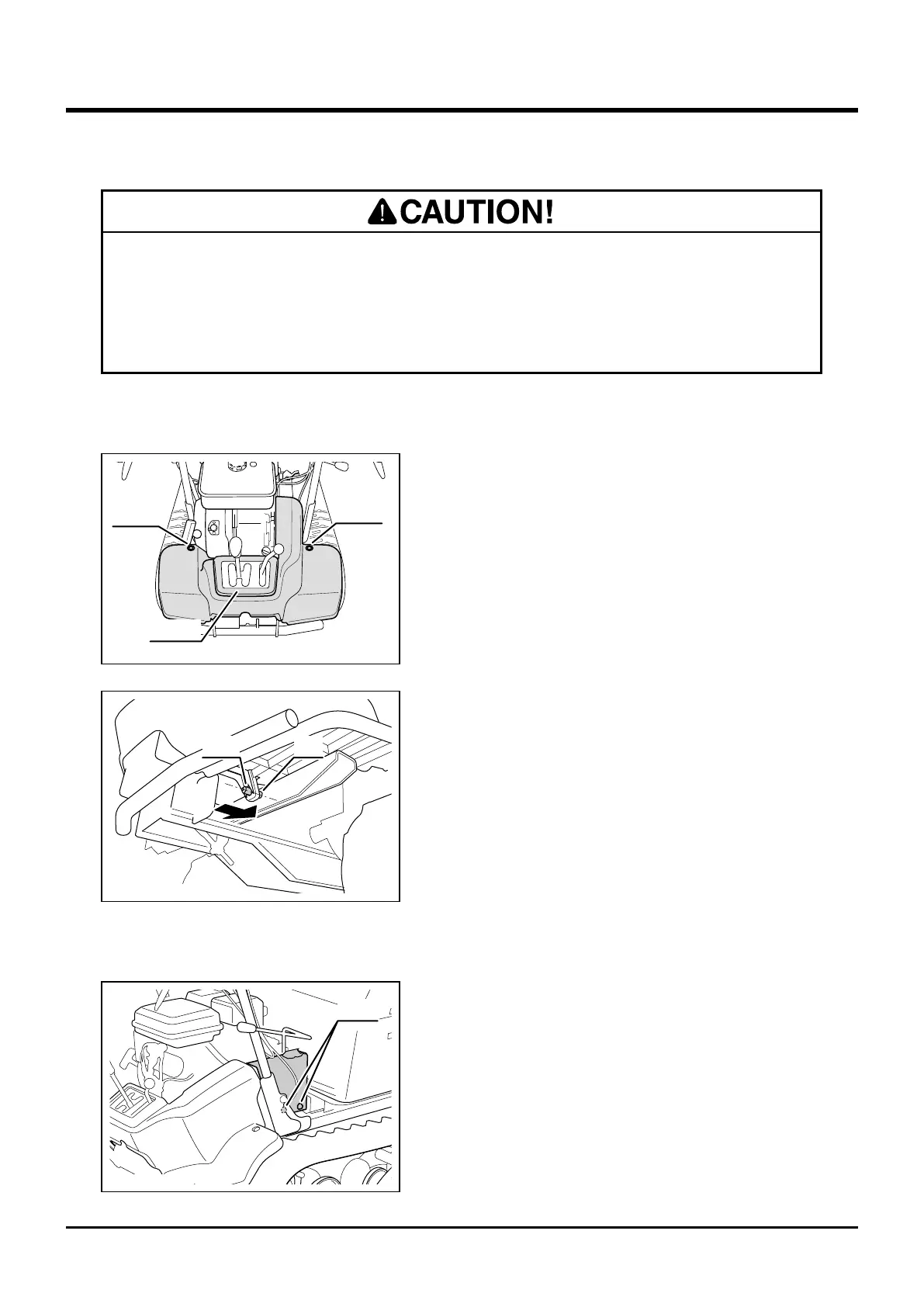
1. Remove two screws that secure fender.
Remove fender.
Fender
Removing and Installing Body Panels
• Cut or pinch hazard exists when removing or installing body panels; beware of
sharp edges and pinch points.
• Make certain to reinstall panels after removing for repairs or inspection.
1. Put fender back in its place. Align hole on
fender with pin on chassis and move fender
so that pin mates with hole.
2. Install two screws.
Removing
Installing
1. Remove two screws that secure belt cover.
Remove belt cover.
Belt Cover
Removing
1. Put belt cover back in its place. Install two
bolts.
Installing
5377M-0504-010US
Bolts
Screw
Screw
3577M-6107-0504-010
Fender
3573M-0504-020US
PinHole



 To Next Page