Page 12 of 61
Meter Display Instruction
* Press the remote control button of the startup controller, and the LCD screen of the instrument will light up
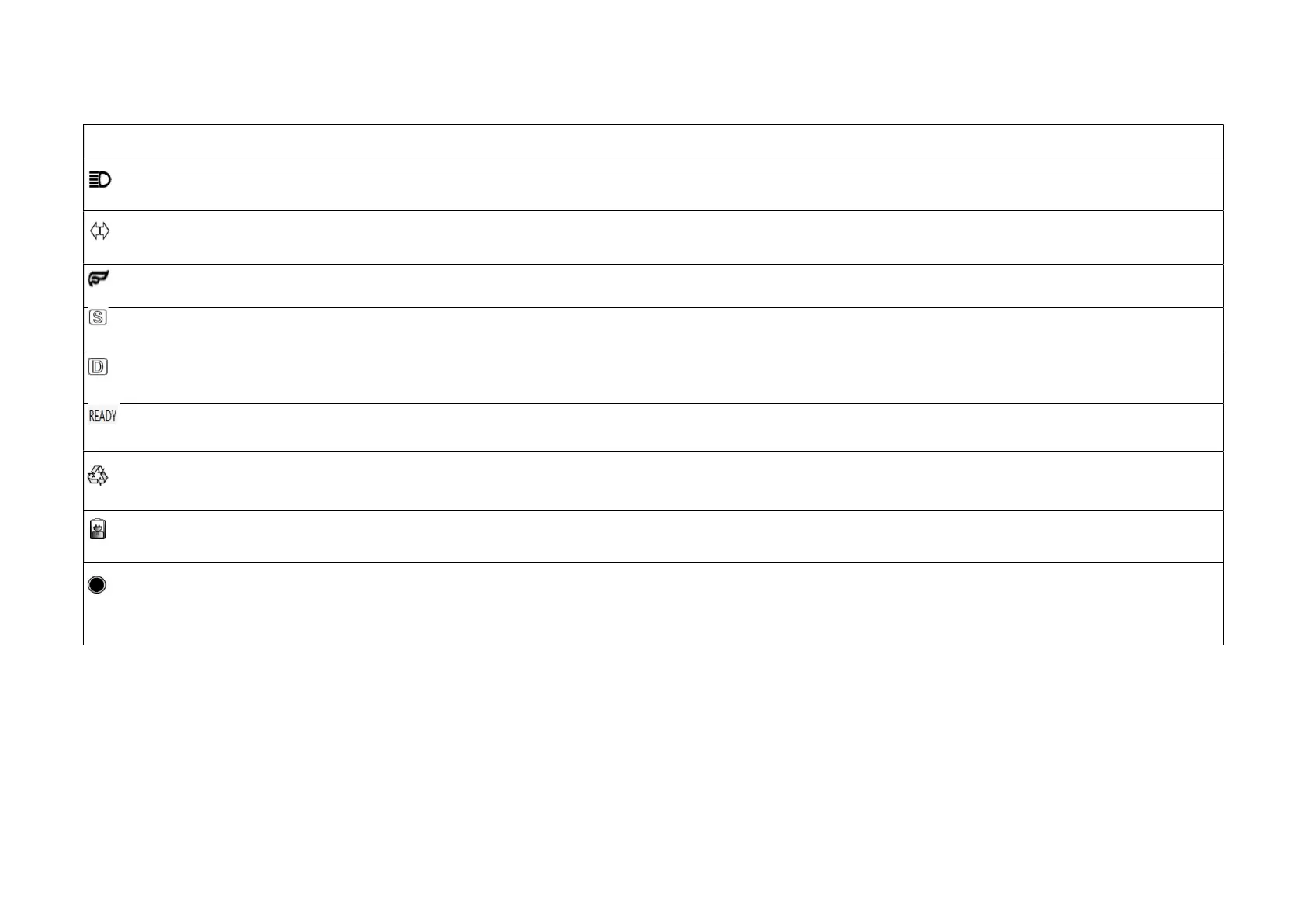
High beam: The meter is initially set into the daily running light, press the Light button on the left switch assembly of the left brake lever, and the
high beam will be turned on.
Left and right turn signals: When the steering switch on the left brake lever switch assembly is pushed to the left, the left front and rear turn
signals will flash; when the steering switch is pushed to the right, the right front and rear turn signals will flash.
Entertainment mode display: When it is on, there is no traction control (that is, no brake is powered off), and when it is off, there is traction
control (that is, the brake is powered off).
Sport gear: When the S indicator flashes, Gear D is applied; when it is steady on, Gear 1 applied; when flashing slowly, Gear 2 applied; when
flashing fast, Gear 3 applied.
Drive gear: Press the N/D button on the right brake lever to control the Gear D indicator to light up or off; 1. Steady on: Gear D is applied and the
motorcycle can be driven; 2. OFF: Gear N is applied.
Indicator: it is controlled by the steering lock key or the Start button (depending on the power-on switch of the motorcycle); 1. If it is steady on, the
motorcycle will be started; 2. If it is turned off, the motorcycle will not be started.
Energy Recovery indicator: 1. Steady on: the auxiliary brake is applied to recover the energy after a delay of 20 ms when the
braking signal is detected
(or the speed is reduced by 10%); 2. Flashing: the energy is recovered after the throttle is released; 3. Off: the energy recovery is disabled.
Charging warning light: 1. Off: sufficient power; 2. Steady on: warning for insufficient power; 3. Flashing: the battery is in low voltage and should be
charged as soon as possible.
Function switch button - M button: 1. Press it once: switch the display of Trip and Total; the trip and maximum speed are displayed at the same time;
the speedometer shows the current speed when the motorcycle is running; 2. Press and hold it: switch the mileage unit between km and mile;
S button: In Trip mode, press and hold the S button for more than 2 seconds, and the Trip and Max. Speed will be cleared zero synchronously.



 To Next Page