System Setup
Start the CapView
Before starting the machine engine, always make sure that the CapView display and rate controller
are off.
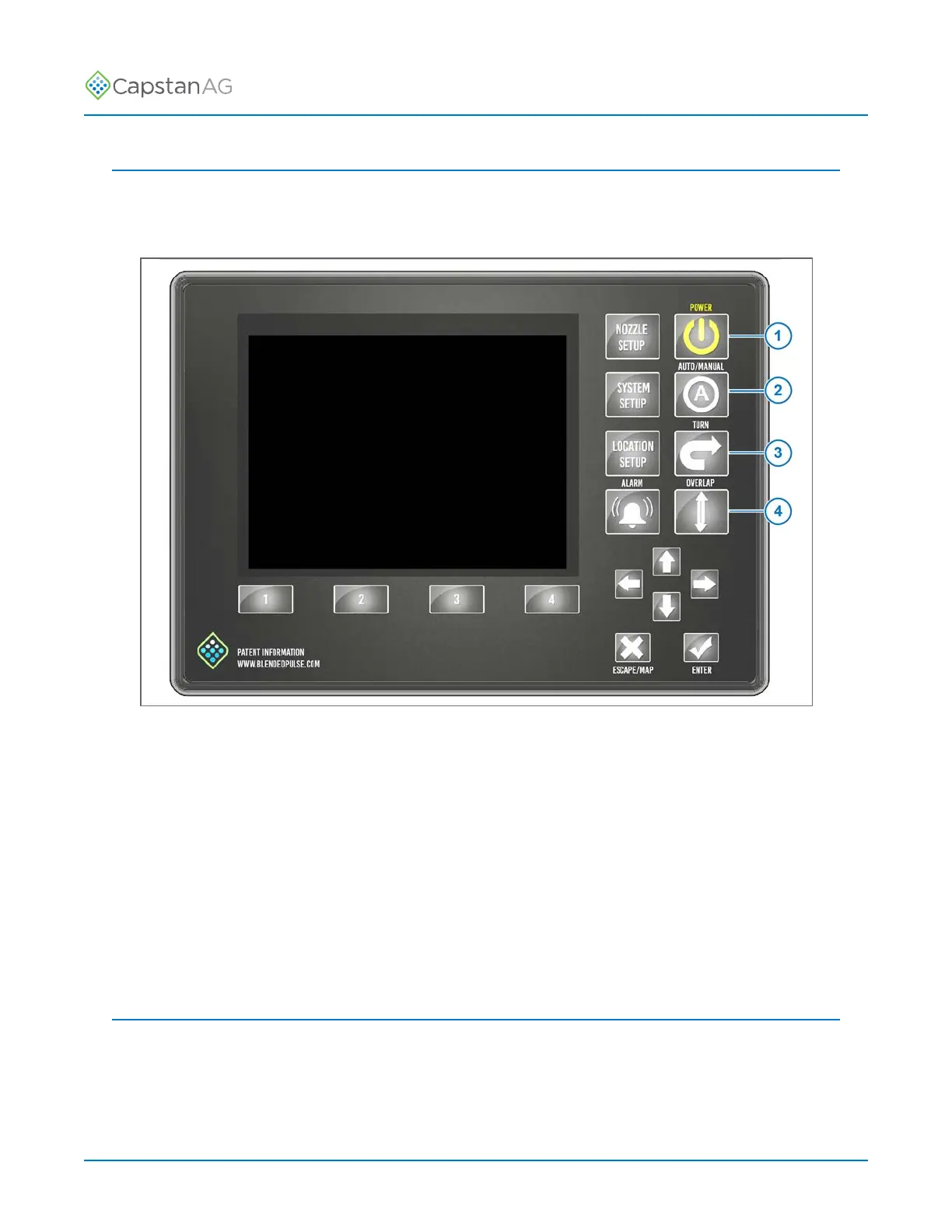
Fig. 19:
1. Start the machine engine.
2. Press the POWER button (1) to start the CapView and the rate controller.
3. Make sure that the rate settings are correct.
4. Press to AUTO/MANUAL button (2) to activate the automatic pressure control.
5. Set the desired pressure on the CapView.
6. Press the TURN button (3) to activate the turn compensation feature.
7. Press the OVERLAP button (4) to activate the overlap feature.
8. Turn on the boom sections to spray.
Shutdown the CapView
1. Turn off the boom sections.
2. Press the POWER button to turn off the CapView and the rate controller.
©
2020 Capstan Ag Systems, Inc. 32 PinPoint
™
II



 To Next Page