Operation
Draw a Map
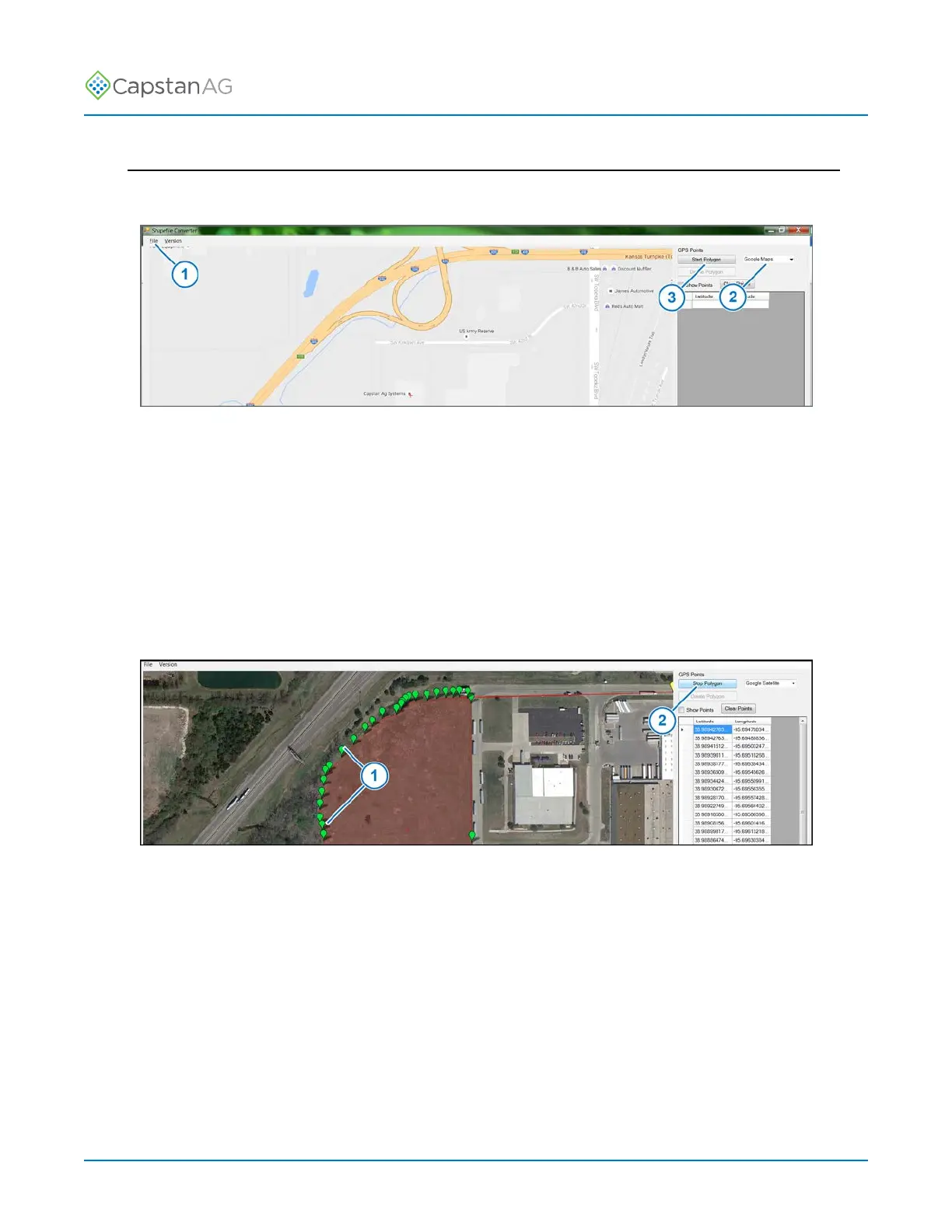
1. Open the CapMaps
™
Software shapefile converter application.
Fig. 45:
2. Go to: File > New Map (1).
3. Use the + or - to zoom to the desired location.
4. Select the type of map (2) you would like to view while setting polygons in the map selection field:
• Google Maps
• Google Earth/Satellite
• Wiki Maps
• Open cycle maps
• Closed cycle maps
5. Click the Start Polygon icon (3).
Fig. 46:
6. Set points (1) along the boundary.
For curves, the more points you set, the more accurate the boundary line will be.
You can manually enter latitude and longitude coordinates.
7. When you have set all of the points desired along the boundary, click the Stop Polygon icon (2).
©
2020 Capstan Ag Systems, Inc. 85 PinPoint
™
II



 To Next Page