Operation
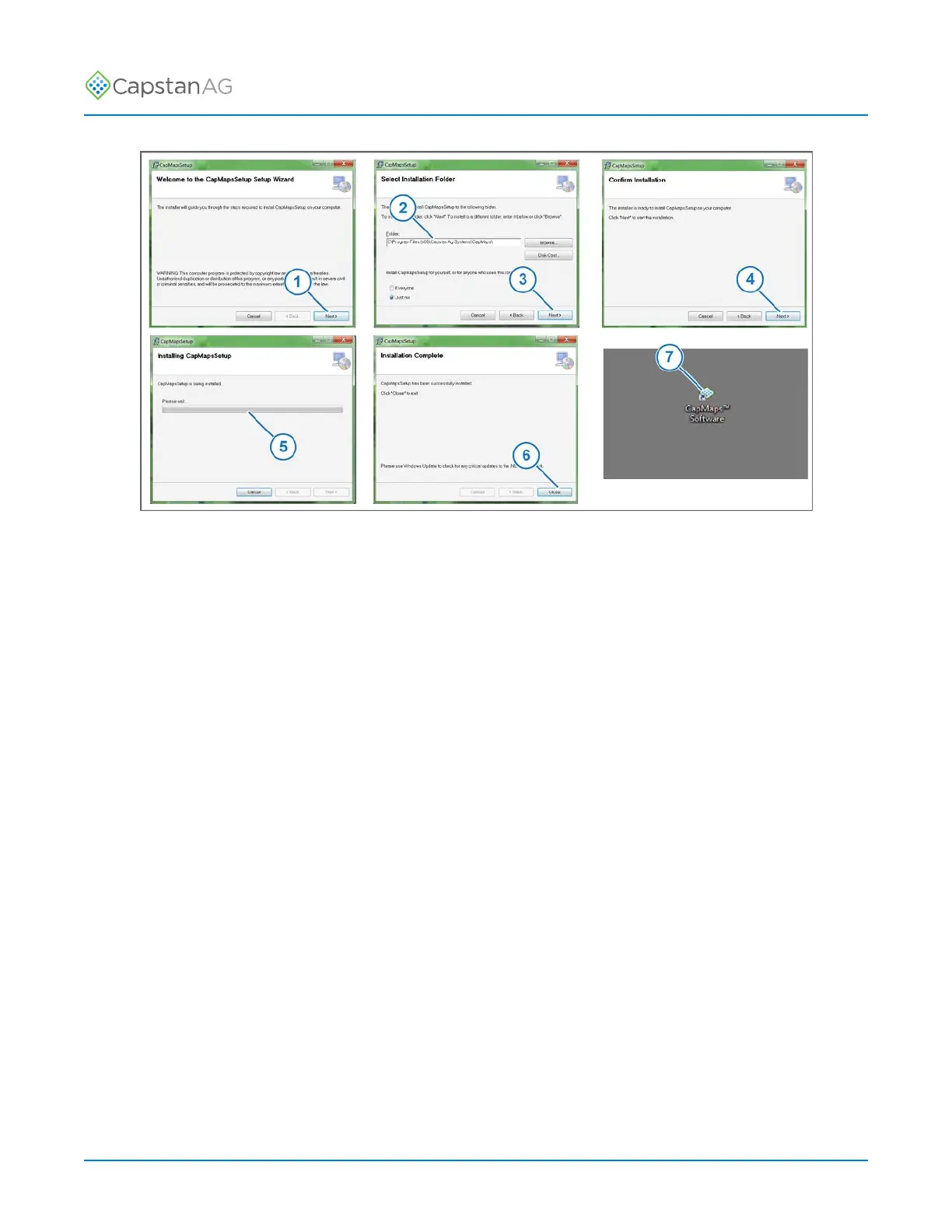
Fig. 44:
9. Click Next > (1).
10.Make sure that the program will be installed in the desired location (2).
11.Click Next > (3).
12.Click Next > (4).
You can watch the progress of the software installation (5).
13.When the installation is complete, click Close (6).
A CapMaps
™
Software icon (7) will show on the computer desktop.
14.Double click the icon to start the program.
©
2020 Capstan Ag Systems, Inc. 84 PinPoint
™
II



 To Next Page