Operation
CapMaps
™
—Boundary Mapping
Install the CapMaps
™
Software
If you have a previous version of the CapMaps
™
software on your computer, you must uninstall that
version before installing a new version of the software.
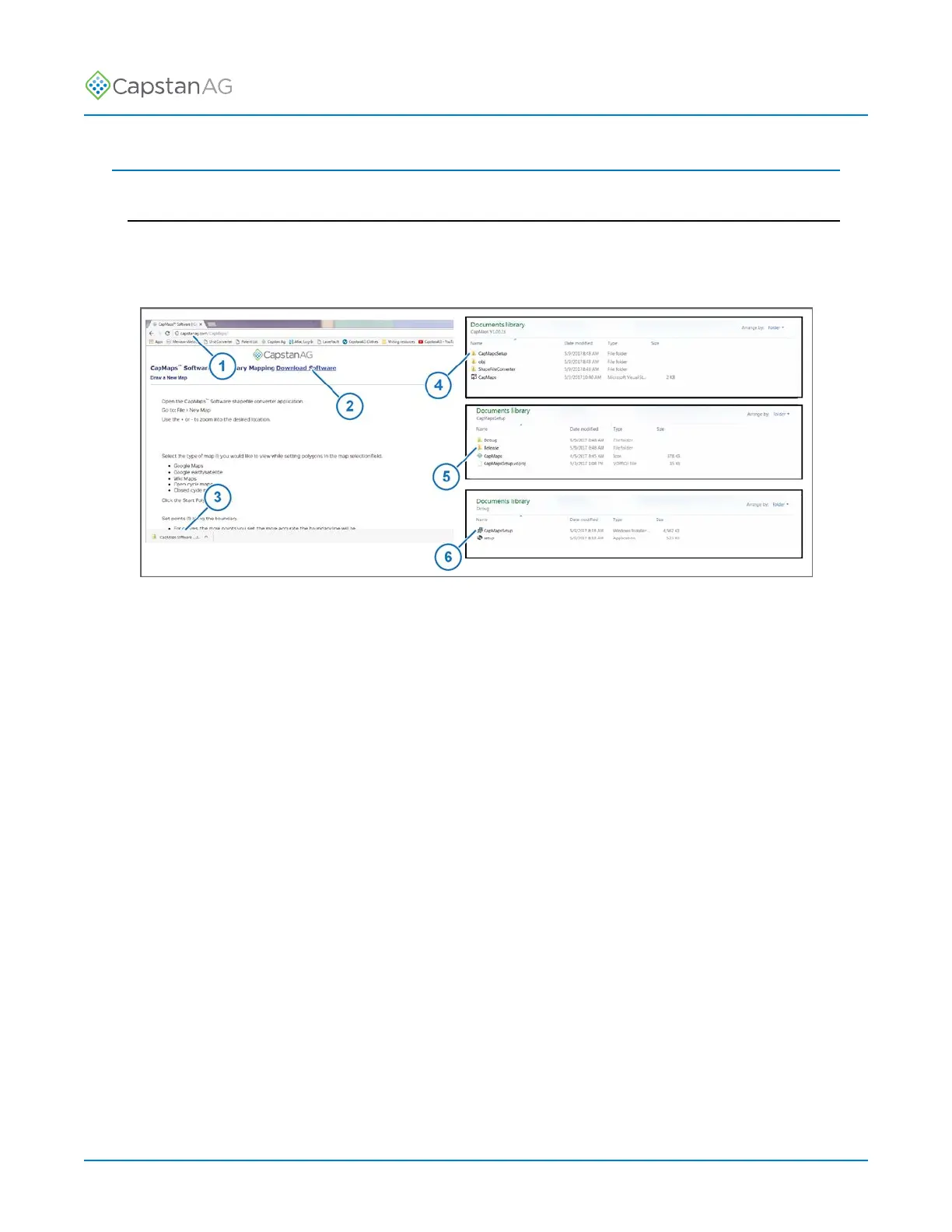
Fig. 43:
1. On your computer, open a web browser and go to capstanag.com/CapMaps (1).
Important: Capital letters must be used for the C and M in CapMaps when typing in the web
address.
2. Click on Download Software (2).
The software will automatically begin downloading to your computer.
3. When the software download is complete, open the download folder (3) on your computer.
4. Extract all the files from the zipped folder.
5. Open the extracted folder.
6. Double click CapMapsSetup folder (4) to open the folder.
7. Double click the Release folder (5) to open the folder.
8. Double click the setup icon (6).
The setup wizard will start.
©
2020 Capstan Ag Systems, Inc. 83 PinPoint
™
II



 To Next Page