Operation
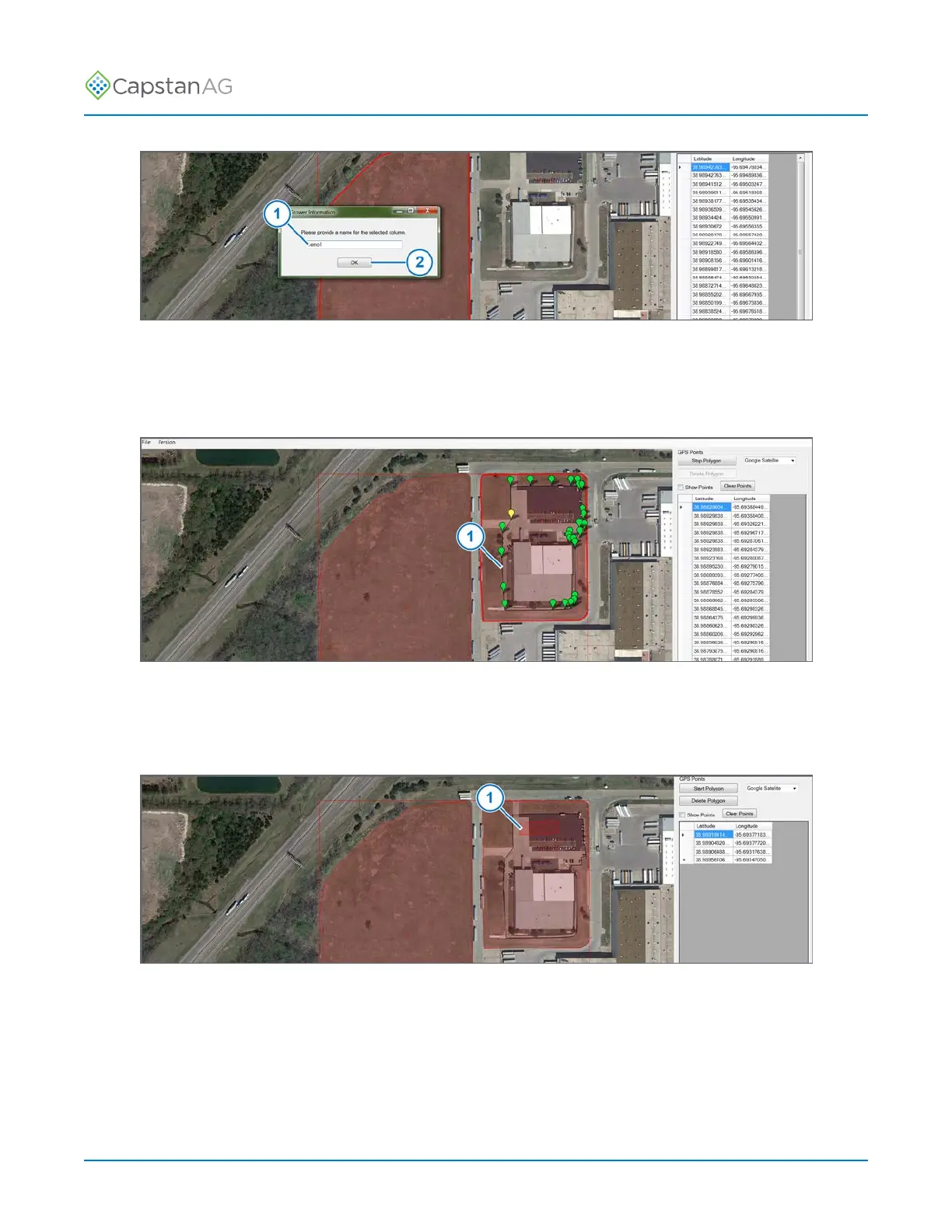
Fig. 47:
8. Enter the name (1) of the field in the window that shows on the screen.
9. Click OK (2).
10.To add another field to the same map, repeat steps 5, 6, and 7.
Fig. 48:
11.To add a no spray area within an existing field, repeat steps 5, 6, and 7 with the boundary of an
existing field.
The no spray area (1) must be completely within the spray area of the existing field.
Fig. 49:
12.If points are added within a no spray area, that area (1) will become a spray area.
13.When all of the spray/no spray areas are on the map, select: File > Save As PinPoint II Map.
Important: Make sure that you save the map to an external memory device, like a thumb drive.
©
2020 Capstan Ag Systems, Inc. 86 PinPoint
™
II



 To Next Page