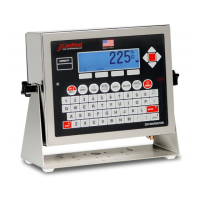
8200-0753-0M Rev A 225D Weight Digital Indicator
Diagnostic Menu
To enter the diagnostic menu press SHIFT + CELL_DIAG soft key. All diagnostic information
except software version update once per second.
LIVE LOAD CELL WEIGHTS
1. 54.9
2. 26.5
3. 25.9
4. 67.3
PREVIOUS NEXT EXIT
MINIMUM AND MAXIMUM WEIGHTS (This can be zeroed as needed.)
MAXIMUM / MINIMUM WEIGHTS
1. 0.0/ -1.2
2. 0.0/ -1.0
3. 0.5/ -0.1
4. 1.4/ 0.0
PREVIOUS NEXT EXIT
DEADLOAD SHIFT
DEADLOAD SHIFT * = CHECK LOAD CELL
1. 1.6
2. 19.7
3. -1.2
4. -2.3
PREVIOUS NEXT EXIT
This shows the live shift from the original calibrated deadload. An asterisk () indicates that
the deadload shift has been exceeded. Scale must empty for this to be valid.


 To Next Page