Cephalometric Modality User guide for CS 8100 Family and CS 8100 3D Family_SM987_Ed02 15
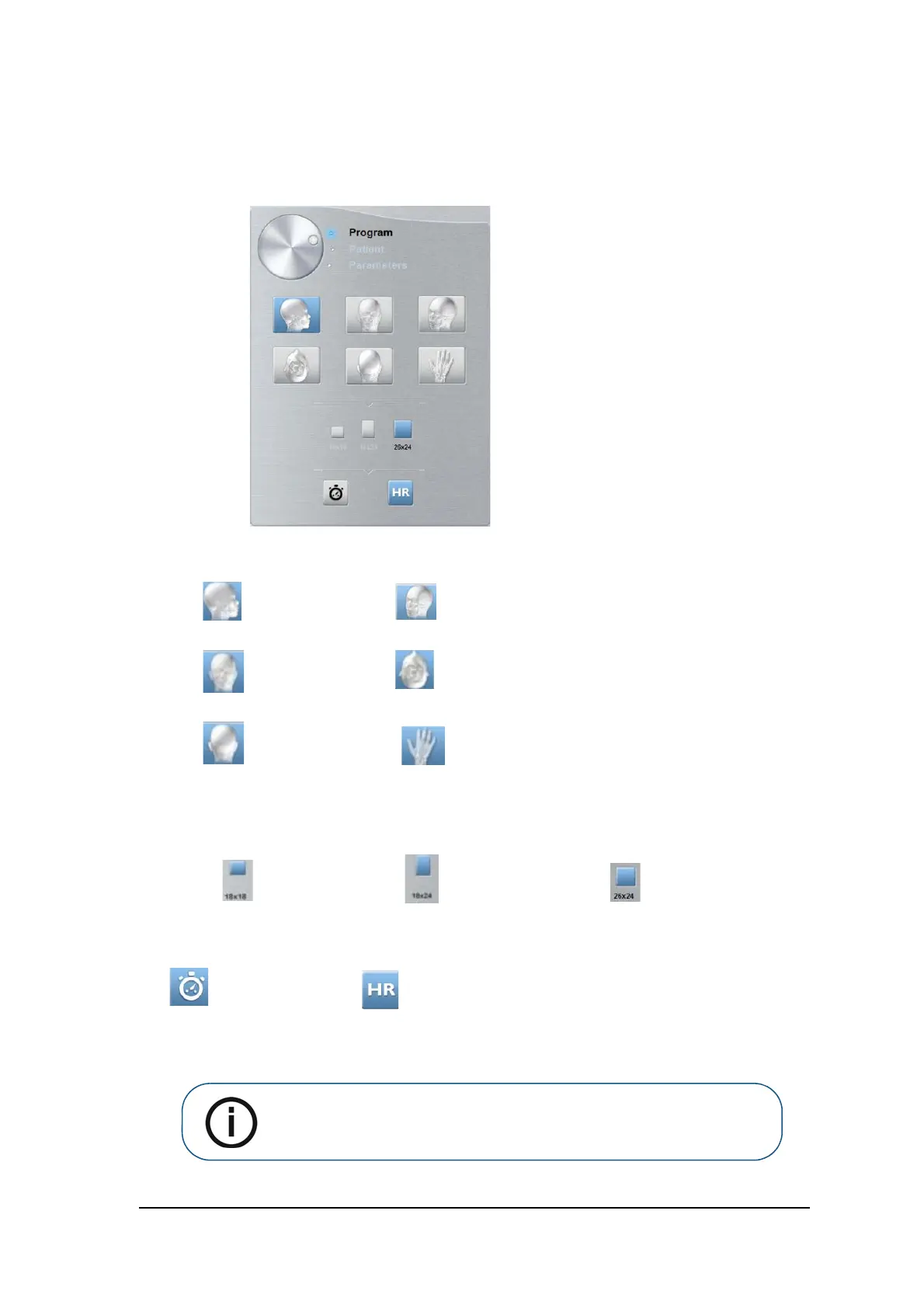
Cephalometric Acquisition interface Program Pane
The Cephalomentric Acquisition Interface Program Pane enables you to choose the different
radiological exams and acquisition formats.
Figure 2 Cephalometric Acquisition Interface Program Pane
1 Radiological exam options:
Click for a lateral exam.
Click for an oblique exam.
Click for a frontal AP
(Anterior-Posterior) exam.
Click for a submento-vertex exam.
Click for a frontal PA
(Posterior-Anterior) exam.
Click for a carpus exam.
2
FoV options:
Select for a 18 x 18
FoV.
Select for a 18 x 24 FoV.
Select for a 26 x 24 FoV
(option not available for CS
8100SC Access and CS
8100SC 3D Access).
Fast scan for a quick
exam.
Acquisition at a higher resolution for more precision.
Note: The above list of exam types are only a sample of exam options of
the Program pane.



 To Next Page