Basic Operating Tasks
2011-03-31 9G3886_en 2-3
Turning the power on and off
To start the laser imager, press the power switch on the back of the laser
imager to on (|). Wait as the laser imager warms up. The warm-up period
might last up to 30 minutes. The display screen shows the progress as the
laser imager becomes ready to print.
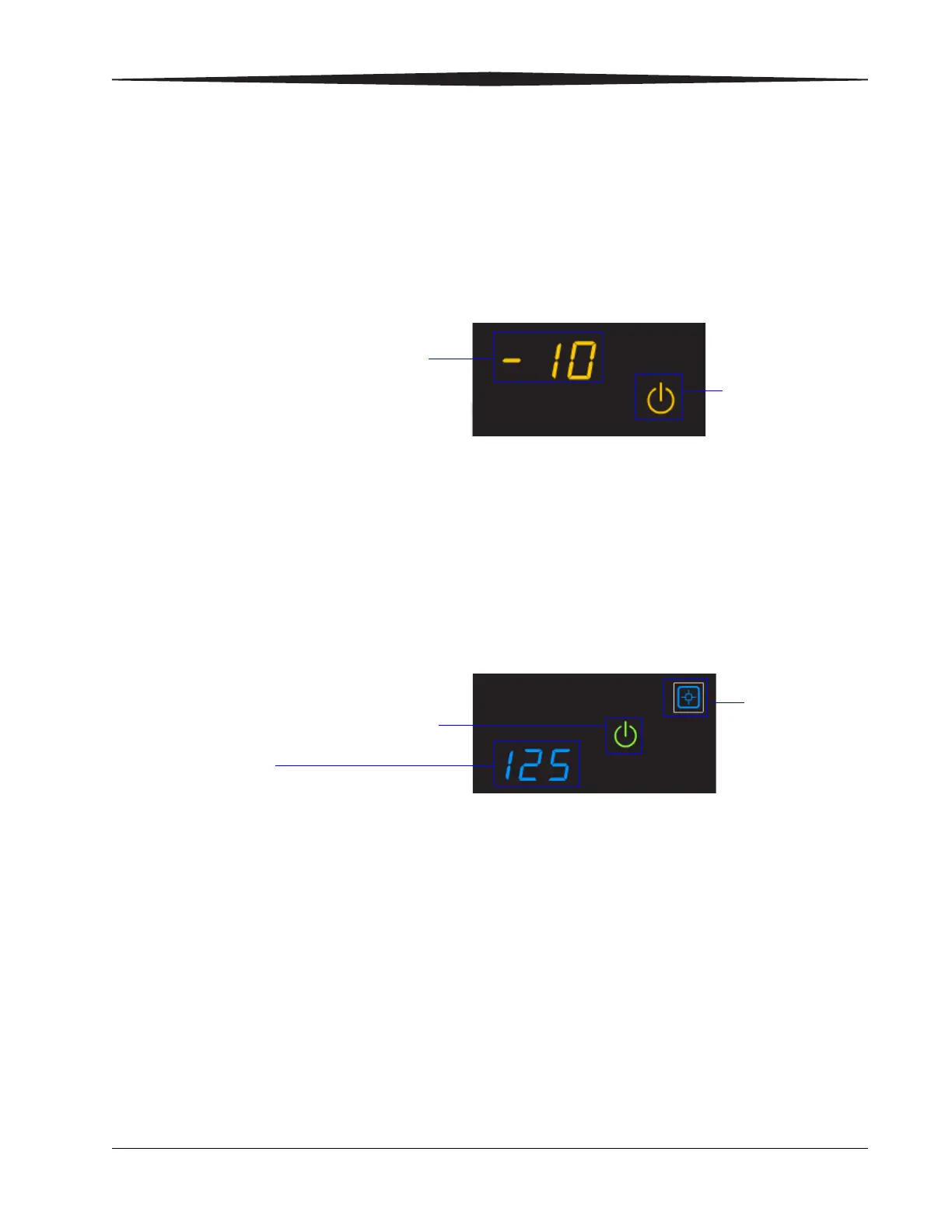
Warming up
The warm-up period varies depending on the amount of time the laser
imager has been off and the ambient temperature. During warm-up, the
laser imager can receive and store images but cannot print films.
When the laser imager reaches operating temperature, the display screen
changes to show that the system is ready to print, and the laser imager
prints images that were received during the warm-up period.
Ready to print
Emergency shutdown
or power loss
In the event of a power loss, or if an emergency requires an immediate
shutdown of the laser imager, films in process will not be completed.
However, when power is restored, the laser imager will restart. After
warming up, the laser imager automatically reprints any films that were
in process when the power was interrupted.
The power symbol is
yellow and flashing
while the laser
imager warms up
A countdown to zero (0) indicates
how soon the laser imager will be
ready to print
Film count
Green power symbol means "ready"
You can
calibrate the film
cartridge if
necessary










 To Next Page