Maintenance and Troubleshooting
2011-03-31 9G3886_en 3-3
3. Install a new charcoal filter.
4. Close the film supply.
5. To reset the laser imager for the new filter and to clear the
Maintenance symbol, press and then release the Maintenance and
Calibrate symbols at the same time.
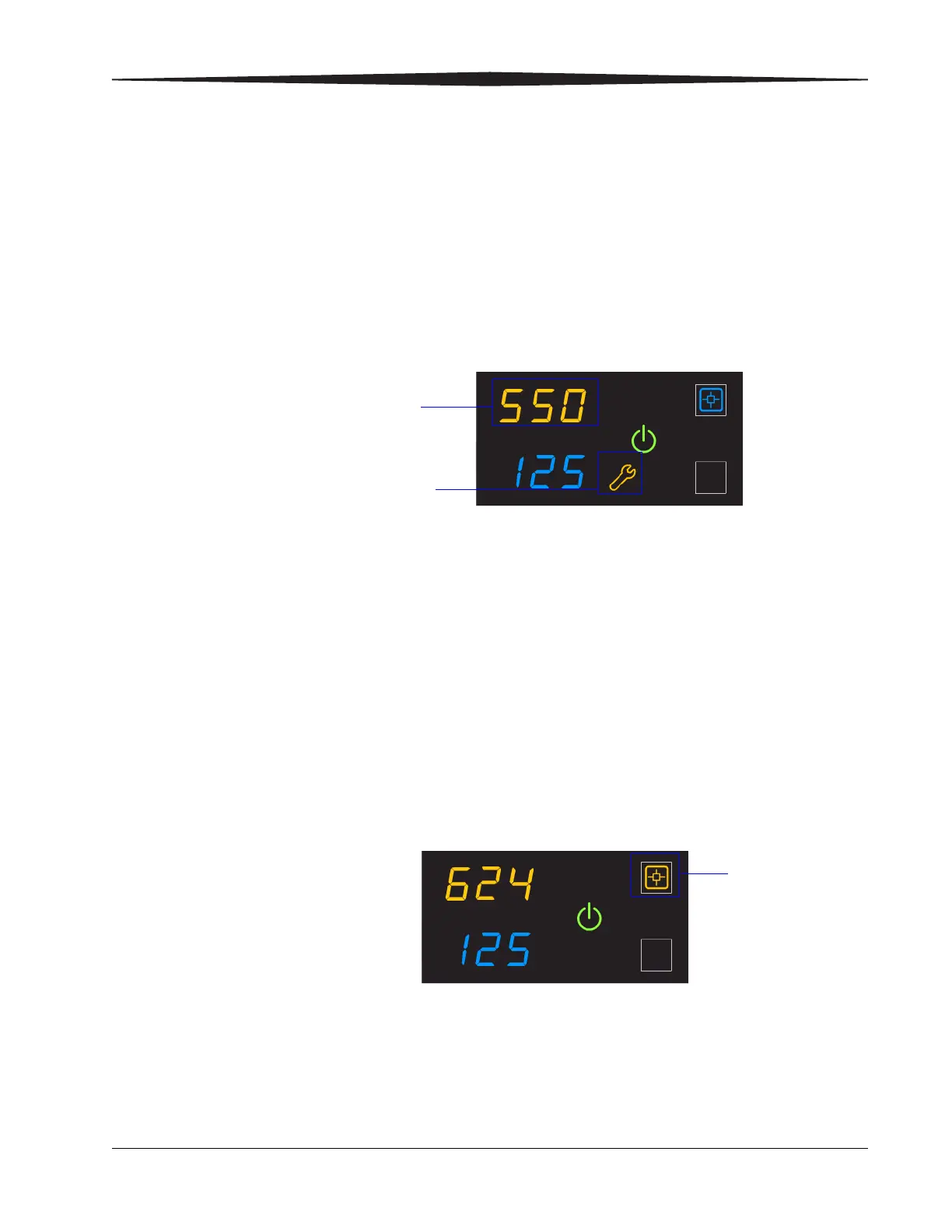
550 code and
Maintenance symbol
If the laser imager needs a preventive maintenance service call, the 550
code and Maintenance symbol appear:
When the 550 code displays, contact a qualified service provider.
Error indicators on the display screen
The laser imager can detect errors and other conditions that require a
response. Some errors or abnormal conditions are reported on the display
screen in the form of condition codes and symbols.
NOTE: These errors are also reported at the Web Portal.
Calibration error When the calibration has failed, the display screen shows a 624, 631, or
632 error and the Calibrate symbol is yellow:
The most common cause is a film-related problem. Depending on the
cause, you may be able to keep printing, but the laser imager may not be
optimally calibrated.
The system requires maintenance
Code 550 indicates that the laser
imager requires a service call
Yellow symbol
indicates that the
calibration failed










 To Next Page