23
22
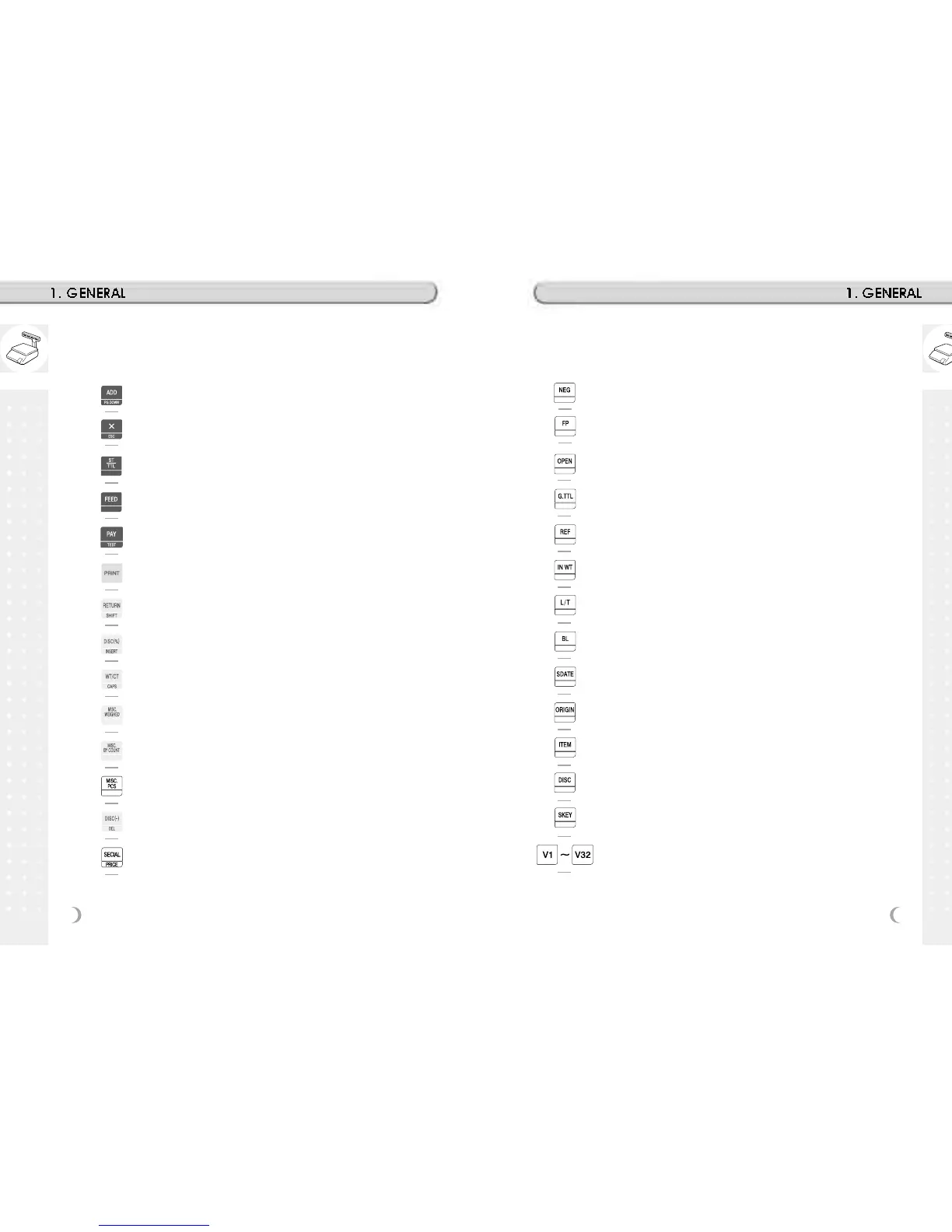
To change the price of PLU called-up to negative price.
Change Fixed Price Called PLU
Open Cash Drawer
To show total amount added-up. (Greek)
Call Reference PLU
To continue to use the weight selected by user.
To switch label to ticket and vice versa.
On/Off LCD Backlight
Edit Sell by Date
Edit Origin
Edit PLU Item
Edit Discount
To assign speed key.
Clerk Key
ADD-Up key. This key when used in conjunction with ST/TTL key
allows you print a customer-total label as well as individual transaction
labels.
Multi-Label key. Use this key to print multiple sales of the same
transaction. Escape key. It is used to exit in program mode.
Subtotal / Total key. Used with the ADD key in order to print ustomer-
totals. Test key. Used to print test pattern
Feed key. Use this key to feed labels or paper through printer
Pay key. Use this key to calculate change.
Print key. Used to manually print transactions and also serves as an
ENTER key.
Return key. Used to credit sales for erroneous transactions or returns.
Shift Key. Used to SHIFT function in program Mode
Discount % key. Used to discount price.
Insert key: Insert mode for text typing in program mode.
WT/CT key. Toggles between Weight PLU and Count PLU.
DELETE key. Used to delete text data in program mode
Miscellaneous Weighed PLU key.
Miscellaneous By-Count PLU key.
Miscellaneous PCS PLU key.
Negative Discount
Special Discount by Special Unit Price



 To Next Page