113
112
Programming Scale Configuration
2.14.1. Scale Configuration (Menu code 1800)
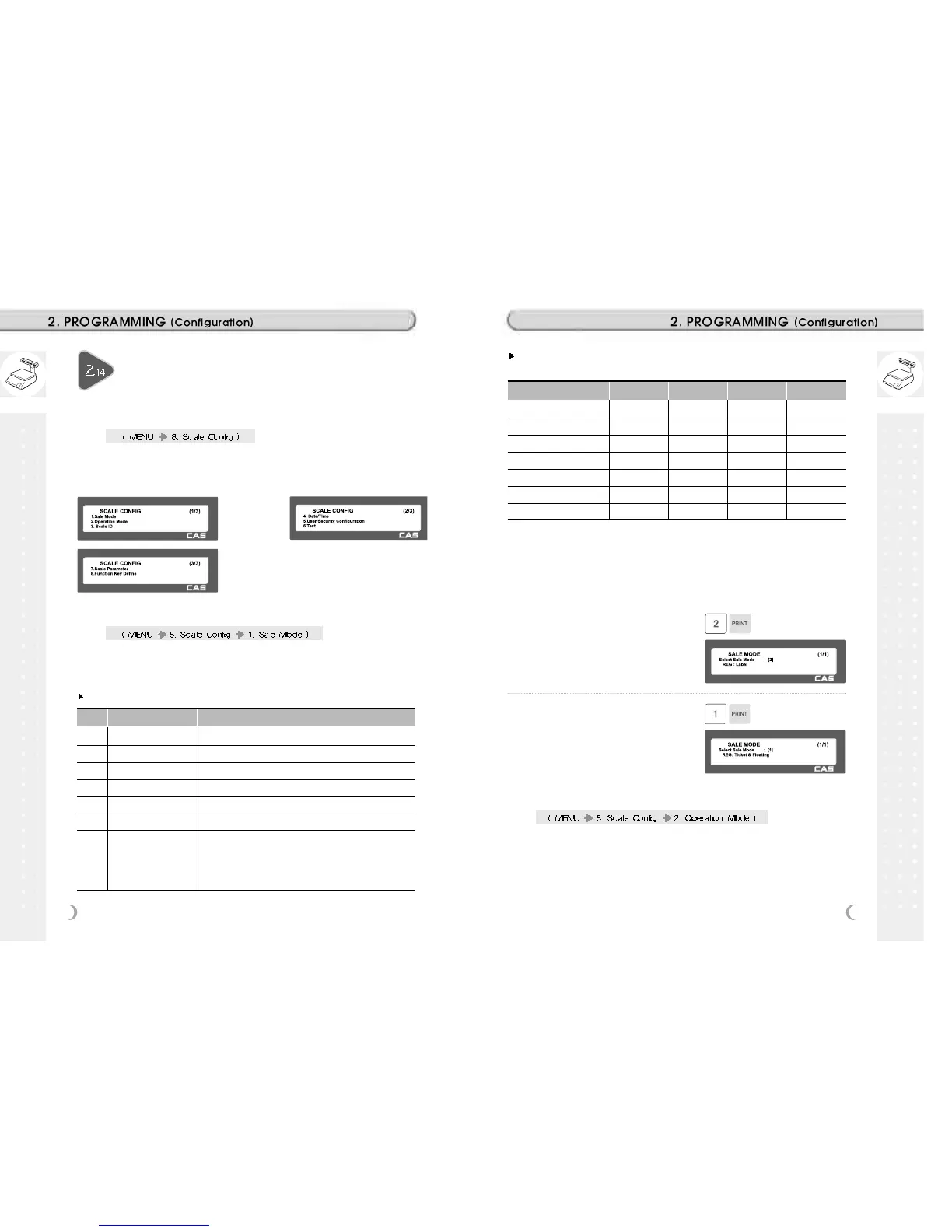
This chapter explains how to configure the scale. The main menu of
Scale Configuration is shown as below.
2.14.2 Sale Mode (Menu code 1810)
This section is to select sale mode, which have six different modes in the
following table.
Sale Modes
No. Sale Modes Description
1 REG: Ticket & Floating Selecting Ticket and Floating Clerk Mode.
2 REG: Label Selecting label Mode.
3 REG: Prepack Selecting Prepack Mode.
4 REG: Label & Floating Selecting Label and Floating Clerk Mode.
5 Manager Selecting Manager Mode
6 Repack Selecting Repack Mode (In this mode, report is not updated.)
7 Self Service & Label
Selecting Self Service Mode (In this mode, you can use
speed key and some keys. If you want to finish this mode,
while pressing MENU key, enter system password and
PRINT key)
Selecting one of following sale modes, user may select an one-stop setting
for Clerk, Operation, Print, and Prepack mode.
MODE Clerk Mode Operation Mode Print Mode Prepack Mode
1. REG: Ticket & Floating Floating Clerk Regist Ticket OFF
2. REG: Label No Clerk Regist Label OFF
3. REG: Prepack No Clerk Regist Label ON
4. REG: Label & Floating Floating Clerk Regist Label OFF
5. Manager - Manager - OFF OFF
6. Repack - Repack - OFF OFF
7. Self Service & Label - - Label OFF
Usually user has to set each option you wish to for clerk, operation, print or
prepack mode. However, user may select simply one-stop sales mode for 7
different modes-Clerk, Operation, Print, and Prepack mode. User may also set
options for Clerk/Operation mode in MENU 1820 and Print/Prepack mode in
MENU 1731.
1. Select a sale mode
EX) Sale mode = 2.REG: Label
2. Select “Floating & Ticket” mode
EX) Sale mode = 1.REG: Ticket & Floating
2.14.3 Operation Mode (Menu code 1820)
This section is to select a clerk and operation mode. There are three
different operation modes, REGISTRATION, RE-PACK, MANAGER and
three different clerk modes, NO CLERK, STANDARD CLERK, and
FLOATING CLERK.



 To Next Page