91
90
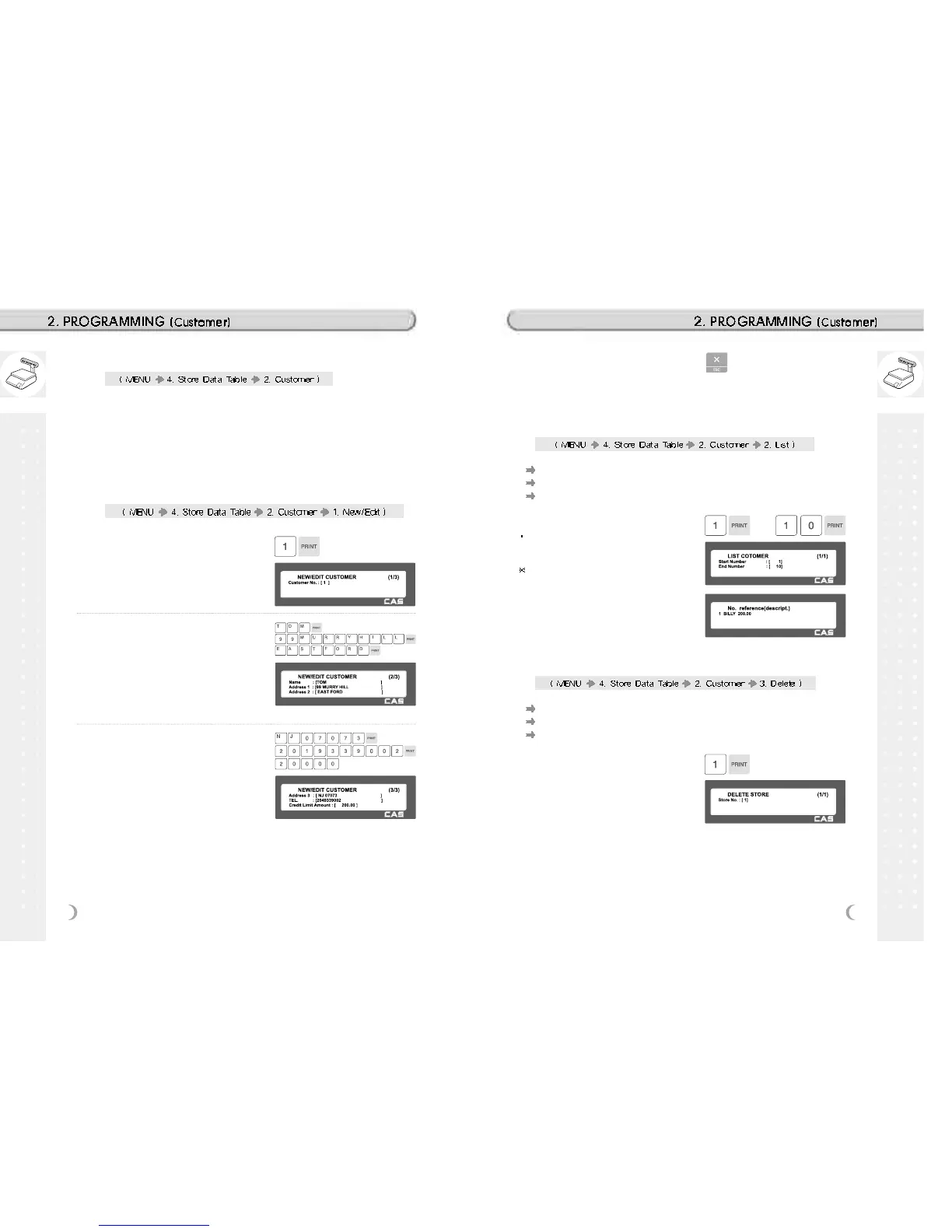
1. Enter Customer number and press
“PRINT” key.
EX) Customer No.=1,
2. Enter other informations in [ ], such
as Name, Address1, and Address2.
EX) NAME=TOM
EX) ADDRESS 1=99 Murry hill.
EX) ADDRESS 2=East ford
3. Press “PRINT” key, then user may
enter the Address 3, TEL. Number
and customer s CREDIT LIMIT
AMOUNT.
EX) ADDNESS=NJ 07073
EX) TEL=2019339002
EX) CREADIT LIMIT AMOUNT0=200.00
4. Press “PRINT” key, to enter the
information. User may go back to
main CUSTOMER menu by pressing
“X/ESC” key.
2.11.5 Customer (Menu code 1420)
This section shows how to register customers account and their
information. Customer information is to manage the specific customer s
account receivable.
* Customer registration is used for printing a receipt of credit transactions
EX) Pre-paid costomer, monthly payment, etc.
2.11.6 New/Edit Customer (Menu code 1421)
1. Set the list range
Set the list range to check
EX) 1~10
If you want to print list, press the TEST
key.
2.11.7 List Customer (Menu code 1422)
This menu shows the list of CUSTOMER saved.
Press 2 in CUSTOMER menu to get into LIST CUSTOMER menu.
Press SAVE key to list all of CUSTOMER information saved.
1. Enter customer to delete
EX) Delete customer no. 1
2.11.8 Delete Customer (Menu code 1423)
This menu is to delete the CUSTOMER user wish to.
Press 3 in CUSTOMER menu to get into DELETE CUSTOMER menu.
Enter customer number to delete.



 To Next Page