105
104
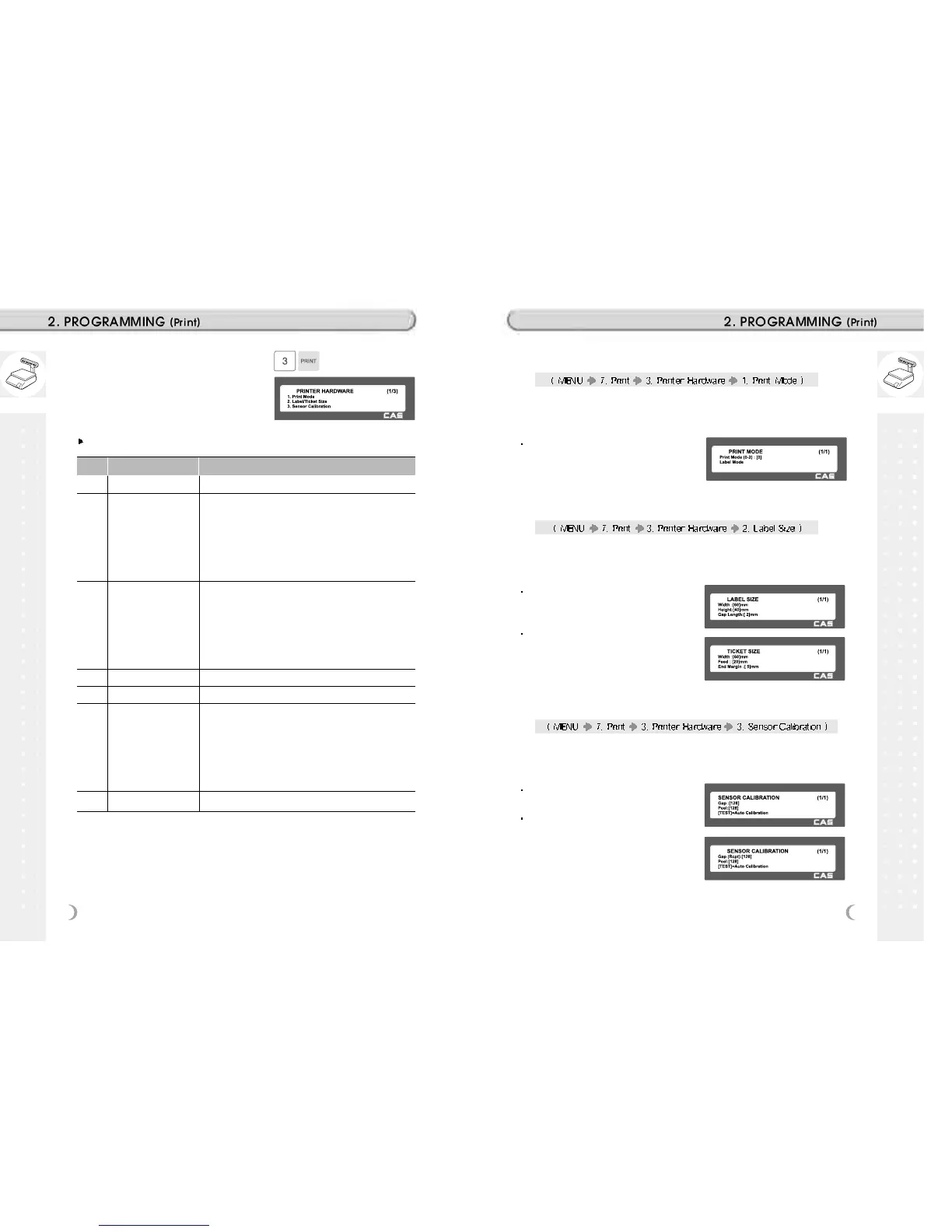
1. Press “3” to get into H/W setting
mode on Print Menu.
Printer Hardware Sub-Menu
No. Sub-menu Description
1
2
3
4
5
6
7
Print Mode
Label / Ticket
Size
Sensor
Calibration
Sensor & Motor
Print Intensity
Adjust Feed
Length
Label Preprint
Select label, ticket or continuous label mode.
If it is Label mode, “Width(60)”, “Height(40)” and “Gap
length(2)” size is set, If it is Ticket mode, “Width(60)”,
“Feed(20)” and “End Margin(5)” size is set. If you use
Continuous Label Paper in Label mode, “Gap length” value
is applied to “End Margin”.
* The values in ( ) are default.
Enter the “Gap(128)” and “Peel(128)” values for printing
sensor calibration.
* The values in ( ) are default.
* If you press “TEST” key, Gap and Peel values are
adjusted automatically.
* In case of Ticket mode, Gap value is not saved.
Set Peel-off sensor, Rewind Motor and Label Paper type
Set the extent of intensity of label (ticket) printed.
Set adjusting values of feed length.
This value can be from -200 to +200. You can change
sign(+, -) by pressing ZERO key.
+ value will print higher than THP.
* Pressing “TEST” key automatically feeds to adjust the
feed length.
You can set preprint length.
2.13.5 Print Mode (Menu code 1731)
Select “0” for Label Mode, “1” for Ticket Mode or “2” for Continuous Label
Mode.
Press “PRINT” to save.
2.13.6 Label Size/Ticket Size (Menu code 1732)
Enter values for “Width”, “Height”, “Gap Length”. If you press “TEST” key,
height and gap length of current label is measured.
If it is Ticket Mode, “TICKET SIZE” is
displayed, and “TEST” key is not
operated.
If it is Label mode and Continuous Label
Paper, “TEST” key is not operated. And
“End Margin” instead of “Gap Length”
shows up.
2.13.7 Sensor Calibration (Menu code 1733)
Enter appropriate values for “Gap”, “Peel”, “Out of Paper”.
If you press “TEST” key, Gap and Peel
values are adjusted automatically.
If it is Ticket mode, “Gap” value is not
saved.



 To Next Page