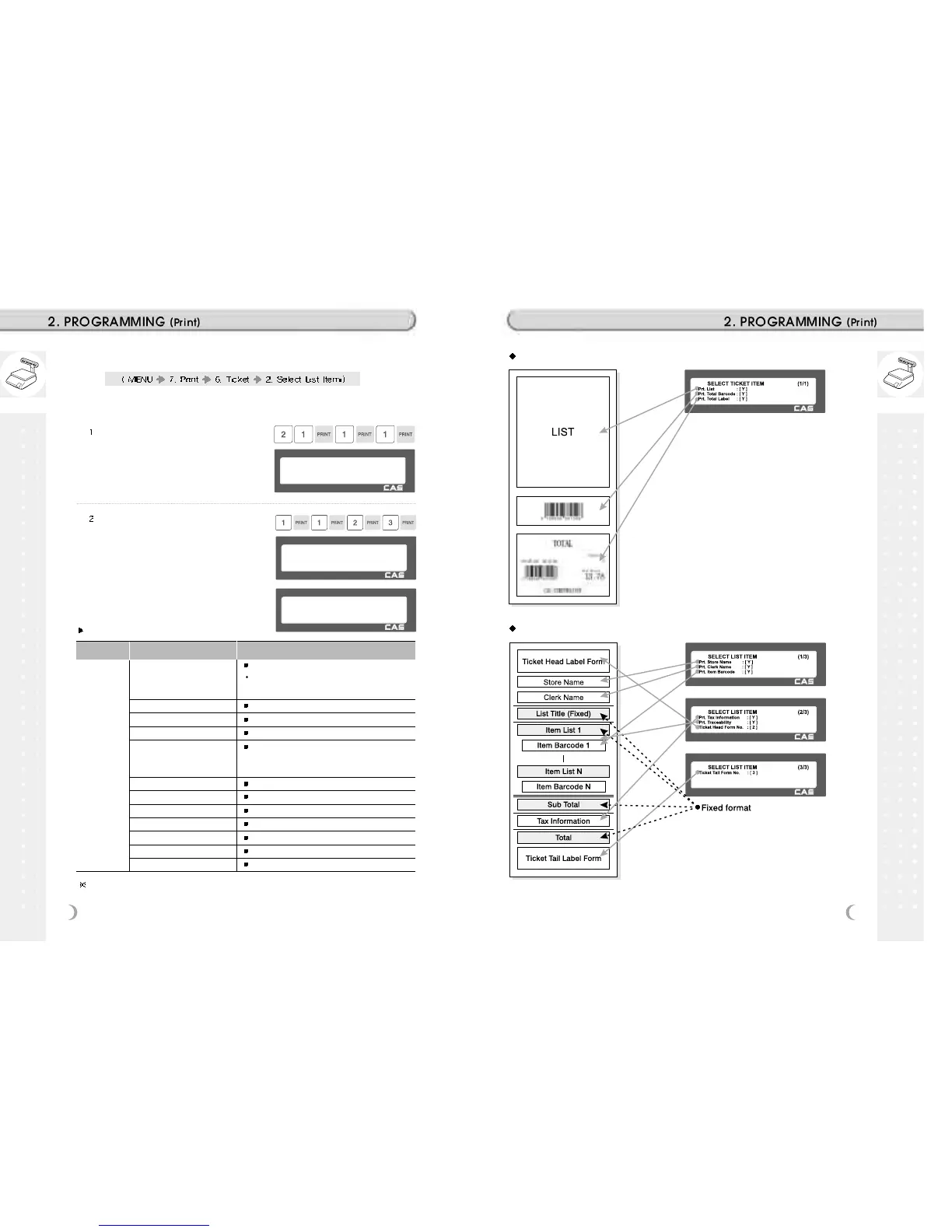
Press “2” to get into SELECT LIST
ITEM menu.
Select “Yes” or “No” for “Print Store
Name”, “Print Clerk Name”, and “Print
Item Barcode”.
SELECT LIST ITEM (3/3)
Ticket Tail Form No. :[3]
SELECT LIST ITEM (2/3)
Prt. Tax Information : [ Y ]
Prt. Traceability : [ Y ]
Ticket Head Form No. :[2]
Select “Yes” or “No” for “Print Tax
Information”, and “Print Traceability”.
And, select appropriate ID # for “Ticket
Head Form” and “Ticket Tail Form”.
Ticket Format Setting
Ticket Formats Setting Description
Printing the list of each sales item(s).
Print List (Y/N)
In case of “Yes” selected user can go to “List
Ticket Item Item” setting.
Print Total Barcode Printing total barcode on ticket.
Print Total Label
Printing total amount on ticket.
Print duplicate ticket Printing duplicution ot ticket
Print List duplicute ticket
Printing List of items on dapliated ticket
Note : N=Printing amout of only total price for
duplicate ticket
Print Store Name Printing store name on ticket.
Print Clerk Name Printing clerk name on ticket.
Print Item Barcode Printing every item s barcode on ticket.
List Item Print Tax Information
Printing tax information on ticket.
Print Traceability Printing traceability information on ticket
Ticket Head Form No.
Printing label format No. for ticket head.
Ticket Tail Form No.
Printing label format No. for ticket tail.
You have to download label format for Ticket Head Form No. and Ticket Tail
Form No. from PC.
Ticket Format
List Format



 To Next Page