51
50
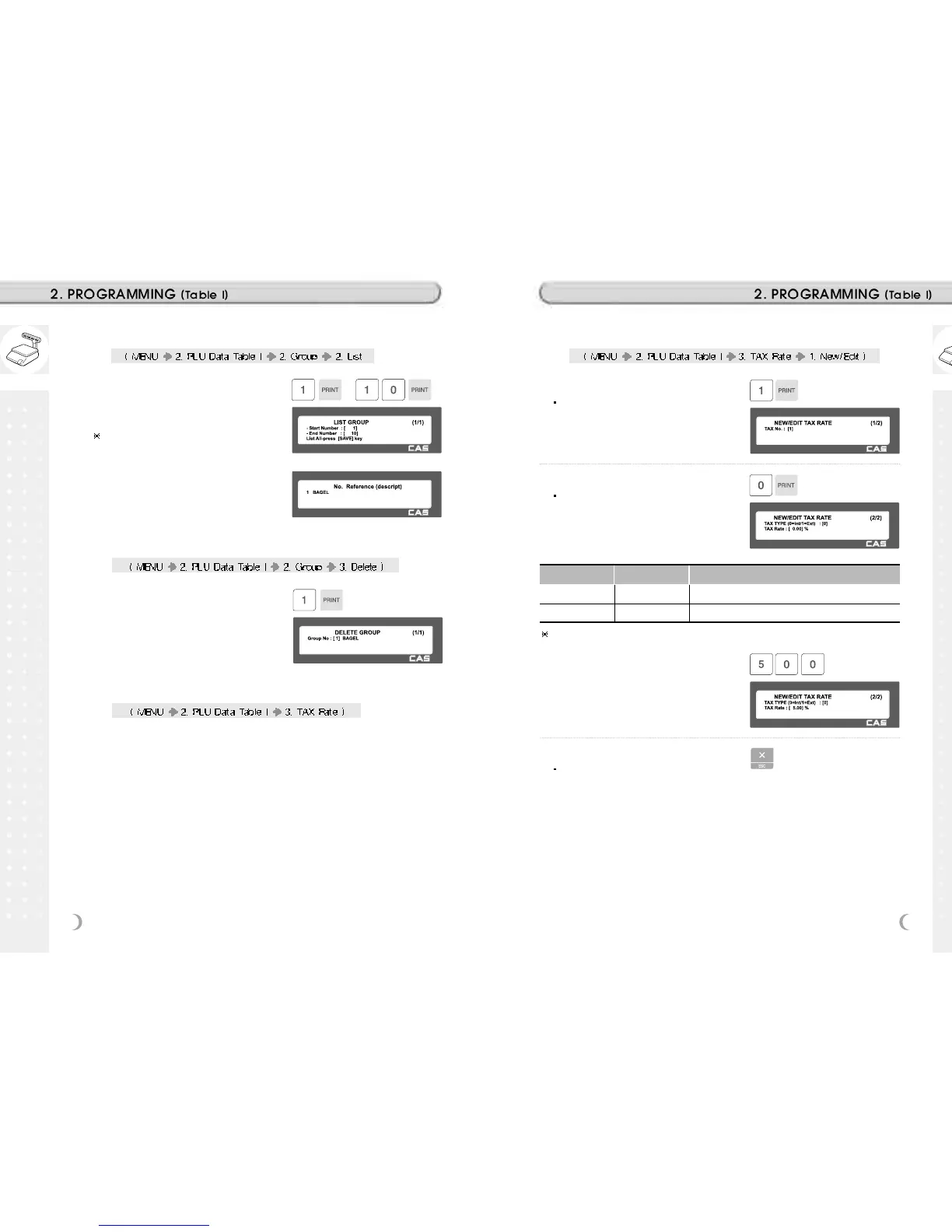
2.2.7 List Group (Menu code 1222)
1. Set the group range that you wish to
see
EX) 1~10
If you want to print list, press the TEST
key.
2.2.8 Delete Group (Menu code 1223)
2.2.9 Tax Rate (Menu code 1230)
You can use tax number when you create PLU.
1. Enter group number
EX) Delete group 1.
1. Enter tax number
TAX number is available 1 to 9
EX) TAX No. = 1
2. Set Tax Type
See Tax Type table as below.
EX) Internal TAX Type
2.2.10 New/Edit Tax Rate (Menu code 1231)
Item Symbol Description
Internal TAX 0 Tax is included in total price
External TAX 1 Tax is added on total price
Refer to menu code 1873(T.price = price + Tax) on chapter 2.14.21
3. Enter Tax Rate
EX) Tax Rate = 5.00%
4. Exit Menu
If you want to exit, press ESC key.



 To Next Page