109
108
Meaning
I
:
Item Code
N
:
PLU Number
P
:
Price
U
:
Unit Price
W
:
Weight
Q
:
Quantity
D
:
Department
G
:
group
A
:
Ticket Counter (Ticket Mode)
B
:
Scale Transaction Counter
F
:
PLU Prefix Character
T
:
Text Character
R
:
Transaction Counter of Each PLU
L
:
Clerk Number
%
:
Print Fixed Character in the Next Space.
K
:
Country Code (For Future)
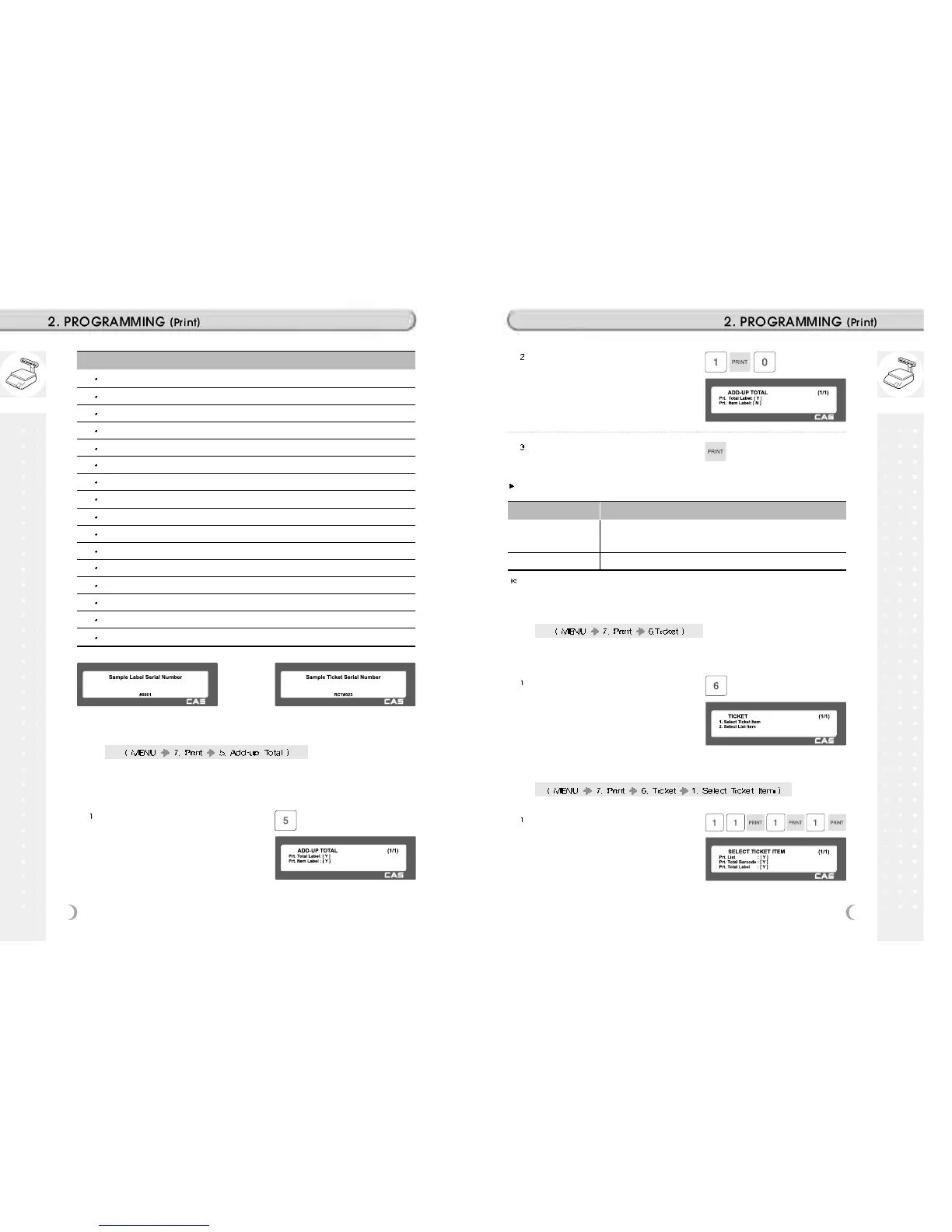
2.13.13 Add-Up Total (Menu code 1750)
This section shows how to set printing environments of total label and
item label when you use ADD-UP sales.
Press “5” to get into ADD-UP TOTAL
menu in PRINT main menu.
Press “0” for “No” or “1” for “Yes” in
[ ].
EX) Print Total Label - Yes
EX) Print Item Label - No
Press “PRINT” key to save and go back
to PRINT main menu
ADD-UP Setting
ADD-UP Setting Description
Print Total Label
Total label is printed when you press the PRINT key during add-up
sales.
Print Item Label Item label is printed whenever you press the ADD key.
It is applied to Label mode.
2.13.14 Ticket (Menu code 1760)
This section shows how to select item(s) (Contents) printed on ticket.
Press “6” to go to TICKET setting.
2.13.15 Select Ticket Item (Menu code 1761)
Press “1” to go to SELECT TICKET
ITEM menu.
Select “Yes” or “No” for “Print List”,
Print Total Barcode , and Print Total
Label .



 To Next Page