59
58
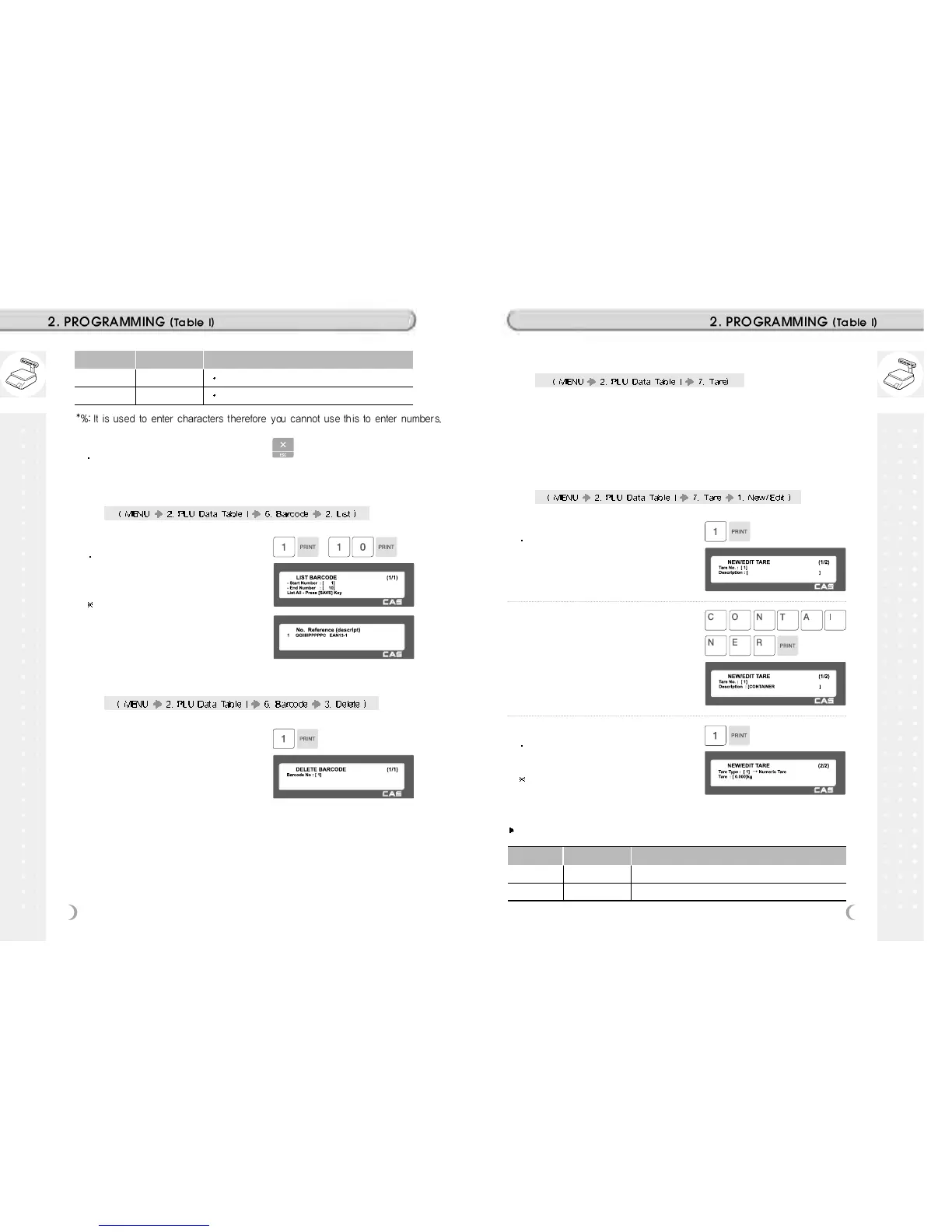
2.2.23 List Barcode (Menu code 1262)
1. Set the list range
Set the range of barcode that you wish to
check
EX) 1~10
If you want to print the list, press the
TEST key.
1. Enter barcode number to delete
EX) Delete barcode 1.
2.2.24 Delete Barcode (Menu code 1263)
2.2.25 Tare (Menu code 1270)
If Parameter 584 option (Use Tare No.) is “Yes” You can set tare number
when you create PLU. If it is set to “No” you have to program tare weight
again.
Note: You can program Tare, manually or pre-set value
2.2.26 New/Edit Tare (Menu code 1271)
1. Enter Tare No.
This value can be from 1 to 99.
EX) Tare No. = 1
2. Tare Description
EX) Tare Description = Container
3. Tare Type
There are 2 types as below table
EX) Tare Type = 1, Numeric Tare
If you set Tare Type to 2, put a container
on the platter and press the PRINT key
after 2~3 seconds.
No Symbol Description
24 % %: print next fixed character*
25 0~9
numbers
.
Type of Tare
Tare No. Type of Tare Description
1 Numeric Tare Enter tare weight by using numeric keys.
2 Weight Tare Put a container on the platter.
5. Exit Menu
If you want to exit, press ESC key.



 To Next Page