95
94
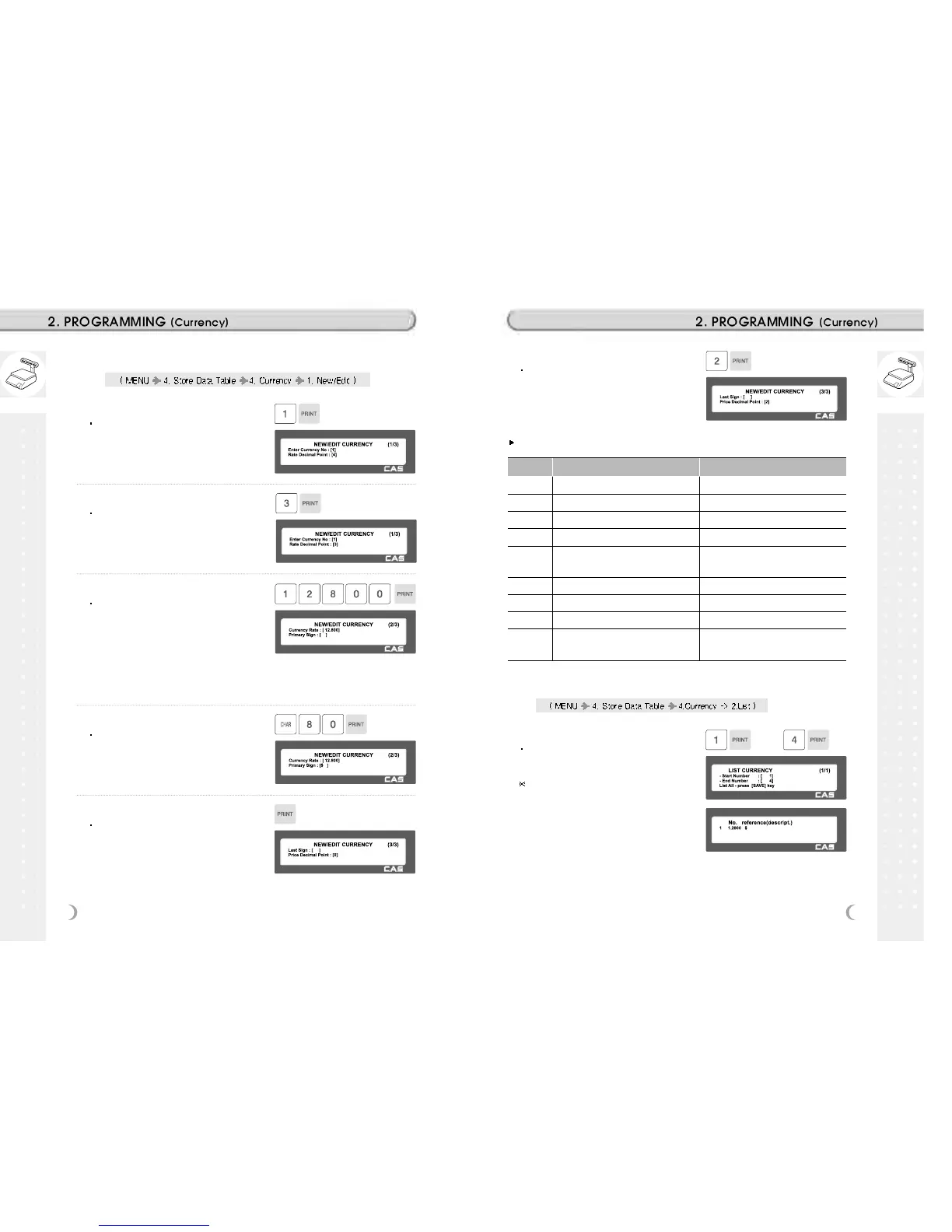
2.11.14. New/Edit Currency (Menu Code 1441)
1. Numbering Currency
You can save up to 4 different currencies
by numbering 1~4.
EX) Currency No. = 1
2. Rate Decimal Point
Enter the Rate Decimal Point (default = 4)
EX) Rate Decimal Point = 3
3. Currency Rate.
Enter comparative rate of currency to
default currency set.
EX) Default currency = $1.00
Comparative currency rate to default
currency
= ¤ 1.2800.
4. Primary Sign
Enter the first currency sign to be
changed.
EX) Primary Sign = $
5. Last Symbol
Enter the last currency symbol to be
changed.
EX) No last symbol
6. Price Decimal Digit
Enter the number of decimal digit
EX) Price Decimal point digit = 2
Printing formats of currency symbol
No Printing Format Remarks
0 100.00, 0.12
1 $ 100.00, $ 0.12
2 100.00 $, 0.12 $
3 $ 100.00 c, $ 0.12 c
4 $ 100.00 c, 12 c (Greek)
When total amount is less than 1, only
Last currency symbol shows up.
5 $100.00, $0.12
6 100.00$, 0.12$
7 $100.00c, $0.12c
8 $100.00c, 12c (Greek)
When total amount is less than 1, only
Last currency symbol shows up.
2.11.15. List Currency (Menu Code 1442)
1. Set the list range
Set the list range to check
EX) 1~4
If you want to print list, press the TEST
key.



 To Next Page