31
30
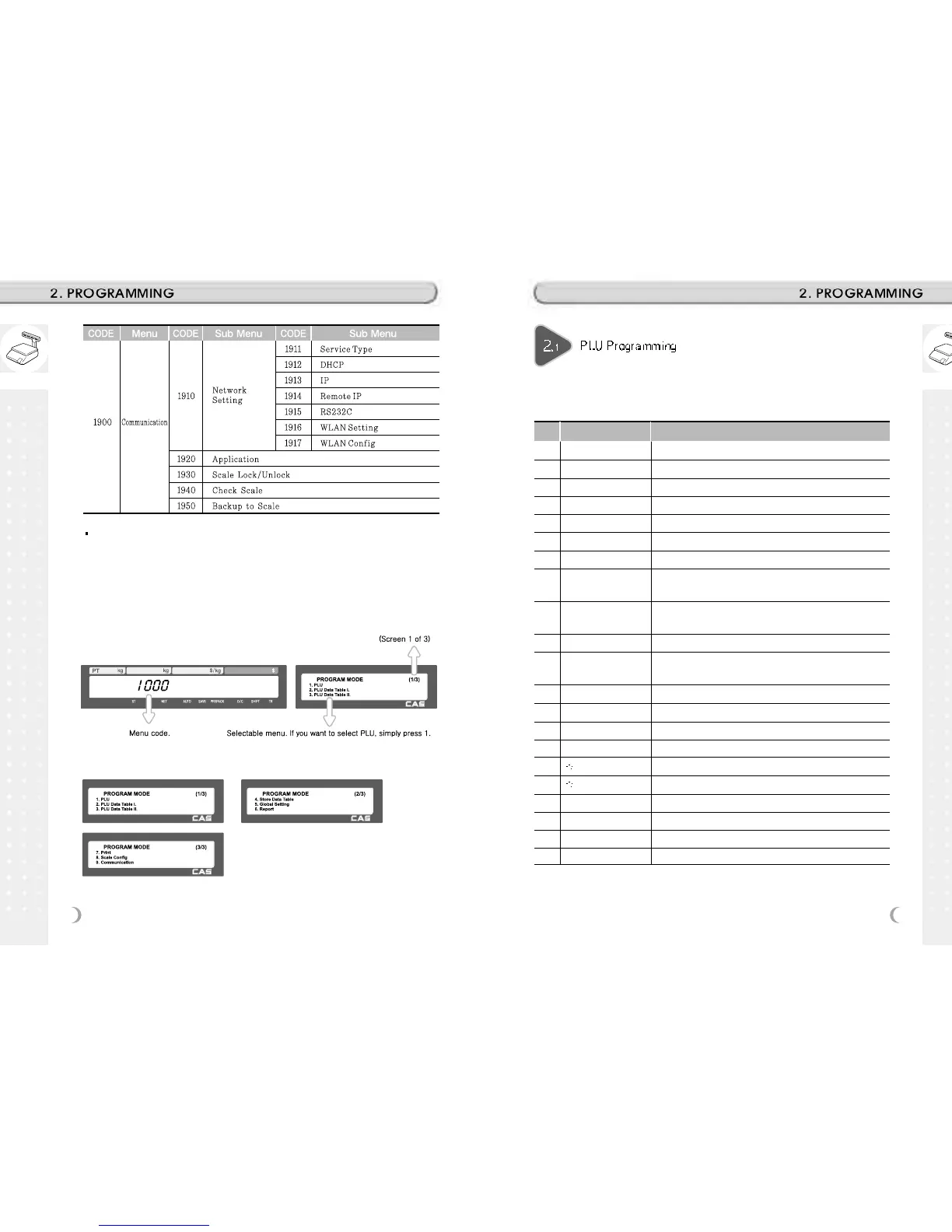
How to access PROGRAM MODE
You can see the Program Menu screen by pressing the MENU key.
The 2 numbers at top right (1/3) indicate the number of pages or screens. The
number to the left of the slash is the current page or screen number and the number to
the right of the slash indicates the total number of pages or screens. You can use the
PG UP and PG DOWN keys to navigate from page to page, or you can use the Arrow
keys to go through each page.
If you press “PG DOWN” key, you can see other menu screens as below.
You can set 47 items for a PLU as below table and if you do not want to use
some items, you can prohibit those items in menu code:1144.
No Item Description
1 Department Department No.
2 PLU No PLU No.
3 PLU Type Select PLU type among By Weight, By Count or By-PCS
4 Name Enter name 1 of item. Maximum 40 characters.
5 Name 2 Enter name 2 of item. Maximum 40 characters.
6 Name 3 Enter name 3 of item. Maximum 40 characters.
7 Group No. Select group number. This value can be from 0 to 99.
8
Label No.
(0~99) (0=Do not use Label No.), Label Formats “1~30”.
If Global Setting is YES, it is not shown.
9 Aux. Label No.
(0~99) (0=Do not use Label No.), Label Formats “1~30”.
This function prints aux. label as saved number of label number
10 Origin No. (0~500) 0=Do not use origin.
11
Unit Weight
Unit weight of Price(No.19) (2:unit price for 100g, 1:unit price
for 1kg)
12 Fixed Weight The weight is fixed regardless of item
13 Prefix Enter serial code for PLU (Greece version of CL5000 series)
14 Item code Item code
15 Use Fixed Price Type You can set whether use Fixed Price or not
16 Pieces (0-999) Set the number for By-PCS PLU
17 Quantity Symbol ID (0~8) Set symbol of PCS or Count
18 Fixed price Price is fixed regardless of weight or pcs
19 (Unit) Price This value can be from 0 to 999999.
20 Special Price It can be unit price by using Special key.
21 Tax No. Enter tax number. This value can be from 0 to9



 To Next Page