Menu-4600
This function set to DLC’s parameters
Function Set DLC’s parameters
Display Part Meaning
Set Range
(1 ~ 10)
Set Value : XX
Initial Value : 1
Choose the number that you want to setting
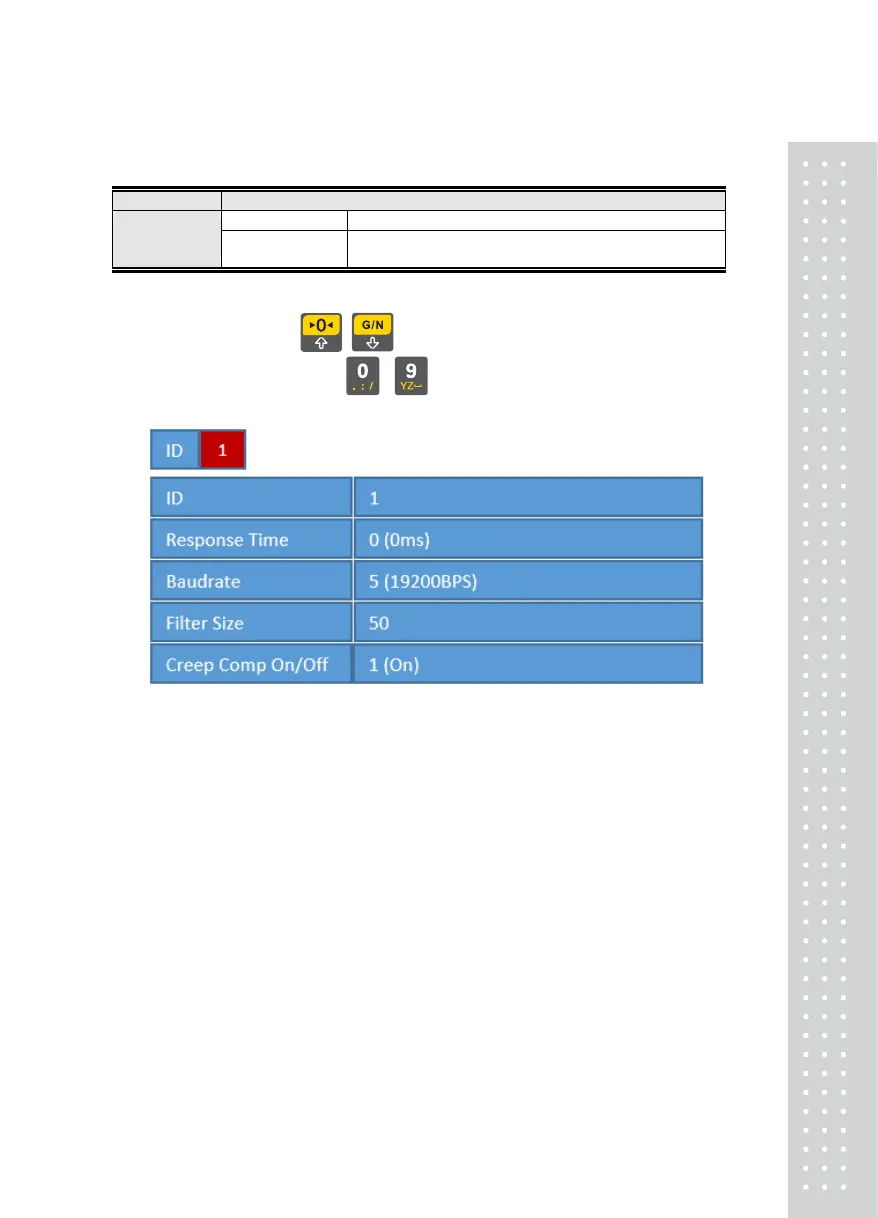
You can check DLC’s parameters as below
It can move edit position, using
, keys,
It can change parameter values, using
~ keys
■ ID = It wants to change ID number
■ Response Time = DLC’s response time(0=0ms, 1=10ms, 2=20ms)
■ Baudrate = Communication baudrate of DLC
(4=9600BPS, 5=19200BPS, 6=38400BPS, 7=57600BPS,
8=115200BPS)
■ Filter Size = AD Filter Size of DLC(Set range = 1~50)
■ Creep Comp On/Off = Creep compensation function On/Off(0=Off, 1=On)
25



 To Next Page