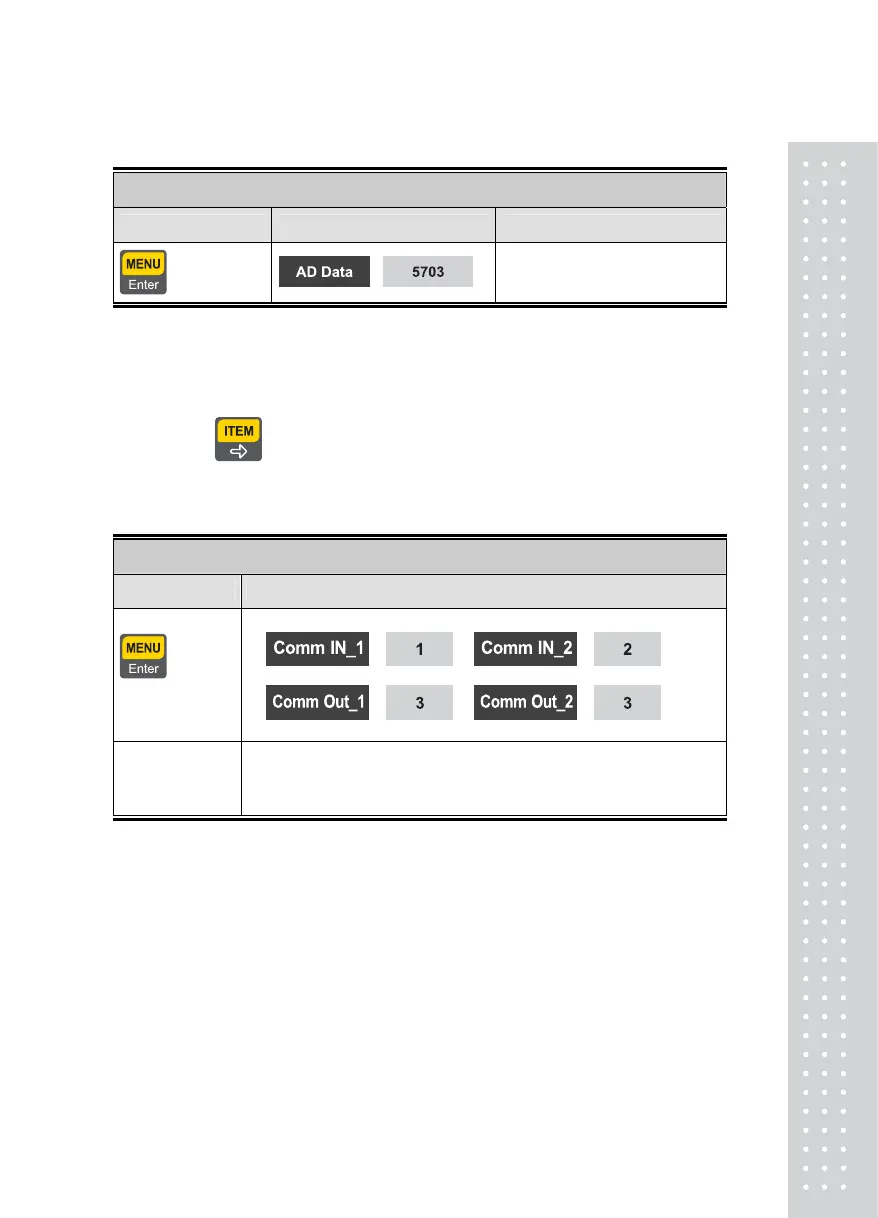
3.AD Test
Function : Load Cell Test
Used Key Display Part Description
: Upper Menu
Output value of the Calibrated
load cell is displayed.
Note 1. Check whether load cell output values are changed while loading and unloading
a weight on the load plate.
If the number is fixed or the number "0”is displayed, check again to note whether the
load cell is correctly connected
Note 2. When key is pushed, the load cell output is displayed in the unit of mV/V
4.Communication Test
Function : Series Communication Test
Used Keys Display Part
: Upper
Menu
Other Key : Test
Description
The value entered as Port No.1 is displayed in Communication Input 1
The value entered as Port No.2 is displayed in Communication Input 2
Simultaneously transmitted to Communication Outputs 1,2 upon key
inputting
Note 1. Execute this test in the state of executing the communication program(Hyper
Terminal) in the computer after connecting the series port of the computer and com
port on the back face of the indicator.
Note 2. Click‘1’to affirm whether the computer receives properly.
Note 3. Perform this test after designating the communication speed in advance
in Menu No.[2-2-04 or 2-2-09].
47



 To Next Page