1
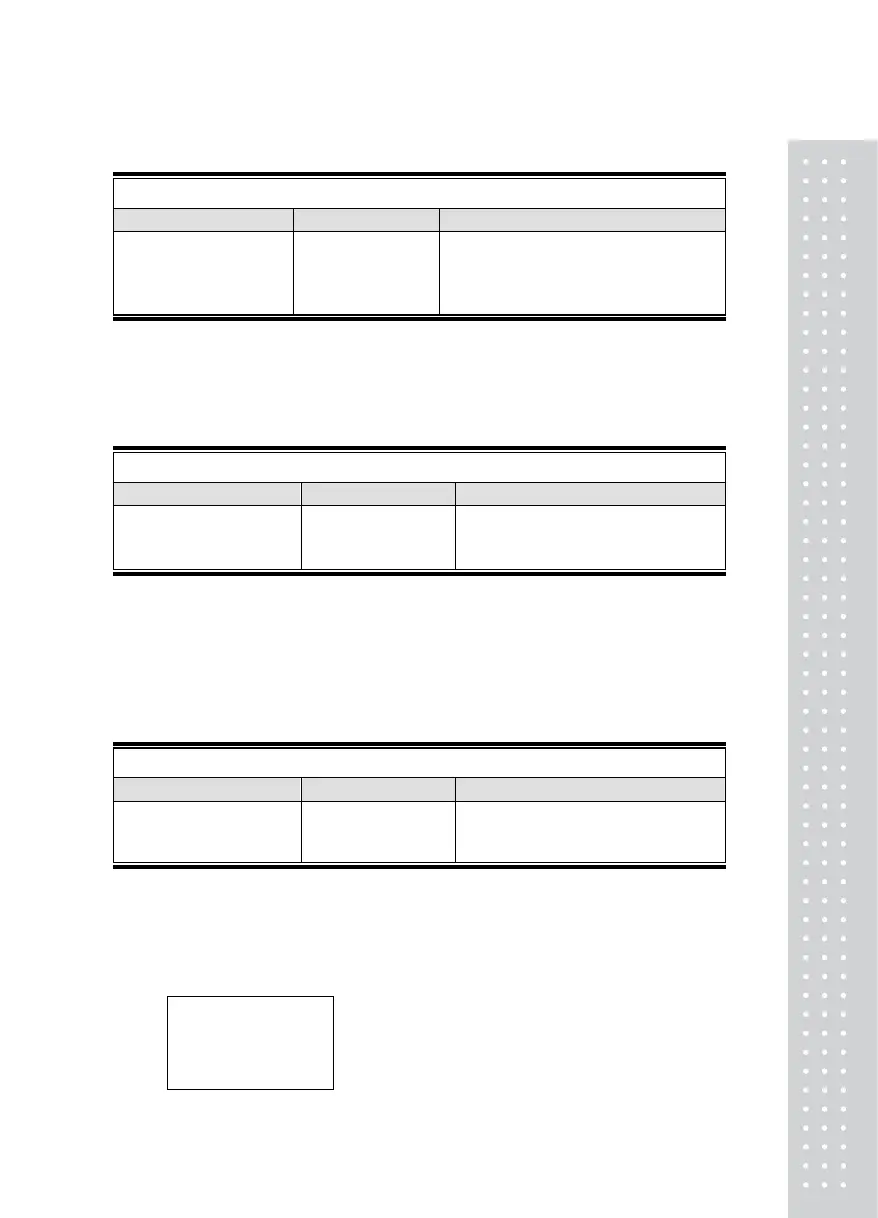
TEST 3
FUNCTION : A/D converter test
KEY LED DISPLAY DESCRIPTION
SET : to initial menu
23500
TEST 3 condition
Dispaly digital value of current weight.
This value means converted digital value.
REF 1. Check whether digital value is changing.
If the digital value is fixed or zero is displayed, please check the connection of
load cell.
TEST 4
FUNCTION : RS-232 test with computer (SERIAL port)
KEY LED DISPLAY DESCRIPTION
SET : to initial menu
Other keys : Transmit key
01---03
01: Receive
03 : Transmit
REF 1. Do this test after the connection of serial port of computer and serial port
of indicator is done.
REF 2. Send no.1 in computer keyboard and check if indicator receives no.1
Send no.1 in indicator keyboard and check if computer receives no.1
REF 3. Do this test after baud rate is specified in SET mode (F07).
TEST 3
FUNCTION : Printer test ( PRINTER )
KEY LED DISPLAY DESCRIPTION
SET : to next menu
\Other keys : Perform test
Good
No error in printer
REF 1. Perform test only when the printer option are installed.
REF 2. Previously specify the printer which will be used in the conversion mode (F-08)
REF 3. "GOOD" message is displayed if the printer connection and specification is
done correctly. If not, "Pr-Err" message is displayed.
REF 4. The test output format of printer is like follows.
CAS Corporation
TEL 02-475-4661
FAX 02-475-4668
TEST OK


 To Next Page