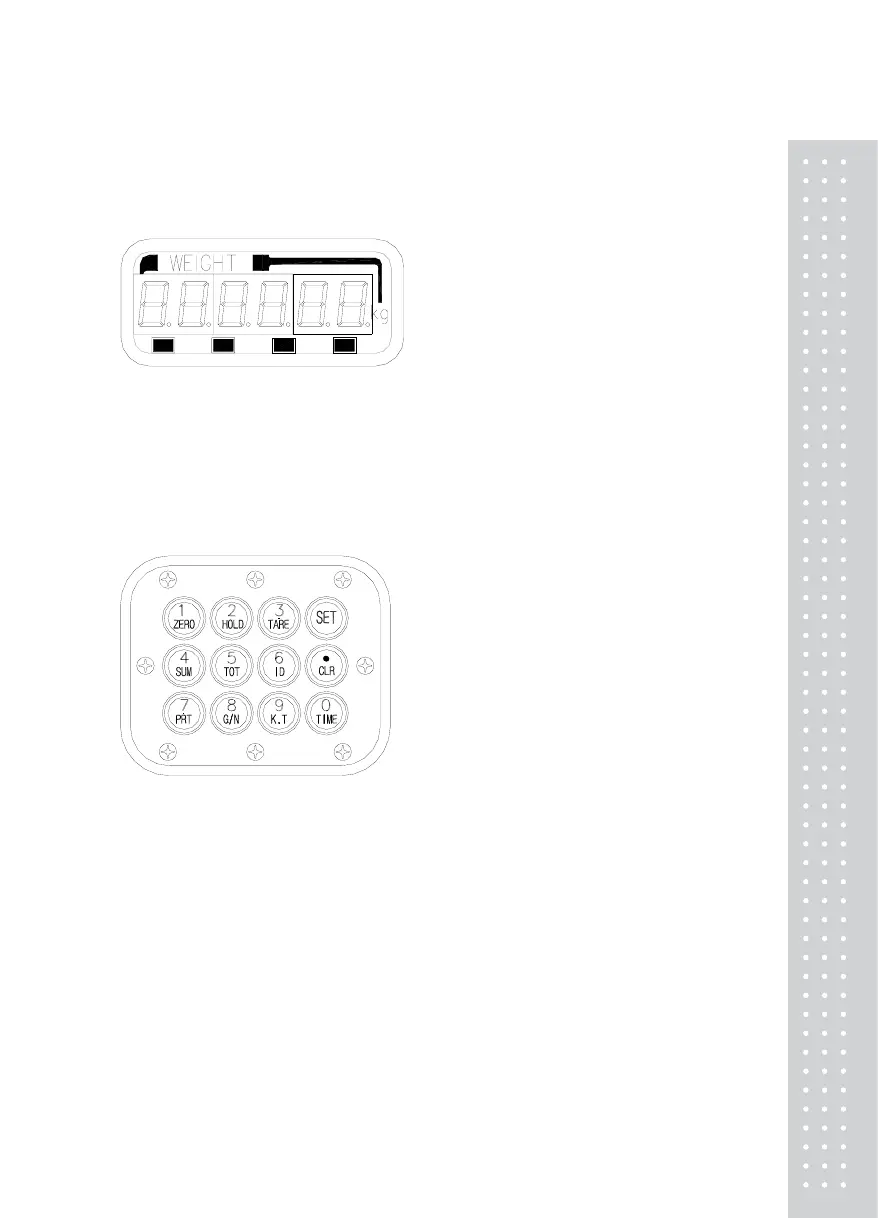
7. Front Display Description
(1) LED lamp
NETS T TARE
ZERO
Stable Lamp : ON when the Weight is stable.
Net Lamp : ON when the current weight is NET weight.
Zero Lamp : ON when the Current weight is 0kg.
Tare Lamp : ON when the Tare weight is stored.
(2) Keyboard
■ ZERO Key
Used to return the display to the center of ZERO when the platform is empty.
Used to enter the "TEST" mode.
■ HOLD Key
Use to weight unstable things.
Used to enter the "SET" mode.
■ TARE Key (automatic tare weight input)
Used for weighing item by using the container.
When this key is pressed, the scale stores current weight as the tare weight.
If you perss "TARE" key in unload condition, tare setting is released.
Used to enter the "CAL" mode.


 To Next Page