2
SERIAL INTERFACE
F07
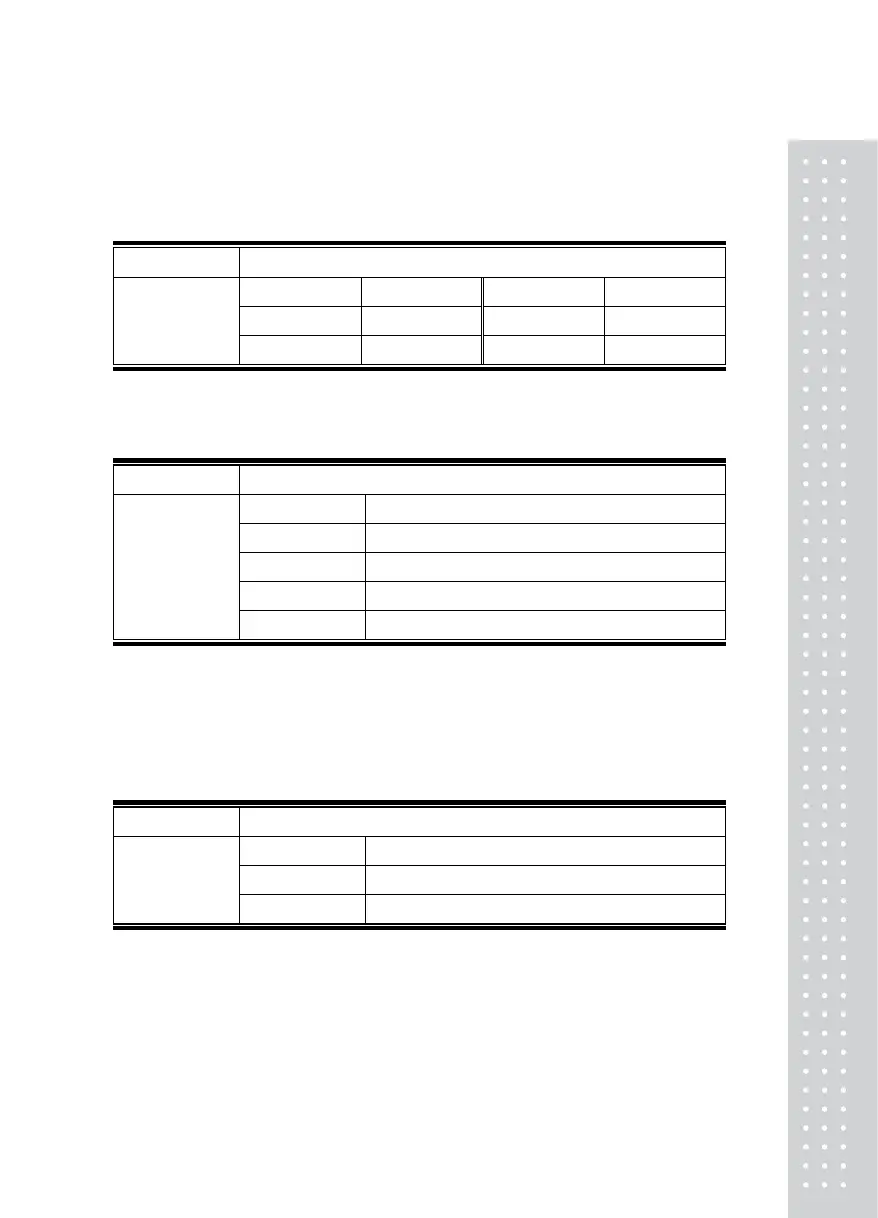
Function Baud rate set
Example LED Meaning Example FIP Meaning
0 2400 bps 2 9600 bps
Set value
(from 0 to 3)
1 4800 bps 3 19200 bps
F08
Function Data set sent to computer
Example LED Meaning
0 No data output
1 Transmission in an state of stable & unstable
2 Transmission only in stable state
Set value
(0 - 3)
3 Transmission only when requiring data
Note 1. The default value is set to 0 at factory.
Note 2. when F08 is set to 3, the command of transmission is the byte which is specified
in F09.
F09
Function Device number (Identification number of each indicator)
Example VFD Meaning
00 Device No. 00
Set value
(from 00 to 99)
05 Device No. 05
Note 1. This device number is the data demanding signal in serial communication.


 To Next Page