SUPPLIES AND SERVICE CHART
4-85
TRAVEL FLOODLAMP
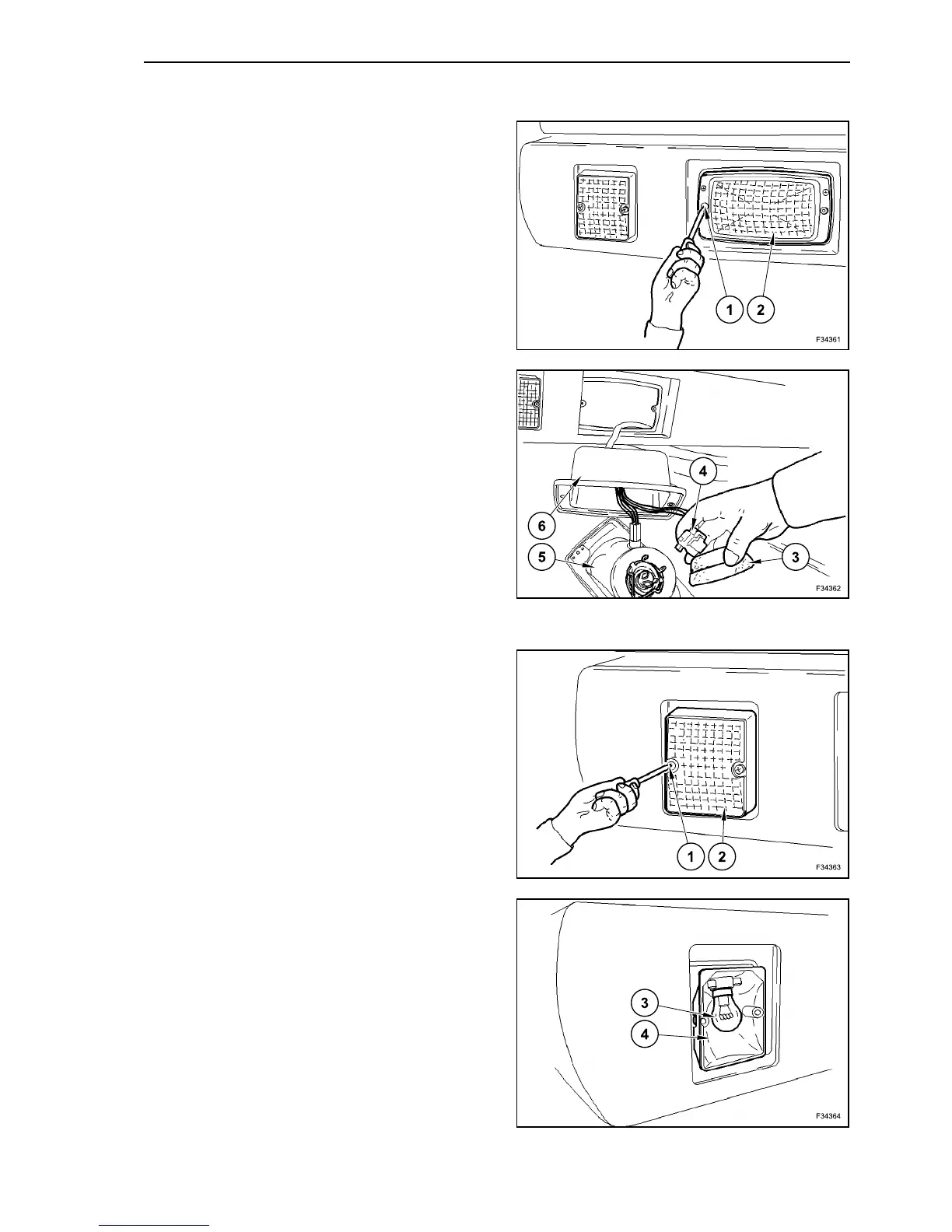
Unscrew the screws (1) and remove the floodlamp
(2) from the upper structure frame.
Remove the large rubber cap (6) from the floodlamp
back.
Disconnect the electric connector (4).
Remove the protection cap (3) from the bulb holder.
Open the lock bracket (5) of the bulb.
Replace the bulb.
TURN SIGNAL LIGHTS
Unscrew the fastening screws (1) of the covering
glass (2).
The bulb (3) is fitted inside a plug-in bulb holder (4):
- press the bulb (3) and turn it to the left;
- take out the bulb (3);
- lock the new bulb (3) firmly inside of the bulb
holder (4).
Reassemble the covering glass (2) and fasten it with
screws (1).
125
126
127
128



 To Next Page