OPERATING THE MACHINE
3-9
START-UP
The following text describes starting of the machine
without entering a number code.
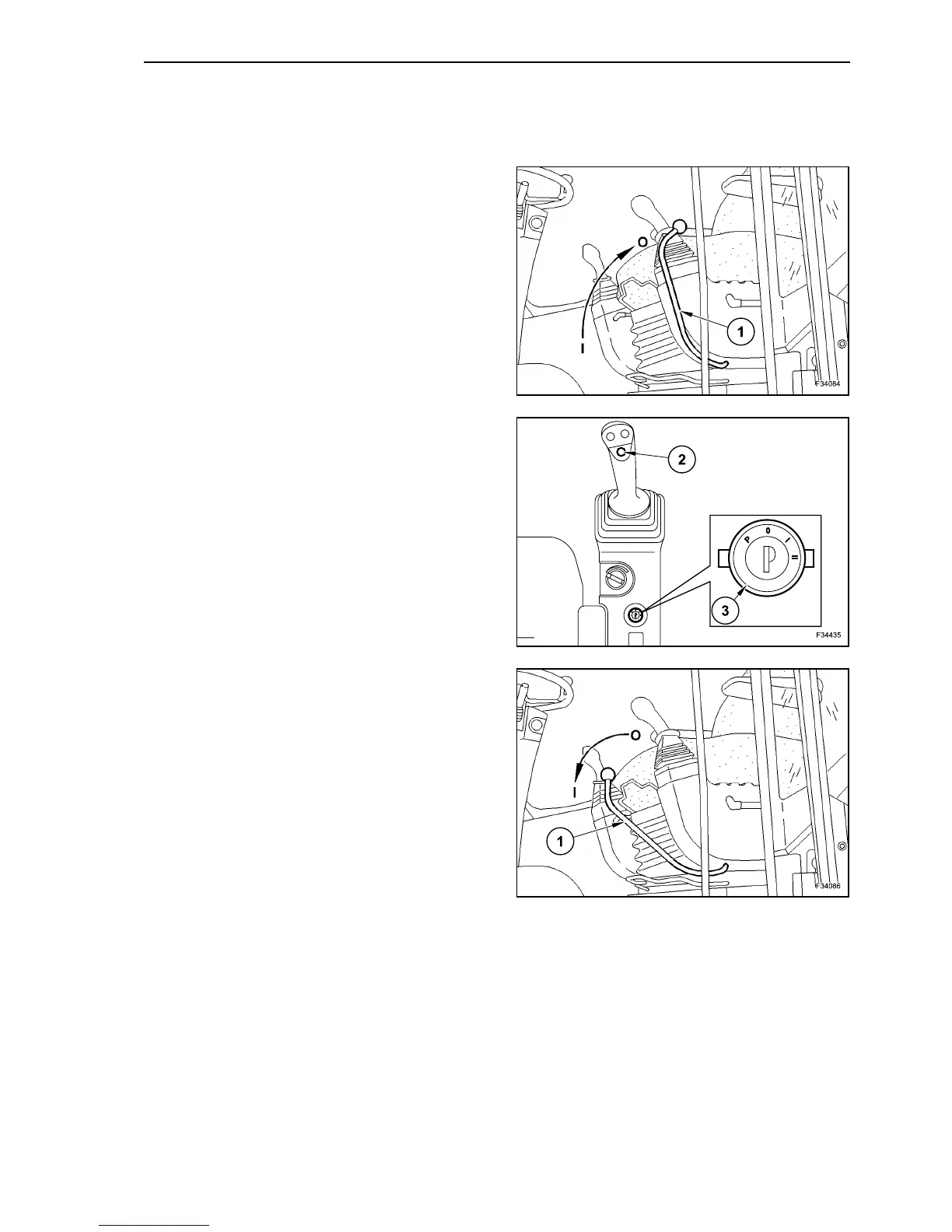
Disconnect the pilot control by lifting the safety lever
(1) to position “0”.
Set the travel direction to neutral with push-button
(2).
Insert the ignition key into the cylinder (3) and turn it
to position “I”.
The display shows the logo.
The machine performs a test check of the system.
A brief warning is sounded.
After approximately two seconds, the display shows
a information relevant to the next service to be per-
formed.
After two more seconds the display shows the
actual time, the service hours performed until now
and the fuel level indication.
Turn the ignition key to position “II”.
The engine starts.
Release the ignition key that returns to position “I”.
Now you can set the safety lever (1) to position “I”
and the machine can be operated.
6
7
8



 To Next Page