INTRODUCTION, SAFETY, PLATES AND DECALS
1-35
DECALS
NOTE: when you clean the decals, use only a cloth,
water and soap. Do not use solvents, petrol, etc.
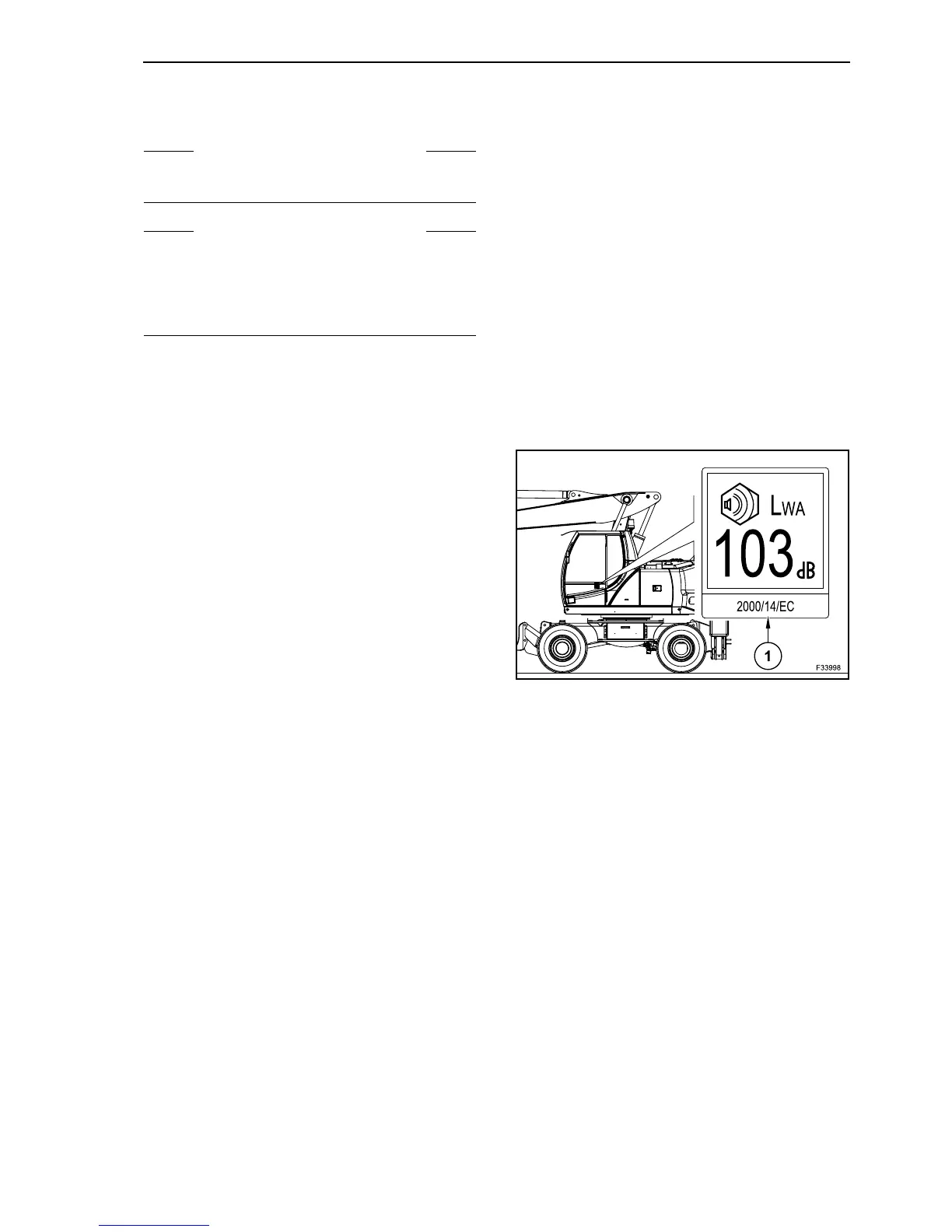
NOISE LEVEL DECAL
EXTERNAL NOISE LEVEL
This decal (1) shows the value in decibel of the
external noise level L
WA
of machine as guaranteed
by the Manufacturer. As per European Directive
2000/14/EC.
WX 145 models: 101 dB (A)
WX 165 models: 102 dB (A)
WX 185 models: 103 dB (A)
S WARNING S
An illegible or missing decal can have far-reaching
consequences. Check them everyday.
S WARNING S
Make sure that all decals are perfectly legible.
Clean them regularly, replace them with new decals
if they are damaged, missing or painted over. If
there is a decal on a part that is replaced, make
sure you install a new decal on the new part.
58



 To Next Page