620 Series
14
If the Run Duration Timer is set, a ‘stopwatch’ (symbol 1 in figure 8) will appear next to the
countdown timer. The Run Duration timer is enabled and disabled in Settings detailed later.
If the Run Duration is not set, the run timer will count up until the run is stopped manually by
pressing the Run/Stop Key at which point you will be asked to confirm that you wish to stop
the run by pressing the appropriate Yes or No soft key to prevent you from accidentally
stopping a run.
The “Pause” symbol in the bottom left-hand corner of the screen and the corresponding soft
key (A in figure 8) is the Pause/Run feature. When Pause is selected, Paused will ‘flash’ on the
top of the screen. Simply pressing the corresponding Play soft key again will restart the
measurement.
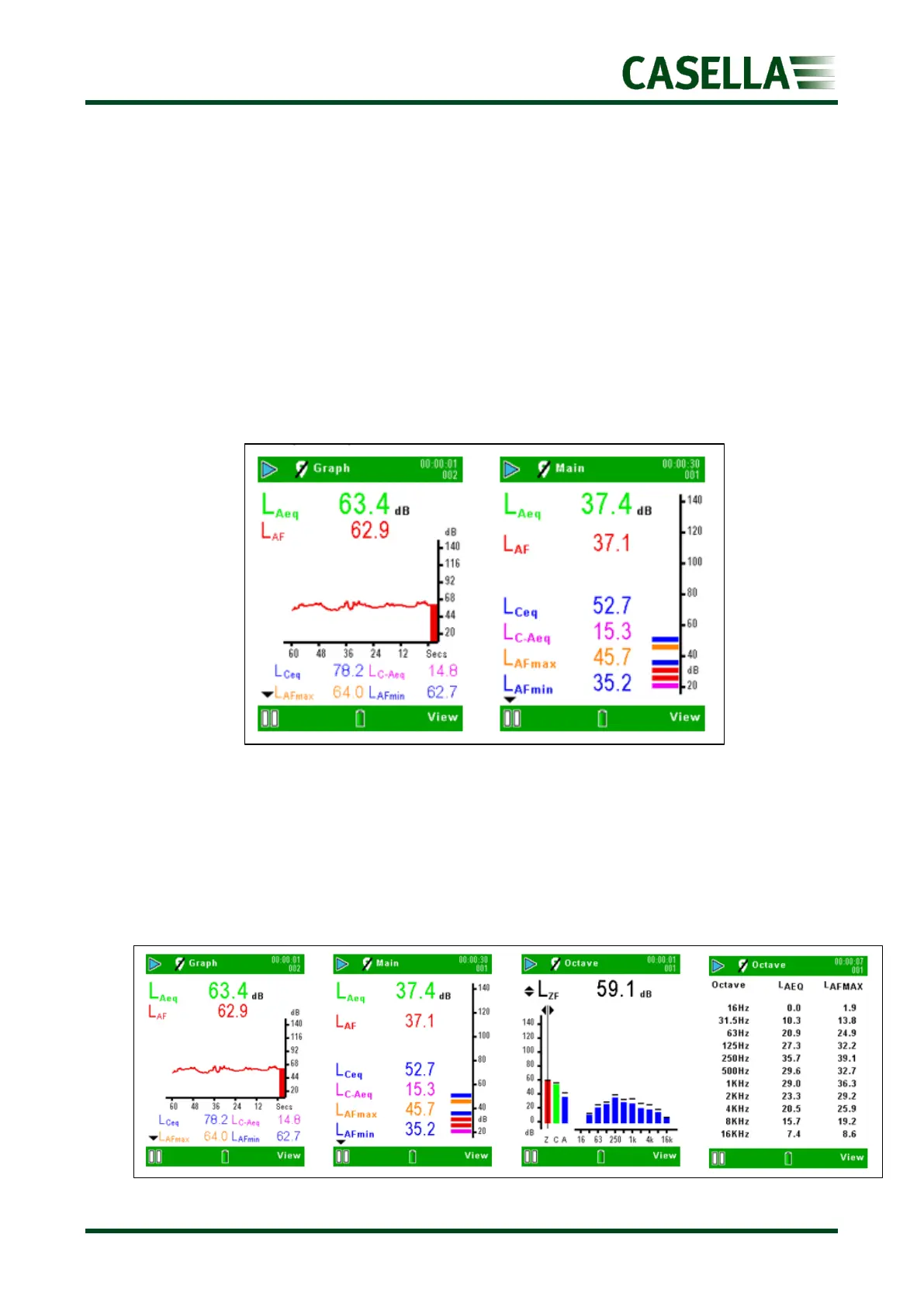
For the 620A models (refer to Figure 9), the broadband values can be viewed as a bar graph
on the Main screen, or as a graphical time history on the Graph screen. Pressing the
corresponding View soft key toggles between Graph and Main screens.
Figure 9 620A Run Screens
For the 620B models (refer to Figure 10), there are two additional octave screens. Press the
corresponding View soft key to toggle between the four available screens. Use the ,
navigation key to move across the frequency bands when in Octave graphical view and the
or navigation key to toggle between instantaneous, LAF maximum, LMAX and LAEQ
parameters. Each graph bar represents an octave band measured in Hz or kHz. To view a
table of the octave values, press View again.
Figure 10 620B Run Screens



 To Next Page