620 Series
9
Microphone and pre-amplifier
The 620 series has a fixed pre-amplifier and removeable ½ inch (12.7 mm) pre-polarised
microphone. There are two types of microphone available depending on the accuracy Class,
namely:-
• CEL-251 microphone used on Class 1 versions, 50 mV/Pa sensitivity
• CEL-252 microphone used on Class 2 versions, 30 mV/Pa sensitivity
The instrument is supplied with a microphone windshield which provides protection from
both wind and minor mechanical damage and should always be fitted to the microphone
(except during calibration).
Soft keys
The two soft keys (5) shown in figure 1 are located below the corresponding options
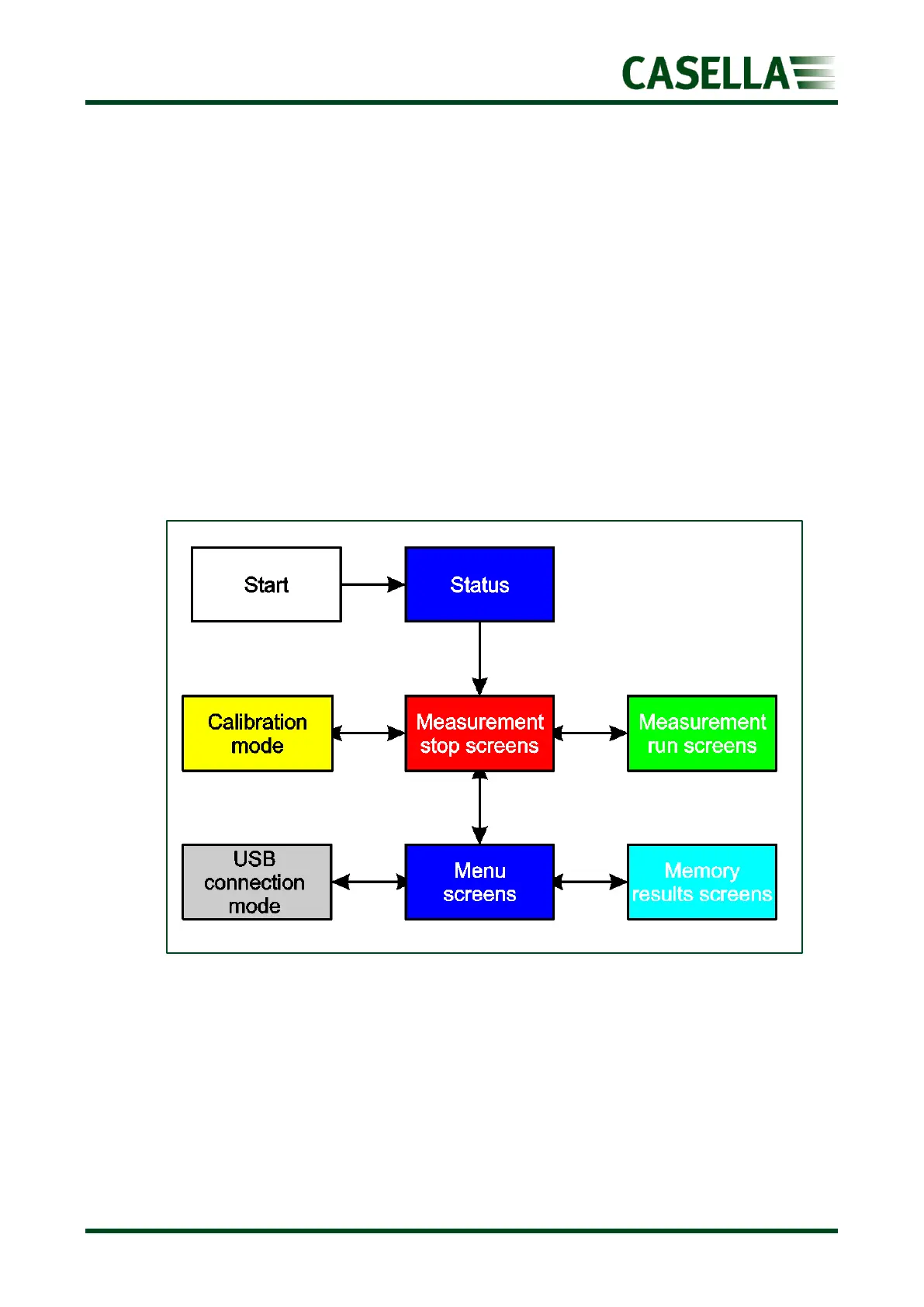
displayed at the bottom of each screen. The operation of these two keys change, depending
on which screen is displayed as shown by the overview of the operating system in figure 2.
Figure 2
Generally, you press the soft key on the right to select a function, and press the soft key on
the left to exit a screen or cancel a function.
The instrument screens have been designed with colour coded top and bottom bars to enable
the user to know at a glance which part of the operating system is currently being accessed.



 To Next Page