620 Series
24
Connectivity
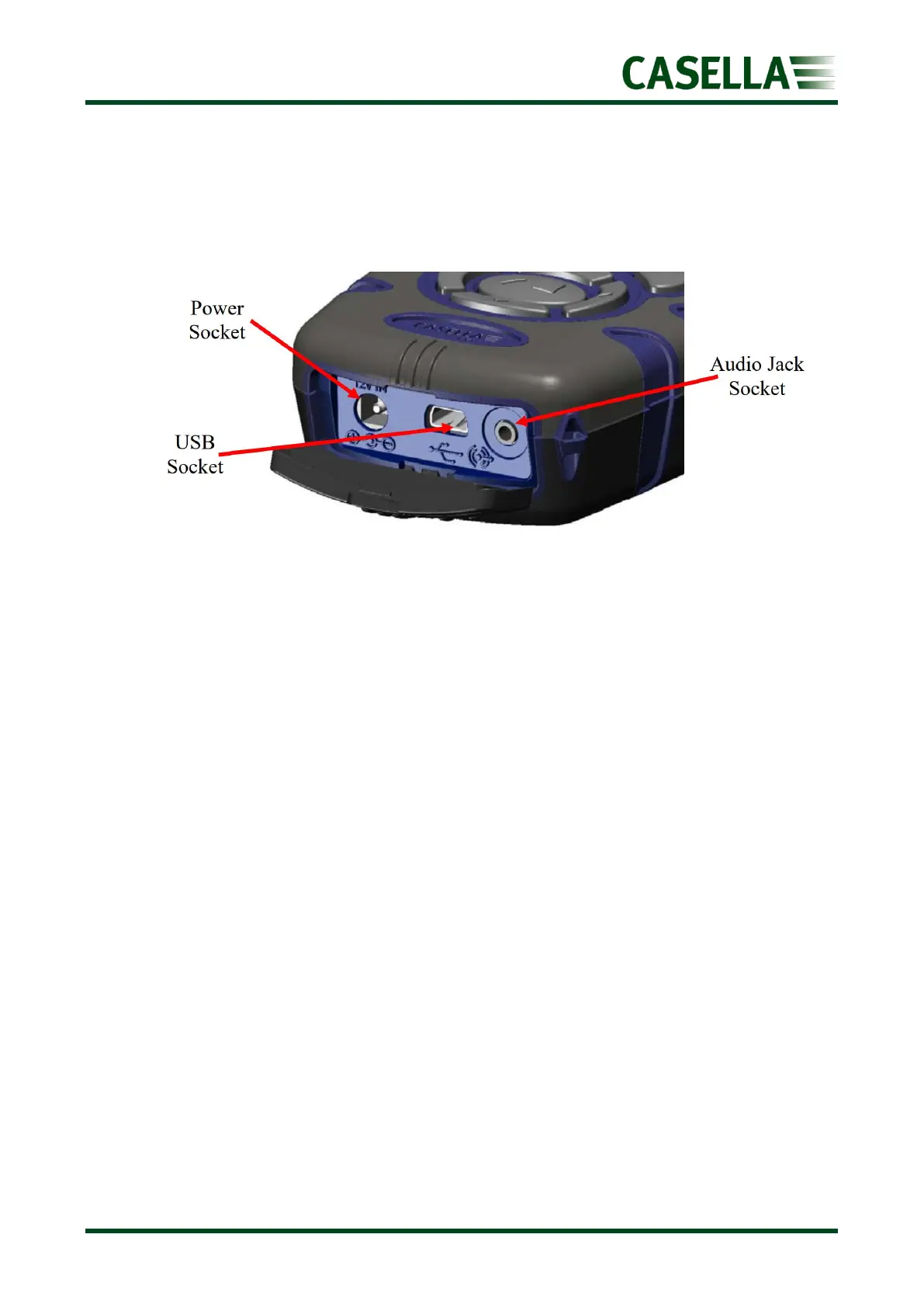
A rubber cover on the bottom of the instrument reveals an external 12V DC power inlet, USB
socket and Audio output socket.
Figure 29
Power socket
It is possible to use an external DC power supply. The instrument accepts 9 to 14V DC at
typically 170mA via a 2.1mm Power Connector. The PC18 power supply is recommended
(see Part Numbers and Accessories).
USB
The CEL-620 series acts as a removable storage device when connected to a PC by the
CMC51 cable supplied.
See figure 29 for the location of the USB connection.
Once connected, the PC will automatically detect that the instrument is connected and
within a few seconds have installed the necessary drivers.
An Explorer window will open on the PC to show the files on the instrument. Simply copy
the files to your PC as required. Each measurement run is stored as a file within the CEL-62X
in a .CSV format. This format will automatically open with MS EXCEL or similar office
applications.
The files are named consecutively from 1 to 999, so the first run will be named R001.CSV. All
measurement parameters are contained within these files, regardless of the displayed
parameters selected within the instrument setup.



 To Next Page