620 Series
23
Status
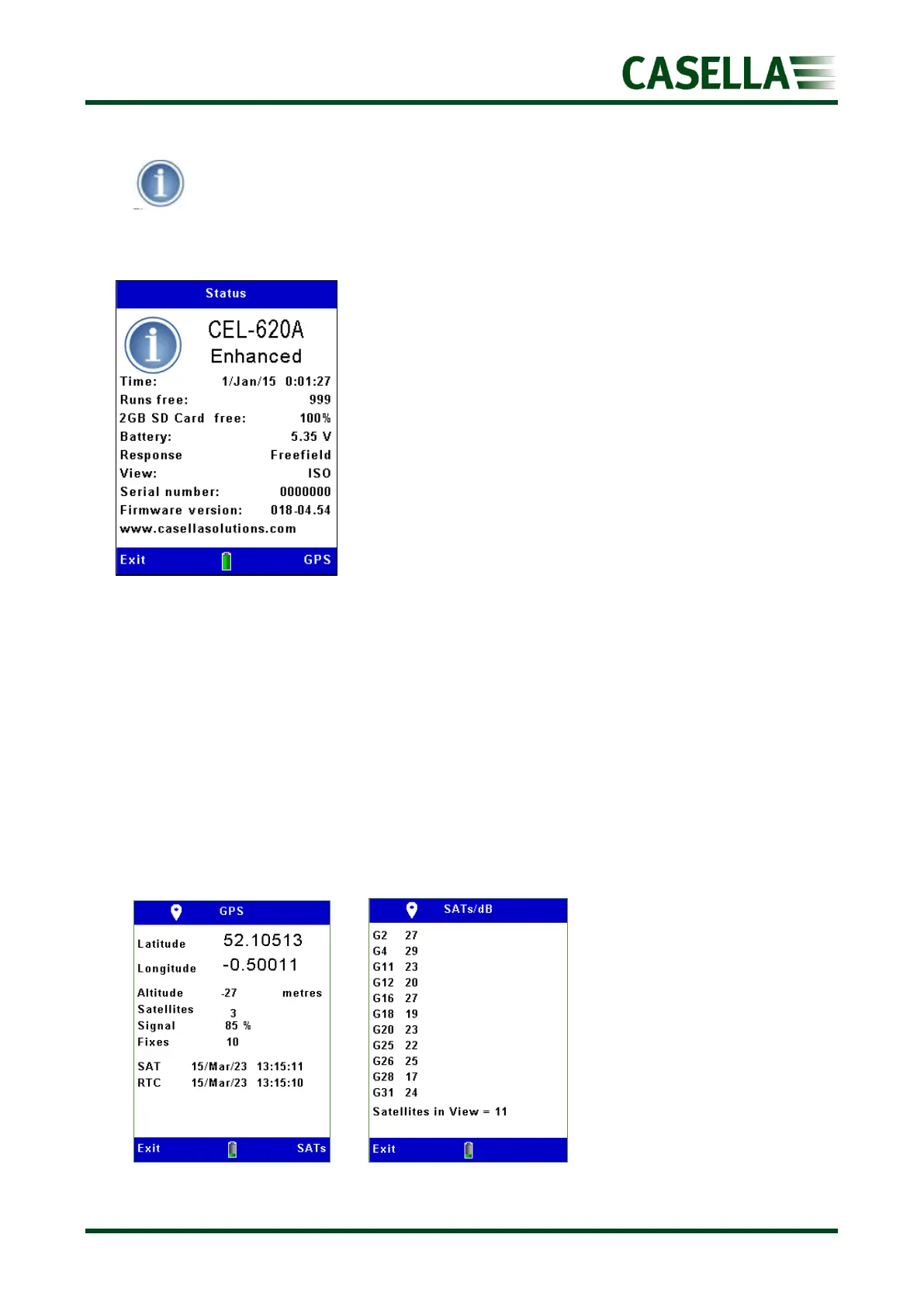
Figure 27 is a repeat of the screen shown when the instrument is first switched on and
displays:
• Exact model variant
• Date & Time
• Number of measurement runs free
• Free memory
• Battery voltage
▪ Microphone response i.e. Freefield (ISO) or Random (US)
• Measurement View (determines the Microphone response)
• Serial number
• Firmware version
• Customer set text
Pressing the corresponding GPS soft key displays the GPS status. This is a new feature for 2023.
GPS Location
GPS data can be seen on the instrument and is also appended to downloaded data assuming
the unit has a GPS lock (shown by the symbol in the top of the screen). A brand-new lock
with clear skies could be anywhere from 30 seconds to 2 minutes+. Keeping batteries in the
unit will preserve the ephemeris data (for up to 30 days) and on the next instrument start-
up, it could get a lock very quickly. Pressing the corresponding SATs soft key will show how
many satellites in view.



 To Next Page