620 Series
26
Calibration
Note: The Instrument must be at a STOP screen before the acoustic calibrator is fitted.
It is recommended that an acoustic calibration using a CEL-120/2 (or CEL-120/1) calibrator
is performed before and after taking measurements.
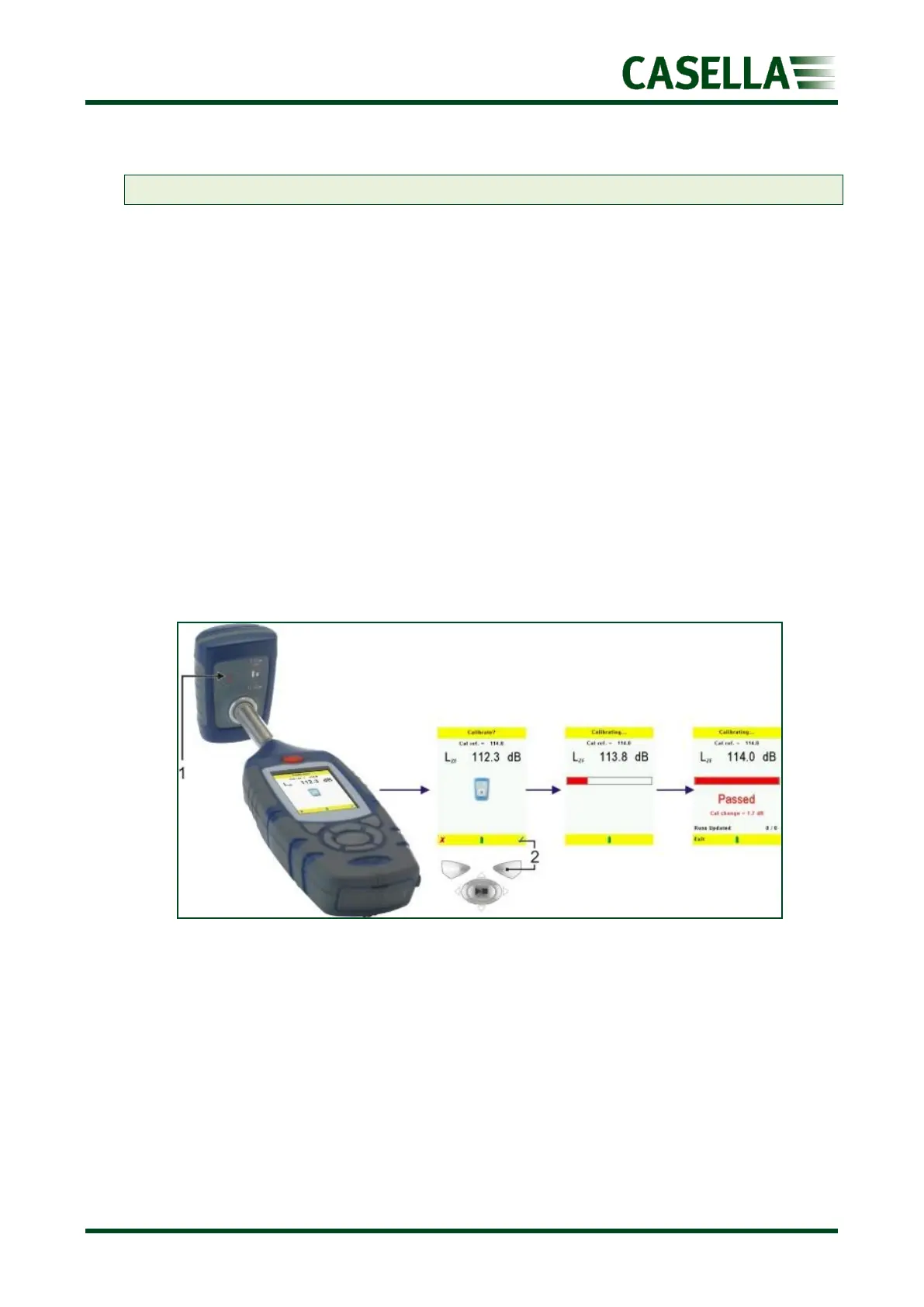
To perform a calibration:
1. Switch on the acoustic calibrator.
2. Check the acoustic calibrator has a 114dB (or 94dB) output.
3. Fit the acoustic calibrator firmly over the microphone. The instrument automatically
detects a 1kHz tone from a 114dB (or 94dB) calibrator and enters calibration mode.
4. Press the right key (2) to perform a calibration or press the left key to exit calibration
mode. When calibration is complete, the calibration complete screen and the word
PASSED will be displayed.
5. A calibration change value is shown at the bottom of the screen. This identifies the
change since the previous calibration.
6. Remove and switch off the acoustic calibrator.
7. Press the left exit key to return to the stop screen.



 To Next Page