620 Series
13
To turn off the instrument:
1. When the required measurements have been taken and in stop mode, press and hold
the red power key for three seconds to switch off the instrument. The display will
show a ‘3, 2, 1’ count down.
Note: The press and hold for three seconds feature prevents the instrument from being
accidentally switched off during use.
Measurement screens
The instrument has four Run screens: The Main numerical screen, the Graph (level versus
time) screen, and on B Models, the Octave and the Octave Values screen.
Switch the instrument on as previously detailed and the instrument is ready to make a
measurement after approximately 15 seconds.
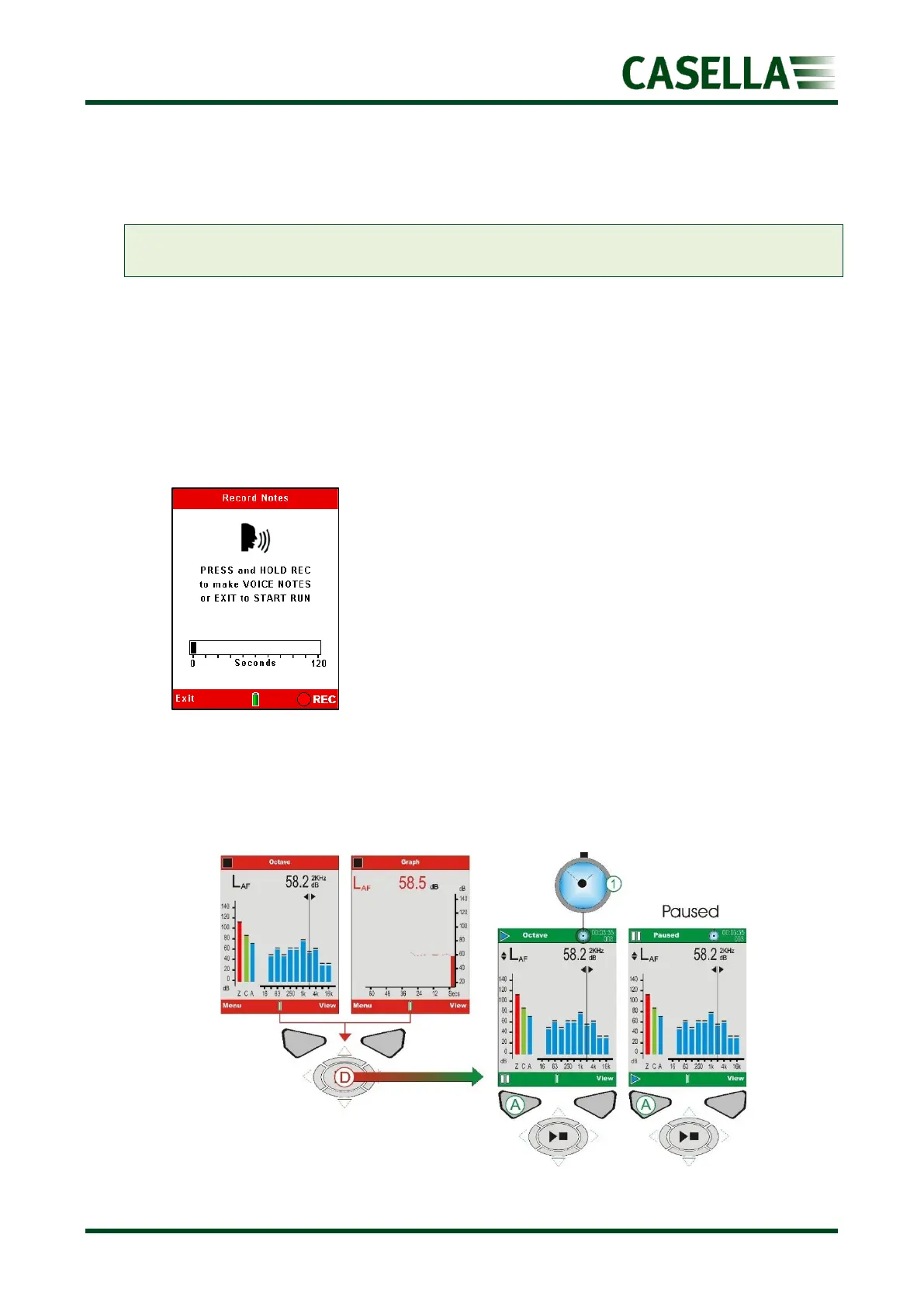
To manually start a measurement run press the Run/Stop key (D shown in figure 8).
If Voice Notes have been selected (a new feature for 2023
models), these can be made at this point by pressing the
corresponding REC soft key and talking into the instrument
microphone or may be ‘skipped’ by pressing the
corresponding Exit soft key.
This gives 120 seconds worth of recording additional notes
such as location, the process and other pertinent
information.
Voice notes may also be recorded after the measurement.
See later in the Memory section.
If not selected, the header and footer bars turn green and the “Play” symbol is displayed in the
top left-hand corner of the screen along with Run duration and incremental Run number in the top
right.
Figure 8 Run Screens



 To Next Page