620 Series
19
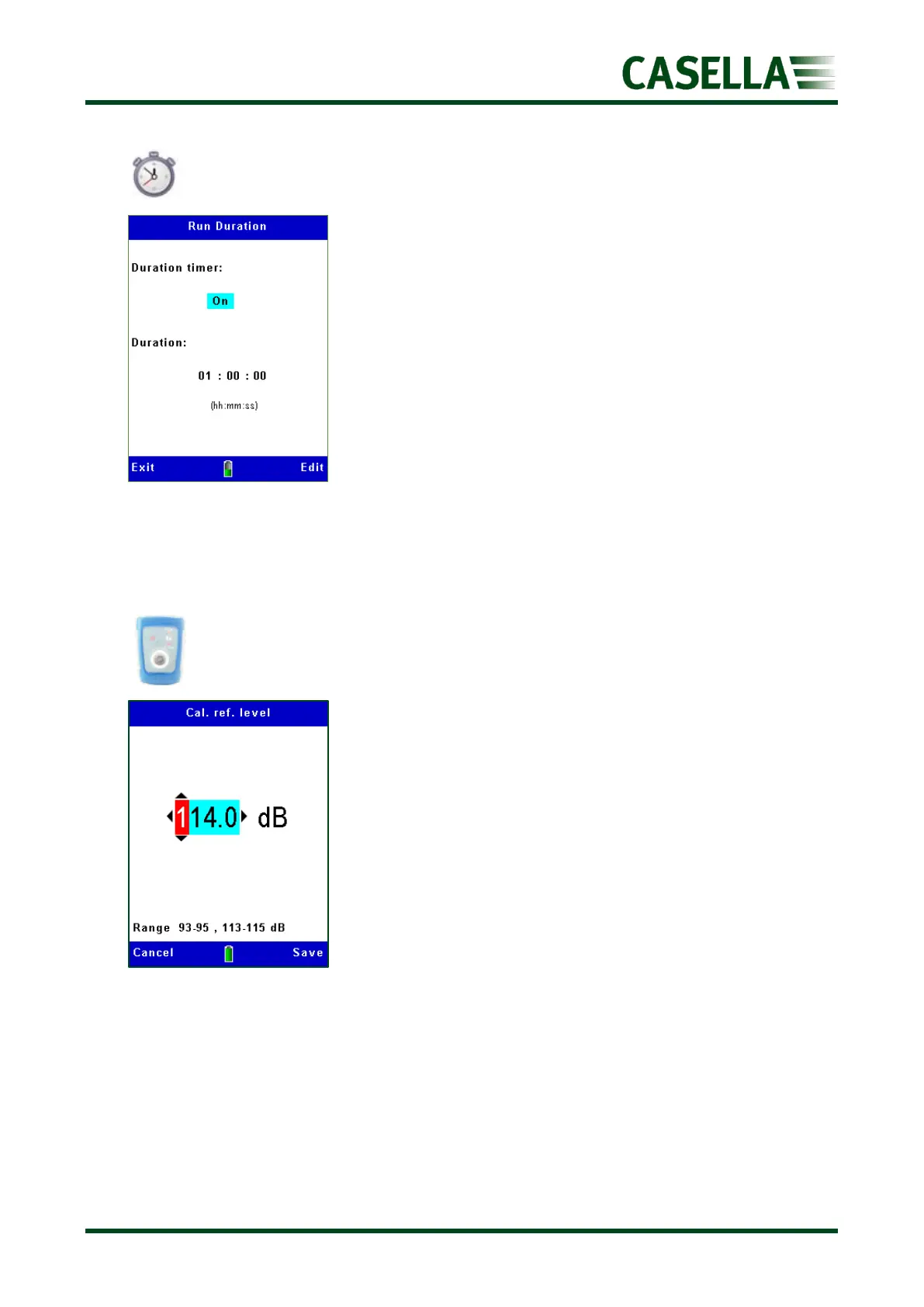
Run Duration
This changes the way a run starts and stops either by a manual
key press (see the Measurement Screens section) or for a
selectable fixed run Duration.
Press the corresponding Edit soft key and , to select either
Off (manual start/stop) or On.
Use the or key to select the Duration and press the
corresponding Edit soft key and the , , or navigation
keys to change the duration time in hours, minutes and seconds.
Press the corresponding Save soft key (or Cancel) and Exit soft
key to return to the previous screen(s).
Calibration reference level
This allows the automatic calibration level to be set to match the
value on the acoustic calibrator’s calibration certificate, typically
94 dB (with an adjustment range from 93-95dB) or 114 dB (with
an adjustment range of 113-115 dB) as shown in figure 22.
To change select the corresponding Edit soft key, then use
the, , or keys to adjust the level to that shown on the
calibrator’s calibration certificate then Save (or Cancel) using the
corresponding soft keys.
Press the corresponding Exit soft key to return to the previous
screen(s).



 To Next Page