Chapter 1: Basics 39
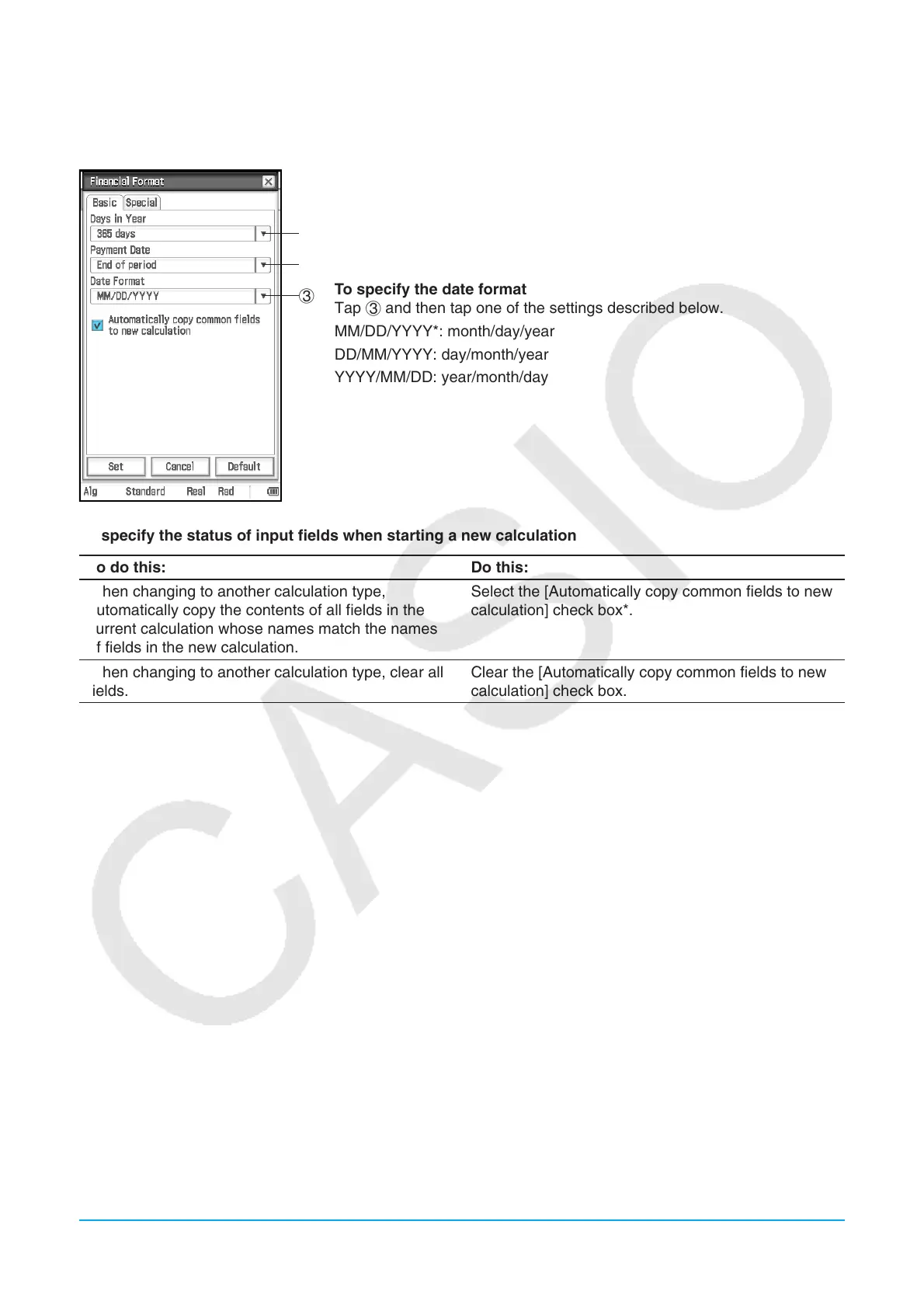
k Financial Format Dialog Box
Use the Financial Format dialog box to configure settings for the Financial application.
[Basic] tab
1
2
3
To specify the number of days in a year
Tap 1, and then tap “360 days” or “365 days*”.
To specify the beginning or the period or the end of the period as the
payment date
Tap 2 and then tap “Beginning of period” or “End of period*”.
To specify the date format
Tap 3 and then tap one of the settings described below.
MM/DD/YYYY*: month/day/year
DD/MM/YYYY: day/month/year
YYYY/MM/DD: year/month/day
To specify the status of input fields when starting a new calculation
To do this: Do this:
When changing to another calculation type,
automatically copy the contents of all fields in the
current calculation whose names match the names
of fields in the new calculation.
Select the [Automatically copy common fields to new
calculation] check box*.
When changing to another calculation type, clear all
fields.
Clear the [Automatically copy common fields to new
calculation] check box.















 To Next Page