Chapter 2: Main Application 73
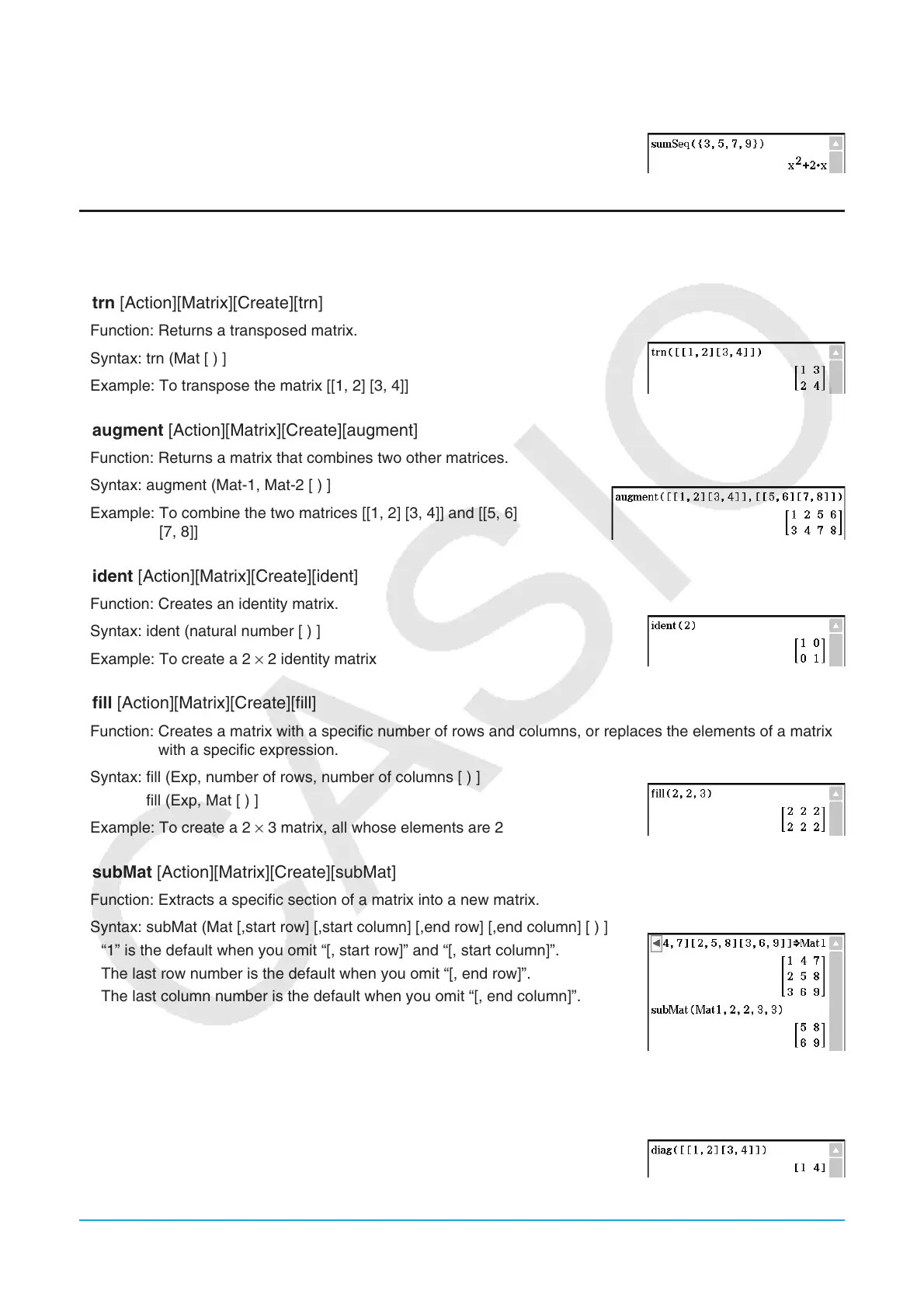
Syntax: sumSeq (List-1[, List-2] [,variable] [ ) ]
• “
x ” is the default when you omit “[,variable]”.
Example: To determine the sum of a polynomial for a sequence expressed by
the list {3, 5, 7, 9}
Using the Matrix-Create Submenu
The [Matrix][Create] submenu contains commands related to creation of matrices.
u trn [Action][Matrix][Create][trn]
Function: Returns a transposed matrix.
Syntax: trn (Mat [ ) ]
Example: To transpose the matrix [[1, 2] [3, 4]]
u augment [Action][Matrix][Create][augment]
Function: Returns a matrix that combines two other matrices.
Syntax: augment (Mat-1, Mat-2 [ ) ]
Example: To combine the two matrices [[1, 2] [3, 4]] and [[5, 6]
[7, 8]]
u ident [Action][Matrix][Create][ident]
Function: Creates an identity matrix.
Syntax: ident (natural number [ ) ]
Example: To create a 2 × 2 identity matrix
u fill [Action][Matrix][Create][fill]
Function: Creates a matrix with a specific number of rows and columns, or replaces the elements of a matrix
with a specific expression.
Syntax: fill (Exp, number of rows, number of columns [ ) ]
fill (Exp, Mat [ ) ]
Example: To create a 2 × 3 matrix, all whose elements are 2
u subMat [Action][Matrix][Create][subMat]
Function: Extracts a specific section of a matrix into a new matrix.
Syntax: subMat (Mat [,start row] [,start column] [,end row] [,end column] [ ) ]
• “1” is the default when you omit “[, start row]” and “[, start column]”.
• The last row number is the default when you omit “[, end row]”.
• The last column number is the default when you omit “[, end column]”.
Example: To extract the section from row 2, column 2, to row 3, column
3 from the matrix [[1, 4, 7] [2, 5, 8] [3, 6, 9]]
u diag [Action][Matrix][Create][diag]
Function: Returns a one-row matrix containing the elements from the main diagonal of a square matrix.
Syntax: diag (Mat[ ) ]
Example: To extract the diagonal elements of the matrix [[1, 2] [3, 4]]















 To Next Page