Chapter 2: Main Application 77
Using the Vector Submenu
The [Vector] submenu contains commands that are related to vector calculations.
• A vector is handled as a 1 × N matrix or N × 1 matrix.
• A vector in the form of 1 × N can be entered as [……] or [[……]].
Example: [1, 2], [[1, 2]]
• Vectors are considered to be in rectangular form unless ∠() is used to indicate an angle measure.
u augment [Action][Vector][augment]
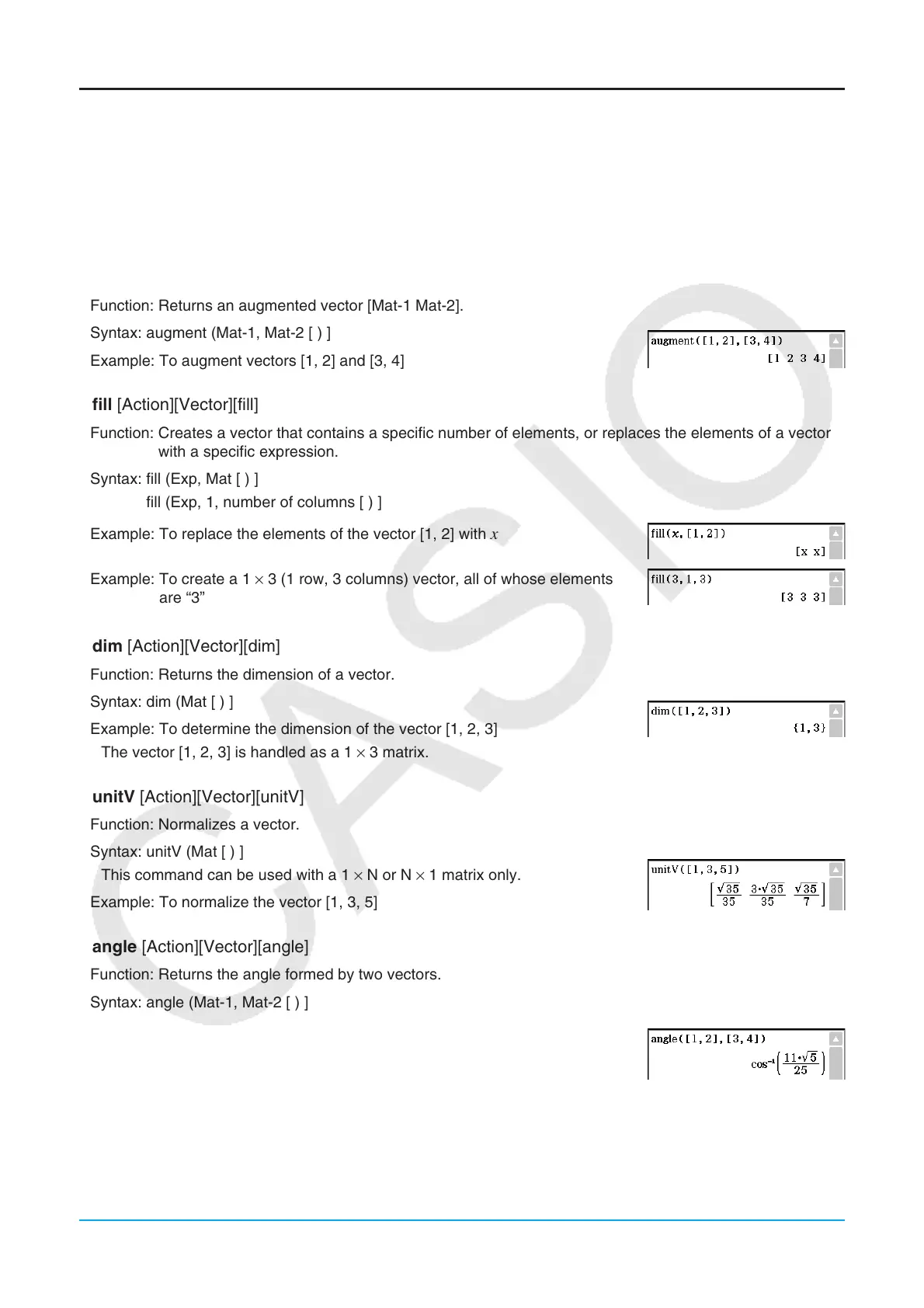
Function: Returns an augmented vector [Mat-1 Mat-2].
Syntax: augment (Mat-1, Mat-2 [ ) ]
Example: To augment vectors [1, 2] and [3, 4]
u fill [Action][Vector][fill]
Function: Creates a vector that contains a specific number of elements, or replaces the elements of a vector
with a specific expression.
Syntax: fill (Exp, Mat [ ) ]
fill (Exp, 1, number of columns [ ) ]
Example: To replace the elements of the vector [1, 2] with
x
Example: To create a 1 × 3 (1 row, 3 columns) vector, all of whose elements
are “3”
u dim [Action][Vector][dim]
Function: Returns the dimension of a vector.
Syntax: dim (Mat [ ) ]
Example: To determine the dimension of the vector [1, 2, 3]
• The vector [1, 2, 3] is handled as a 1 × 3 matrix.
u unitV [Action][Vector][unitV]
Function: Normalizes a vector.
Syntax: unitV (Mat [ ) ]
• This command can be used with a 1 × N or N × 1 matrix only.
Example: To normalize the vector [1, 3, 5]
u angle [Action][Vector][angle]
Function: Returns the angle formed by two vectors.
Syntax: angle (Mat-1, Mat-2 [ ) ]
• This command can be used with a 1 × N or N × 1 matrix only.
Example: To determine the angle formed by vectors [1, 2] and [3, 4] (in the
Radian mode)















 To Next Page