a. Shift Position Indicators
The shift position indicator will indicate the Transmission Gear position.
L (blue): Indicate the Transmission is in “L” (LOW GEAR) position.
H (blue): Indicate the Transmission is in “H” (HIGH GEAR) position.
N (green): Indicate the Transmission is in “N” (NEUTRAL) position.
R (red): Indicate the Transmission is in “R” (REVERSE gear) position.
b. Direction Light Indicator
When the direction light indicator is blinking, it indicates that the direction light switch is
activated and the direction lights are blinking.
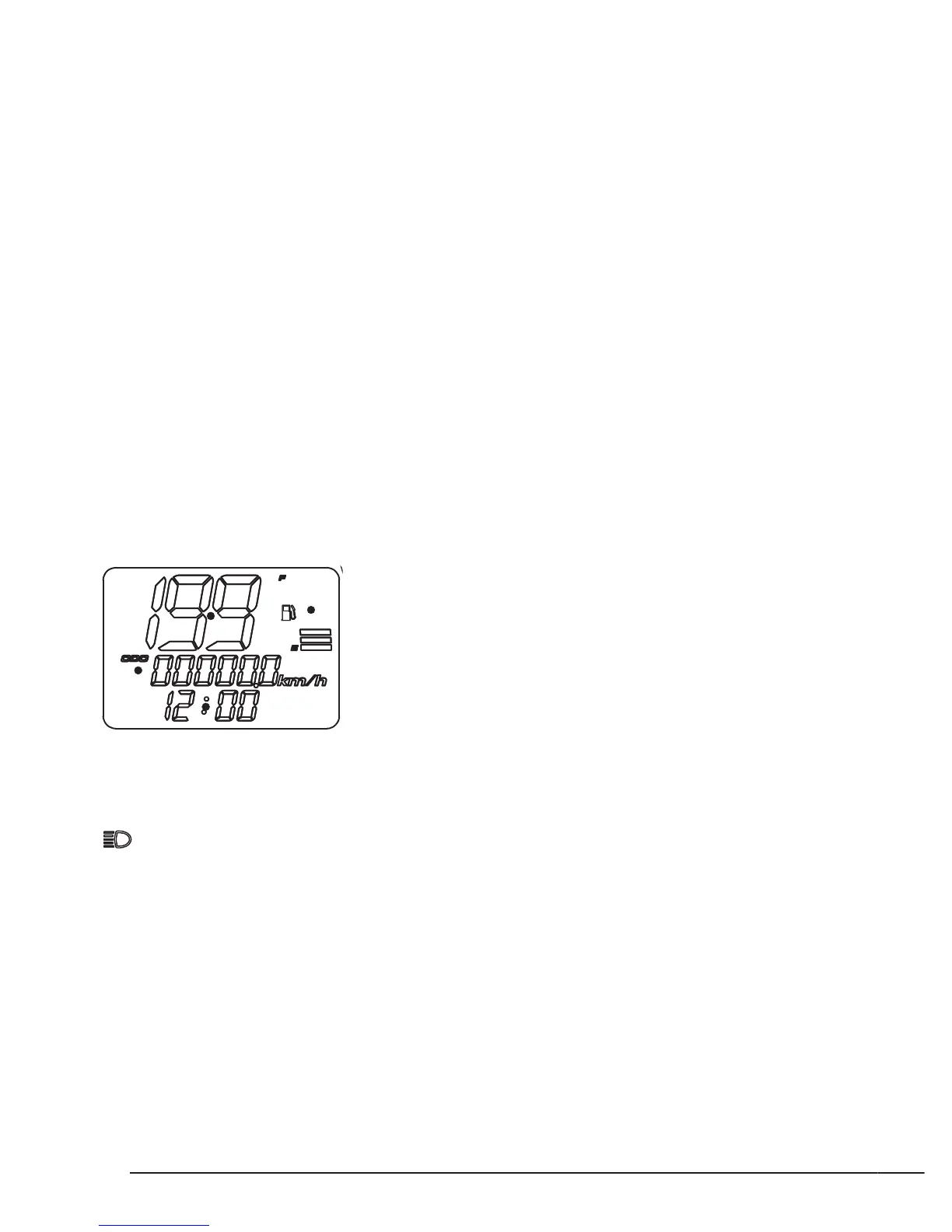
c. Speedometer
The speedometer indicates the approximate vehicle speed.
NOTE:Press the button (1) to change between km/h and mph.
d. Odometer (ODO) / Trip meter
The display has the odometer and two trips meters. Press the button (2) to change between
ODO, TRIP A, and TRIP B.
Odometer records the total distance that vehicle has been ridden.
The trip meter records distance since it has been reset. It has two trip meters to record the
distance at same time. Press the button (2) for 5 seconds to reset the distance.
e. Clock
The clock display is in 24-hours mode. Follow the procedure below to adjust the clock.
1.Press and hold button (1) and (2) simultaneously till all digits of time are blinking (clock setting
mode).
2.Press (1) to select the digit need to be adjusted. The adjustable digit will blink.
3. Press (2) to adjust the hour and minute.
f. High-Beam Headlight Indicator
When the blue Headlight indicator comes on, it indicates the headlight switch is turn to
”High Beam” position.


 To Next Page