How to Proceed
1. In Connection Type, select Connect via Cellular.
2. Use the View cellular networks button to verify reception of the
relevant cellular network (this can take up to 30 seconds). Then
enter the APN you received from the cellular network operator. If
required, enter PPP details.
3. To save the configuration to the bridge, click Save Settings.
Important If you leave this page before saving your settings, they will not be
saved.
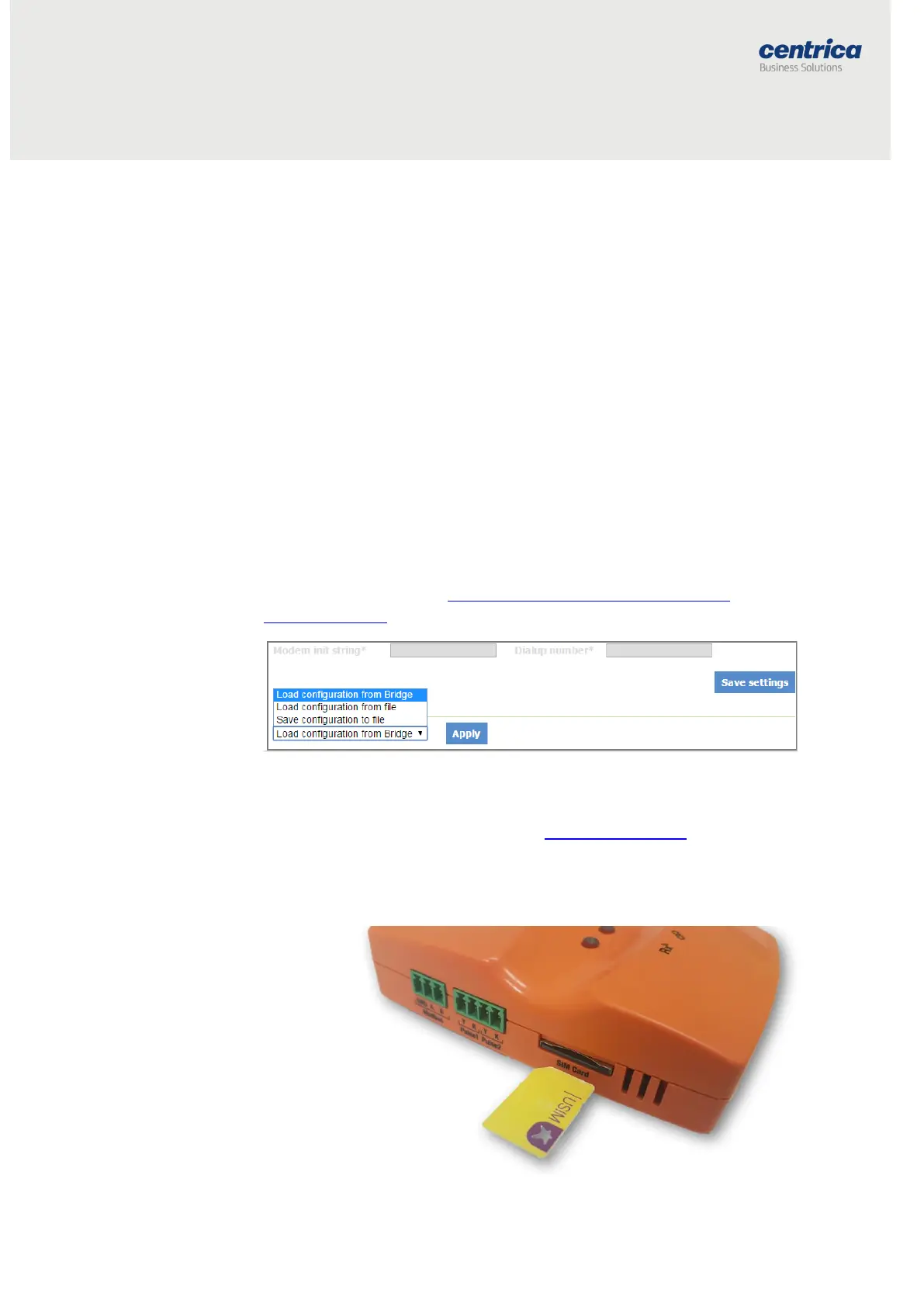
4. To discard changes made to an unsaved configuration and return to
the saved settings, select Load Configuration from Bridge.
5. To use the settings displayed on the screen to configure another
bridge, select Save Configuration to File.
This allows you to create different settings and save them to a file, without
updating the bridge configuration.
For more information, see Loading the Bridge Configuration from a
Configuration File.
6. To exit configuration mode, disconnect the bridge from the power
source.
7. Install the bridge as explained in Mounting the Bridge.
8. When using the Internal GSM Modem, insert the SIM card into the
slot with the truncated end, as shown below.



 To Next Page