EasyManua.ls Logo

Centrica Panoramic Power - Troubleshooting and Maintenance; Understanding Bridge LEDs

Default Icon
28 pages
Print Icon
To Next Page IconTo Next Page
To Previous Page IconTo Previous Page
Loading...
Bridge Installation and configuration guide
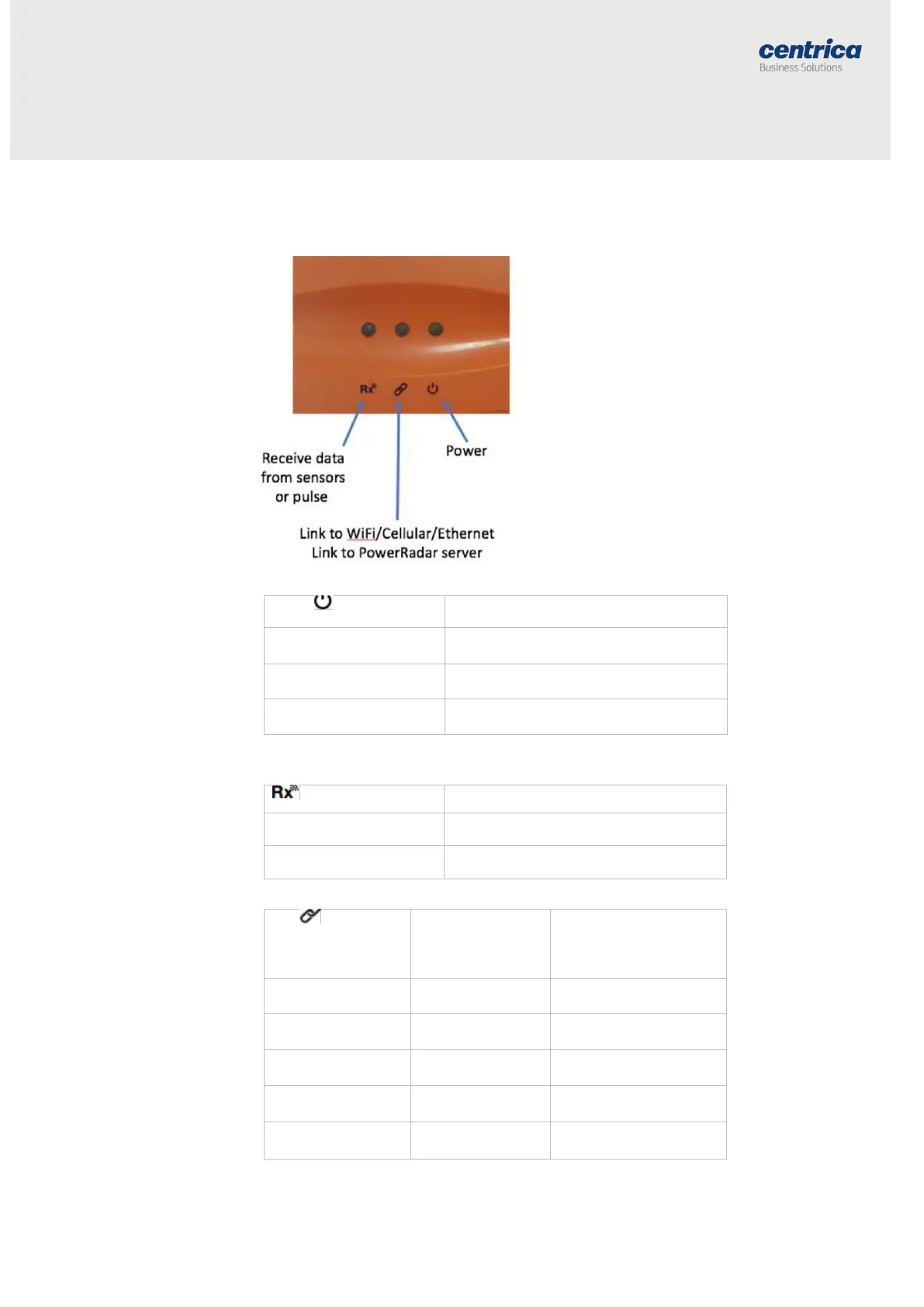
Understanding the Bridge LEDs
Use the following information to familiarize yourself with the bridge status
during normal operation in Wi-Fi, cellular, or ethernet.
Link LED
Physical Link
(Ethernet/
Wi-Fi/Cellular
PowerRadar Server
Connected
Off
X
X
Blinking orange - slow
While connecting to
L2 layer
X
Blinking orange - fast
While acquiring IP
address
X
Blinking green - fast
Resolving server
URL
X
Blinking green - slow
Connecting to
server
X
Power LED
Bridge Status
Solid green
Connected to the power source
Blinking Orange
Firmware upgrade in progress
Solid red
Firmware upgrade has failed
LED
Bridge Status
Blinking green/orange
Receiving sensor or meter data
Solid red
Configuration mode

Other manuals for Centrica Panoramic Power

Related product manuals