Prerequisites
An Ethernet cable for configuring the bridge.
An Ethernet cable if you connect to the Internet via wired LAN.
A SIM card if you connect to the Internet via a standard GSM network.
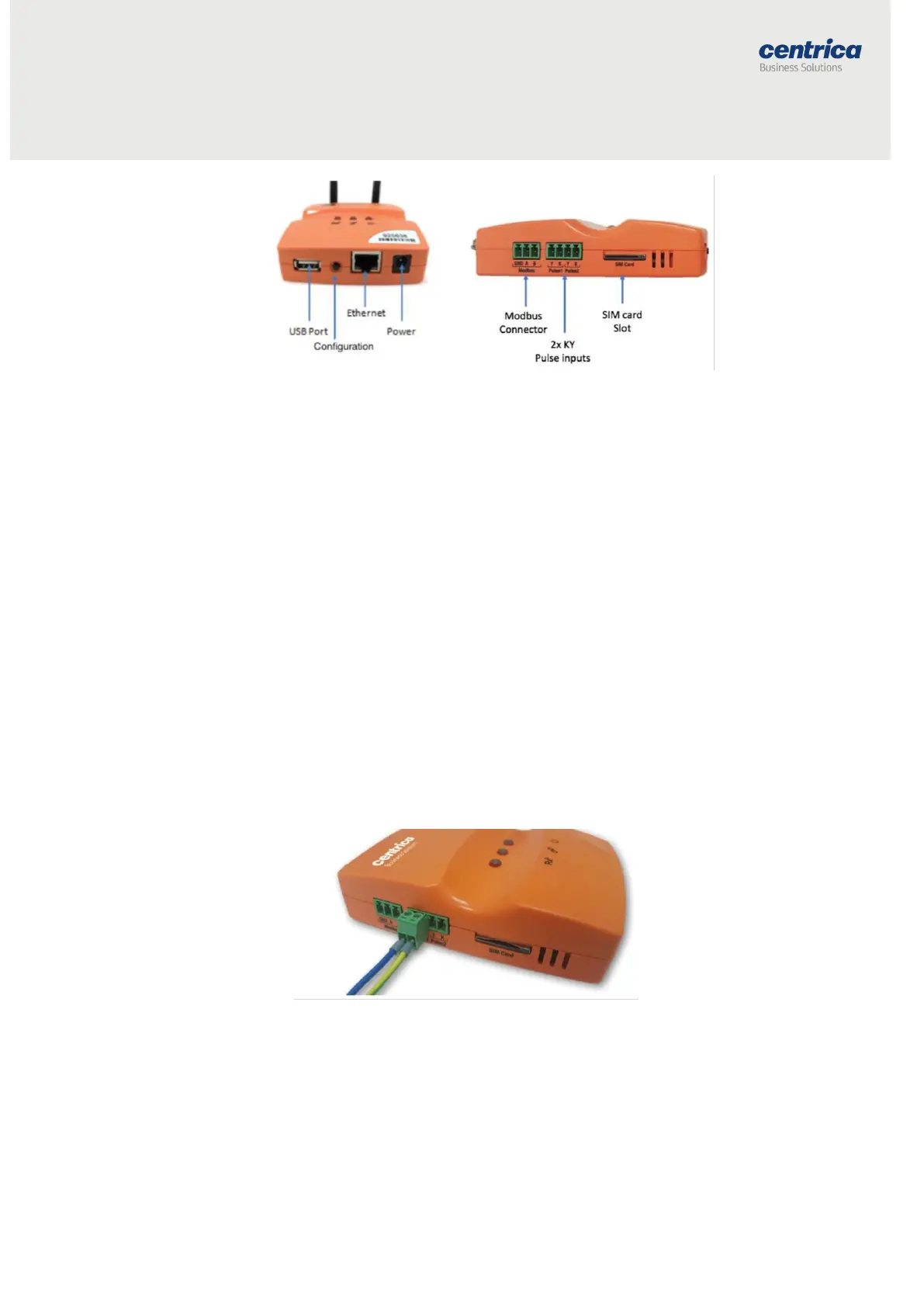
Connecting Pulse Inputs
You can connect the bridge to a KY or KYZ pulse output of a meter.
Note By default, the system KY vs. KYZ setting is automatically selected
according to the meter type defined in PowerRadar:
- Electrical meters use KYZ input settings by default
- Other meters (heat, gas, water, etc.) use KY input settings by default
How to Proceed
1. Screw the pulse wires into the adapter connected to the pulse input.
Make sure to screw the K wire into the K input, and either the Y or Z
wire into the Y input.
2. Plug the adapter into one of the pulse inputs on the side of the
bridge.



 To Next Page