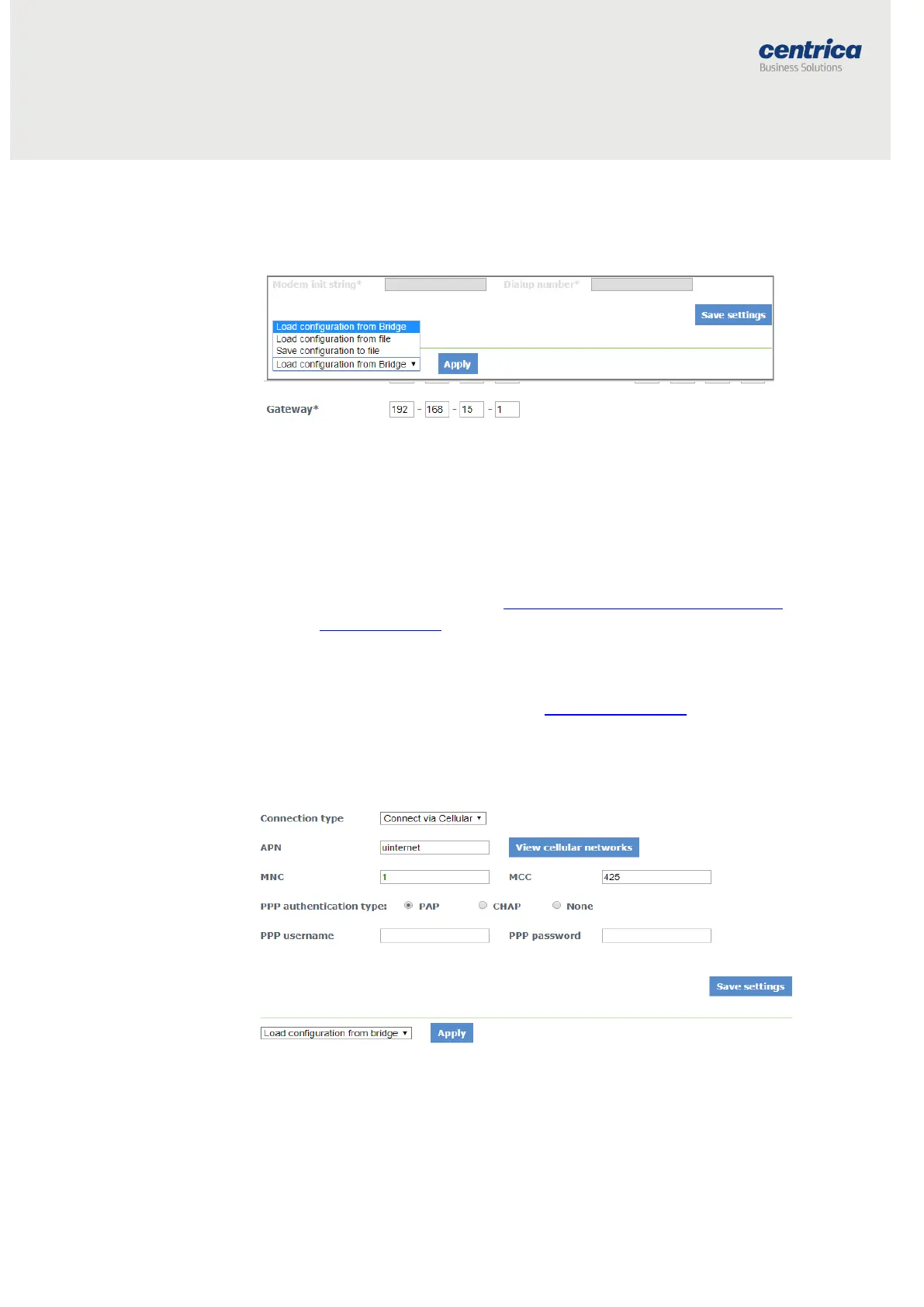
8. Other options provide the ability to specify a static IP address or
static DNS server address:
9. To save the configuration to the bridge, click Save Settings.
10. To discard changes made to an unsaved configuration and return to
the saved settings, select Load Configuration from Bridge.
11. To use the settings displayed on the screen to configure another
bridge, select Save Configuration to File.
12. This allows you to create different settings and save them to a file,
without updating the bridge configuration.
13. For more information, see Loading the Bridge Configuration from a
Configuration File.
14. To exit configuration mode, disconnect the bridge from the power
source.
15. Install the bridge as explained in Mounting the Bridge.
16. Reconnect the bridge to the power source.
Configuring the Bridge for Cellular Connection
Use a SIM card if you connect to the Internet via a standard GSM network.
Prerequisites
For some SIM cards, the system fills in details automatically in the Connection
Setup page. For others, you need to get the information from the SIM card
supplier or the service provider.



 To Next Page