Instruction Manual CertoClav Vacuum Pro 45 l — Model STE-45-T
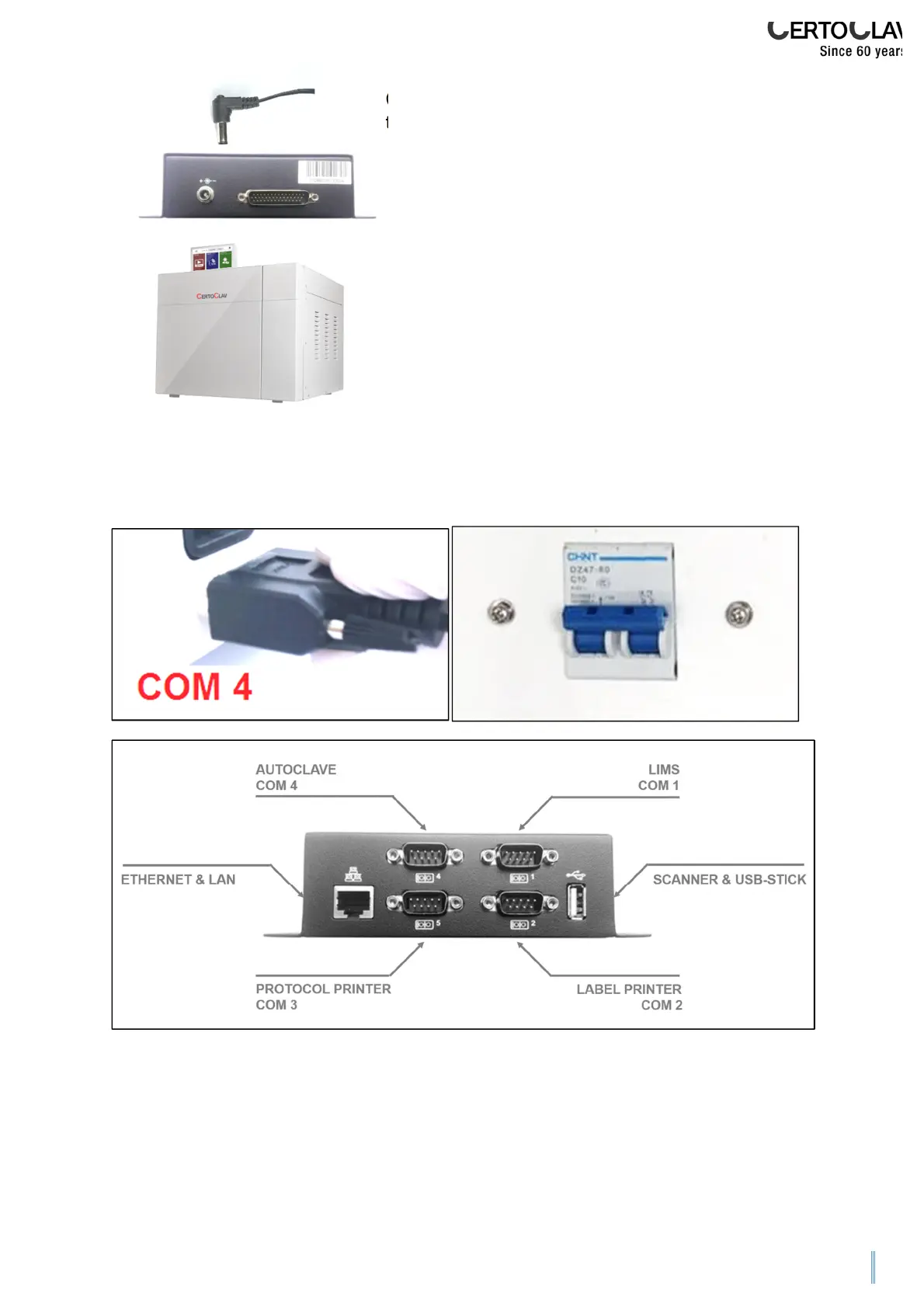
Connecting the power cable of the touchscreen to
the interface box.
Place the touchscreen on an even stable surface
only. You can also place the watertight touchscreen
on the autoclave or next to it.
Connect the autoclave to the RS232 cable at the COM4-port of the extension box to
the RS232-port on the rear of the autoclave.
Switch on the touchscreen.
If a login window appears on the screen after several seconds, the touchscreen is
correctly connected to the autoclave.


 To Next Page