Instruction Manual CertoClav Vacuum Pro 45 l — Model STE-45-T
44
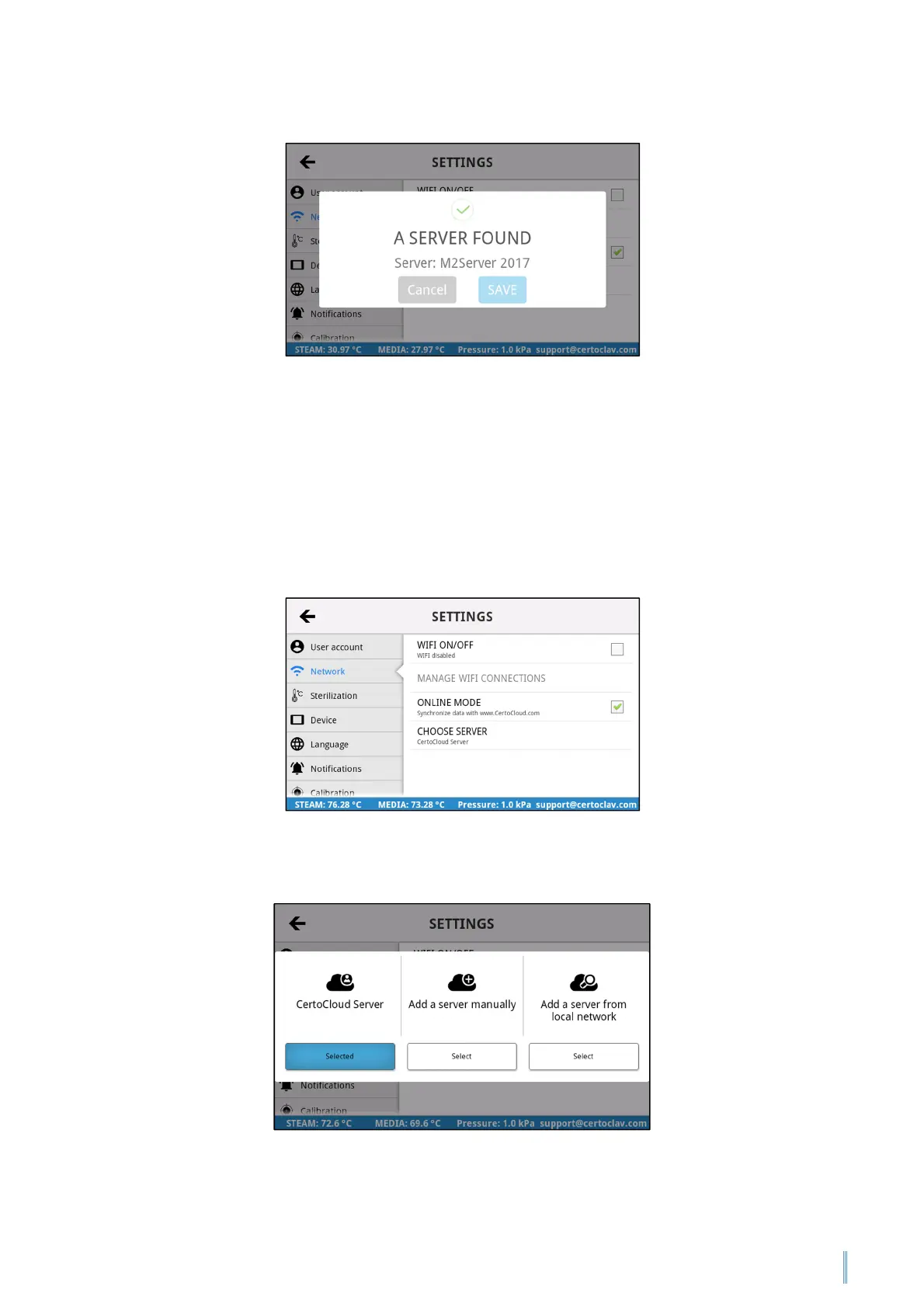
After the CertoServer has been found, confirm with “Save”.
11.2.5 Connecting to the CertoCloud server
If the autoclave is connected to the Internet, you can alternatively use the free
CertoCloud for documentation and configuration of the autoclave.
To activate communication with the CertoCloud, navigate to the Settings Menu by
clicking on the symbol at the top right of the screen. Press on “Network” and then
on “choose server”.
Select the “CertoCloud Server” option.


 To Next Page