Instruction Manual CertoClav Vacuum Pro 45 l — Model STE-45-T
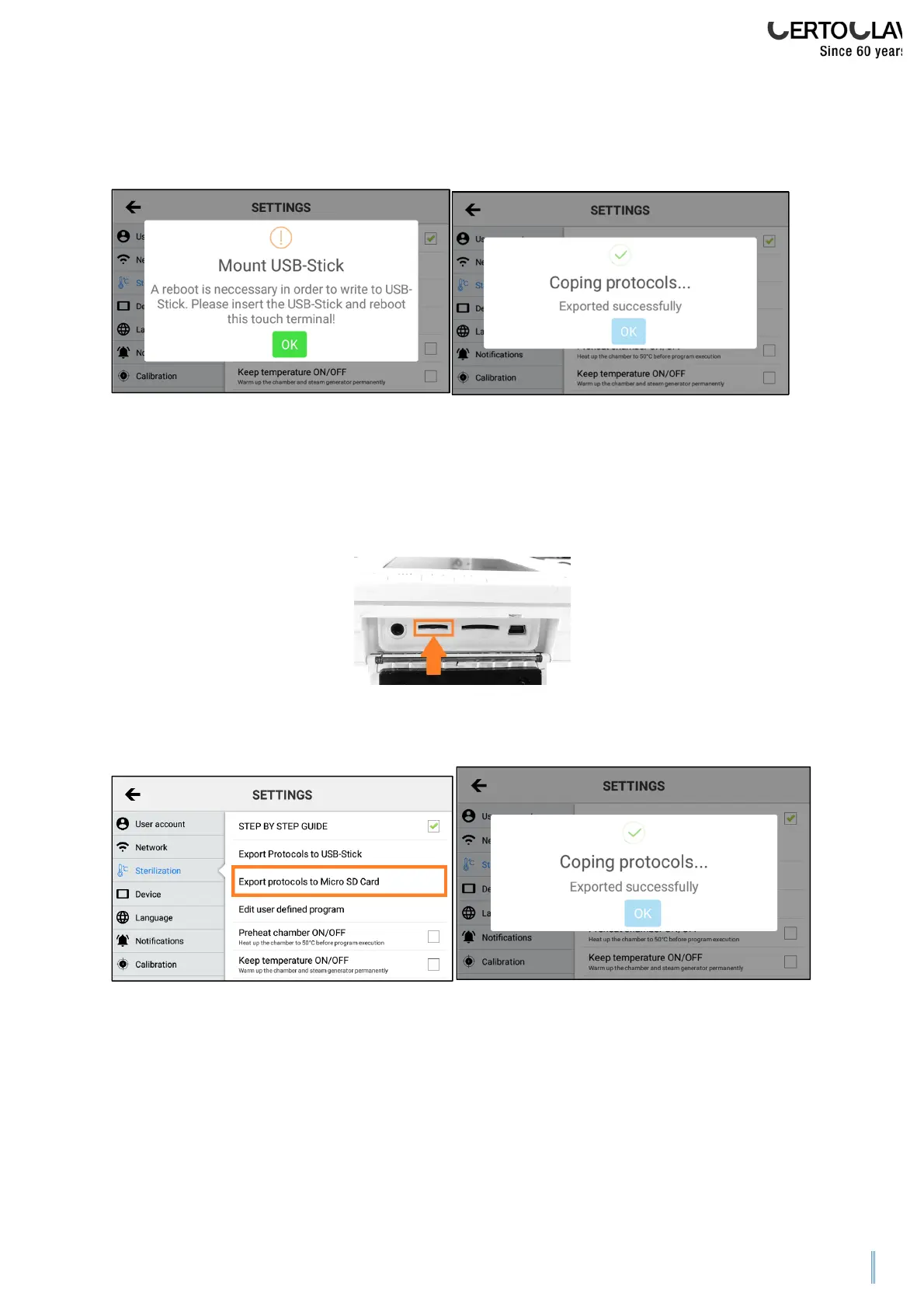
If the protocol export fails, your USB stick ahs not been recognised. In this case plug
the USB stick into the device and restart the touchscreen. Now attempt to the export
the protocols again.
11.3.7 Exporting all protocols to an SD card
The autoclave can save any number protocols internally. To export all protocols to an
SD card, plug a Micro SD card into the opened push-in compartment on the right of
the touchscreen.
Navigate to the Settings Menu by clicking on the symbol at the top right of the
screen. Press on “Sterilization” and then “Export protocols to Micro SD Card”.
If the protocol export fails, restart the touchscreen with the SD card inserted. Now
attempt to the export the protocols again.


 To Next Page