Instruction Manual CertoClav Vacuum Pro 45 l — Model STE-45-T
26
9.4.3 Step-by-step video assistant
To activate the step-by-step video assistant, navigate to the Settings Menu by clicking
on the symbol at the top right of the screen. Select the Sterilisation entry on the left
of the Settings window. Press on the Step-by-step video assistant to activate or
deactivate the step-by-step video assistant.
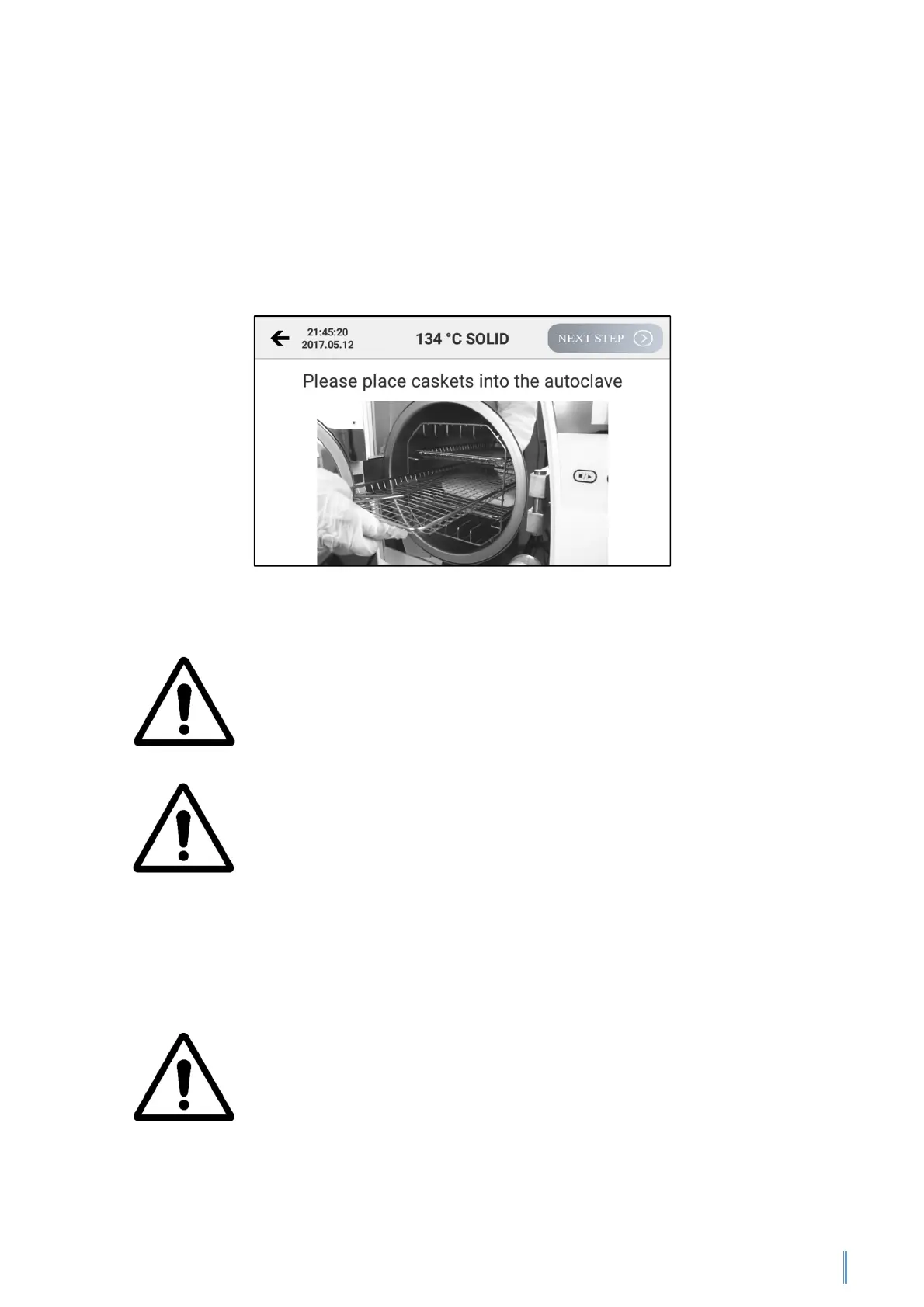
The step-by-step video assistant guides the user through all steps necessary to
operate the autoclave via video instructions.
9.4.4 Loading the autoclave
Please make sure that the total volume of the loads is less than 70
% of the volume of the autoclave chamber.
Please leave at least 10 mm free space between the load and
sterilisation chamber wall.
To check the effectiveness of the sterilisation processes
independently, place the indicators or bags together with the load
into the sterilisation chamber. If you execute the B&D or Helix
program, place the indicator in the centre of the sterilisation
chamber. A reliable test result is attained in this way.
9.4.5 Closing the autoclave door
To close the autoclave door, press the door gently against the boiler. The vacuum
pumps then suctions the door the it is automatically locked electrically.
If the temperature in the sterilisation chamber is too high, the door
of the autoclave can only be closed with difficulty. Wait 2 minutes
before closing the door.


 To Next Page