Instruction Manual CertoClav Vacuum Pro 45 l — Model STE-45-T
52
11.4.3 Installing updates via USB
Download the latest update from www.certoclav.com or ask for the latest update for
your device by email to support@certoclav.com. Please indicate the serial number of
your autoclave for the Support Team. You can find the serial number on the type plate
of the autoclave or in the settings. For this, navigate to the Settings Menu by clicking
on the symbol at the top right of the screen. Press on “Device”.
Copy the “update.zip” to the main directory of a USB stick and plug this USB stick into
the extensive cable of the touchscreen.
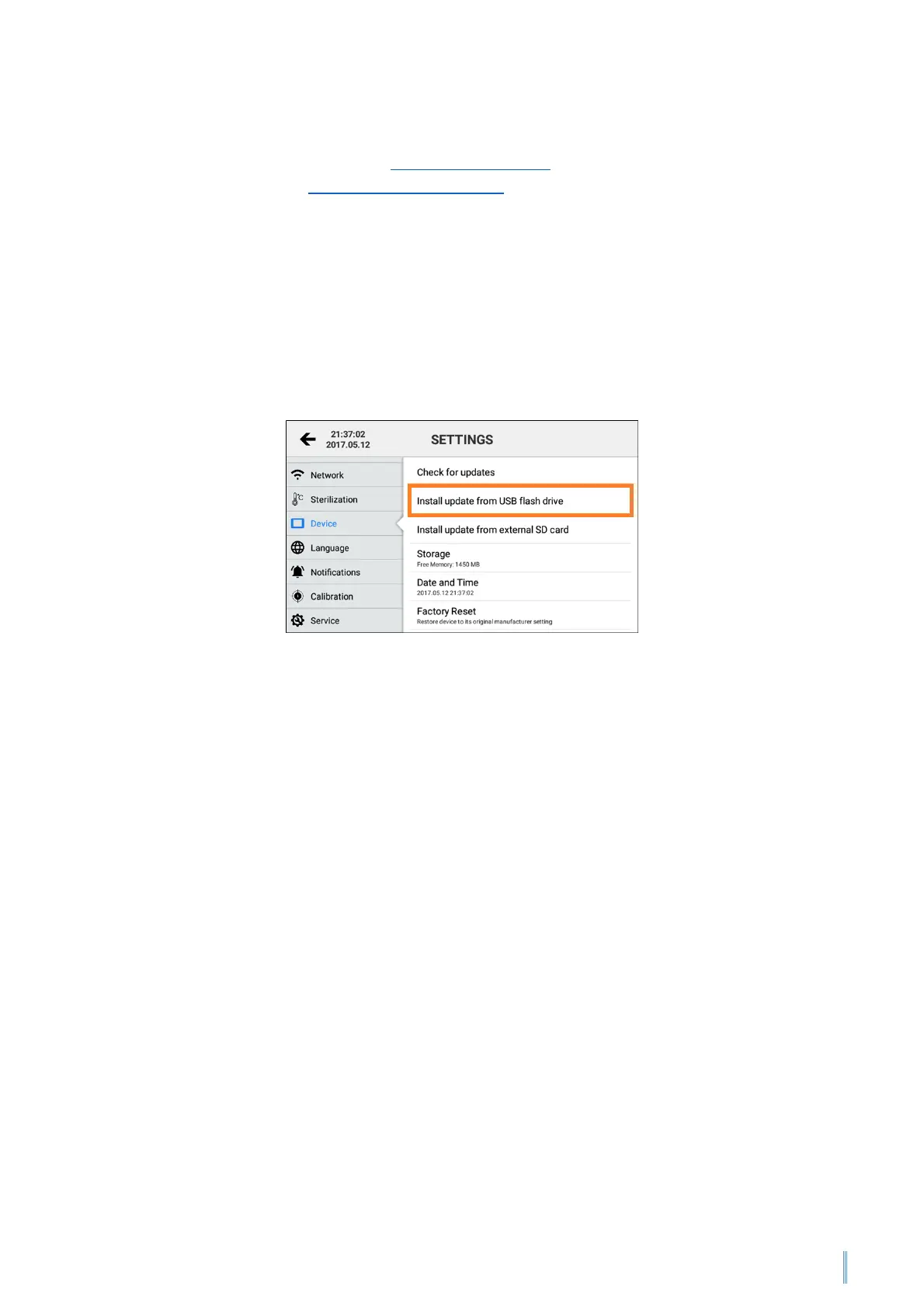
Navigate to the Settings Menu by clicking on the symbol at the top right of the
screen. Press on “Device” and then on “Install update from USB flash drive”.
If the USB stick is not recognised, restart the touchscreen and try again. Follow the
instructions on the screen to install corresponding updates.


 To Next Page