Instruction Manual CertoClav Vacuum Pro 45 l — Model STE-45-T
38
10.3 Protocols Menu
10.3.1 Viewing protocols
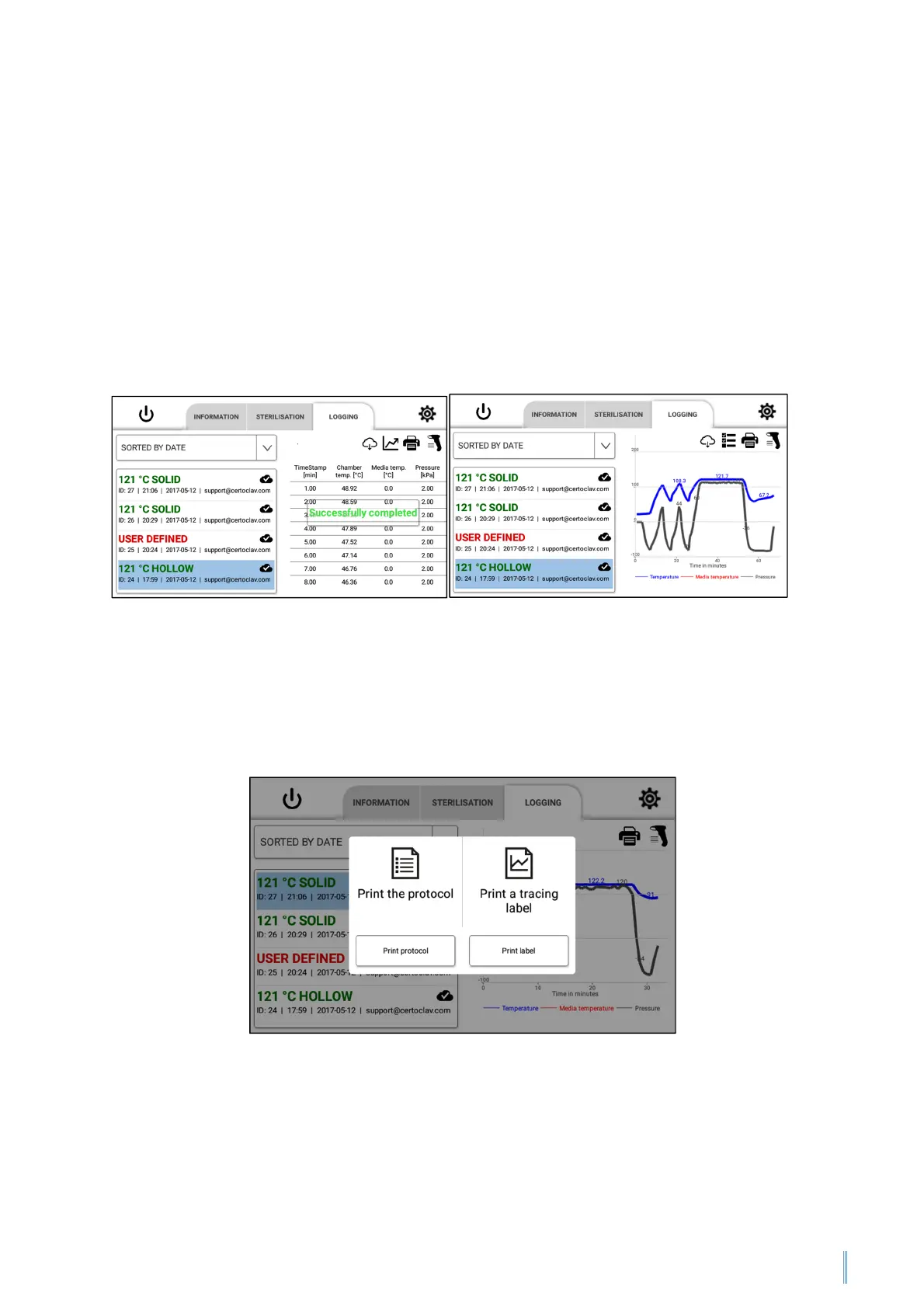
To view sterilisation protocols, navigate to the Logging tab. A list of all recorded
protocols is displayed on the left half of the screen. The cloud symbol in the protocol
list indicates whether the protocols have been backed up in the CertoCloud or on your
local CertoServer. Press on the dropdown menu above the protocol list to sort the
protocols according to define criteria. To display the details and graphic view, select
the protocol by pressing with your finger on the list element. A graph of the protocol
will now be shown on the right of the window. To display the protocol as a list, press
on the list symbol above the graph.
10.3.2 Printing protocols
Navigate to the Logging tab. Select the protocol you wish to print out on the left of the
screen. Press on the pressure symbol at the top right of the screen. Now select the
option “Print the protocol”.


 To Next Page